
Known Participant
September 16, 2025
Question

Review Link in real size.

  • September 16, 2025
  • 1 reply
  • 73 views

Hello! 

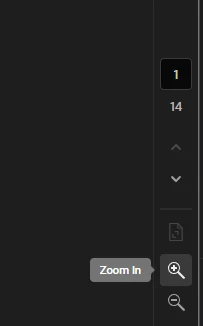
I have been having issues with proofing paid ads using the review links in ID because the links do not get displayes true to size. Paid ads in their nature can be pretty small and my team needs to be able to look at the as true to size to check for legibility copy, and such. The zoom tools at the bottom allow us to zoom in and out but do not display the zoom percetage we are viewing as. Am I doing something wrong? Is there a setting I can turn on to display the zoom %? Can we get the % to display in the review link? 

Thank you


Raquel  

1 reply

rob day
Community Expert
Community Expert
September 16, 2025

Paid ads in their nature can be pretty small and my team needs to be able to look at the as true to size to check for legibility copy


HI @Quel_Belle , InDesign’s 100% view represents the print output at 100%. If you are designing web ads for screen viewing only there is a hidden preference that is only accessable via scripting. You are welcome to try the script below, it displays this dialog which lets you choose the 100% view:


https://www.dropbox.com/scl/fo/40psjmf85ha08gl3s5isw/AGfqsF_EDyNv4NetCKnnRC8?rlkey=lb1yxdhv2m5nioi481unvrk1h&dl=0