Participant
November 2, 2017
Answered

RGB color display problem

  • November 2, 2017
  • 1 reply
  • 1433 views

Hi,

I have some troubles with the RGB color display in Indesign, Photoshop and Acrobat after the latest update.

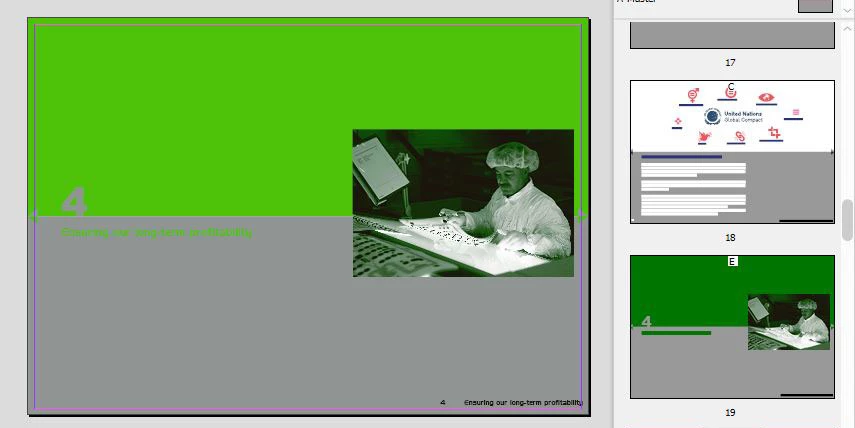
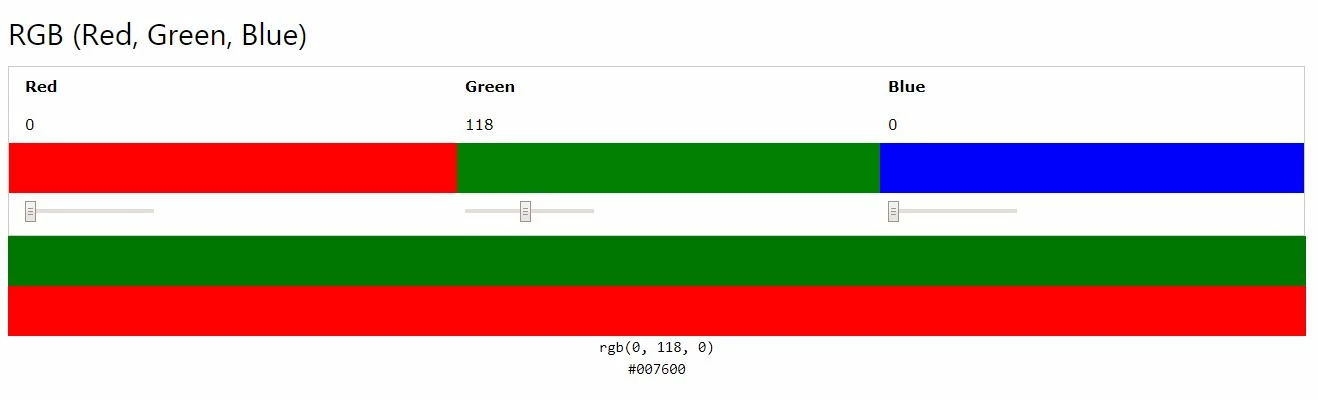
The same color, a green R 0 G 118 B 0, looks darker in the color library than in the opened document. To check where the problem could be, I opened a pdf document I made from the Indesign doc, in Acrobat and in Photoshop. The color display behaves the same here:  the green looks much brighter than the one I had originally created - before the update.

I checked the color with an internet color picker and it shows the darker green, see below:
Here you can see the difference in the open document in InDesign: The color I wanted is the one in the page panel on the right. The same color displayed in the document is a much brighter green as you can see on the left side.

What is the problem here and what can I do?

Thank you

Best regards

Gabi

This topic has been closed for replies.
Correct answer Stilcreator

I wasn't aware that some changes I did through a printer management window did impact the color settings of the CC. Thanks to your answer I found in the color settings menu the hint that CC application colors are synchronized in Bridge. I changed the color settings in Bridge and now everything is ok again.

Thank you

1 reply

rob day
Community Expert
Community Expert
November 2, 2017

Have you tried trashing your ID Caches folder, or if that doesn't work reset your preferences. The color shift you are showing wouldn't likely be caused by any color management setting.

StilcreatorAuthorCorrect answer
Participant
November 2, 2017

I wasn't aware that some changes I did through a printer management window did impact the color settings of the CC. Thanks to your answer I found in the color settings menu the hint that CC application colors are synchronized in Bridge. I changed the color settings in Bridge and now everything is ok again.

Thank you