

cmykfangirl00
Participant
March 3, 2026
Question

RGB colors changing on interactive PDF export

  • March 3, 2026
  • 2 replies
  • 69 views

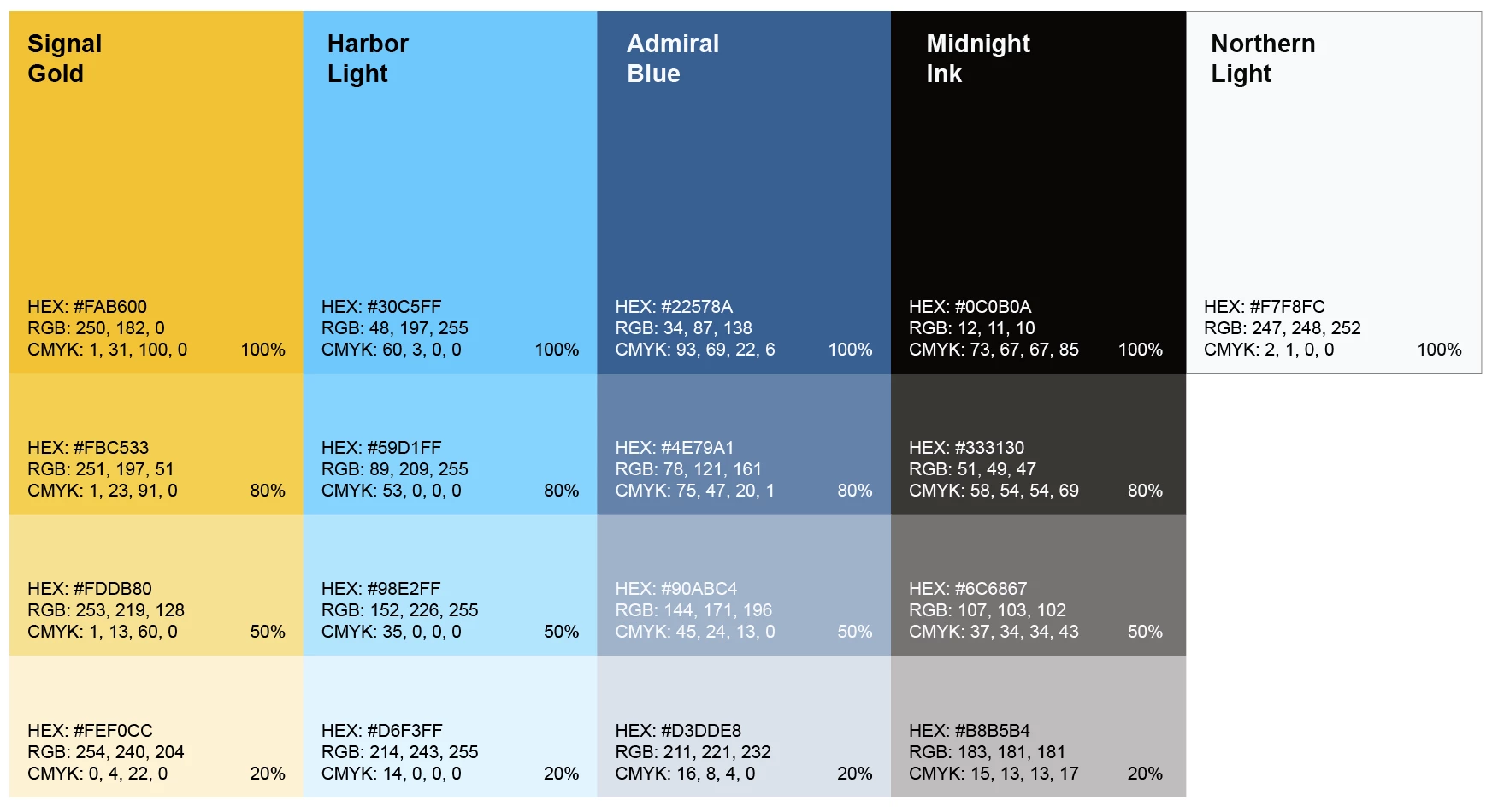
I have tried everything but my colors keep changing from the original InDesign document when I export to an interactive PDF. The Transparency Blend Space is set to Document RGB, and every swatch is in RGB as well. 


What it’s supposed to look like…
 

What it looks like on export…
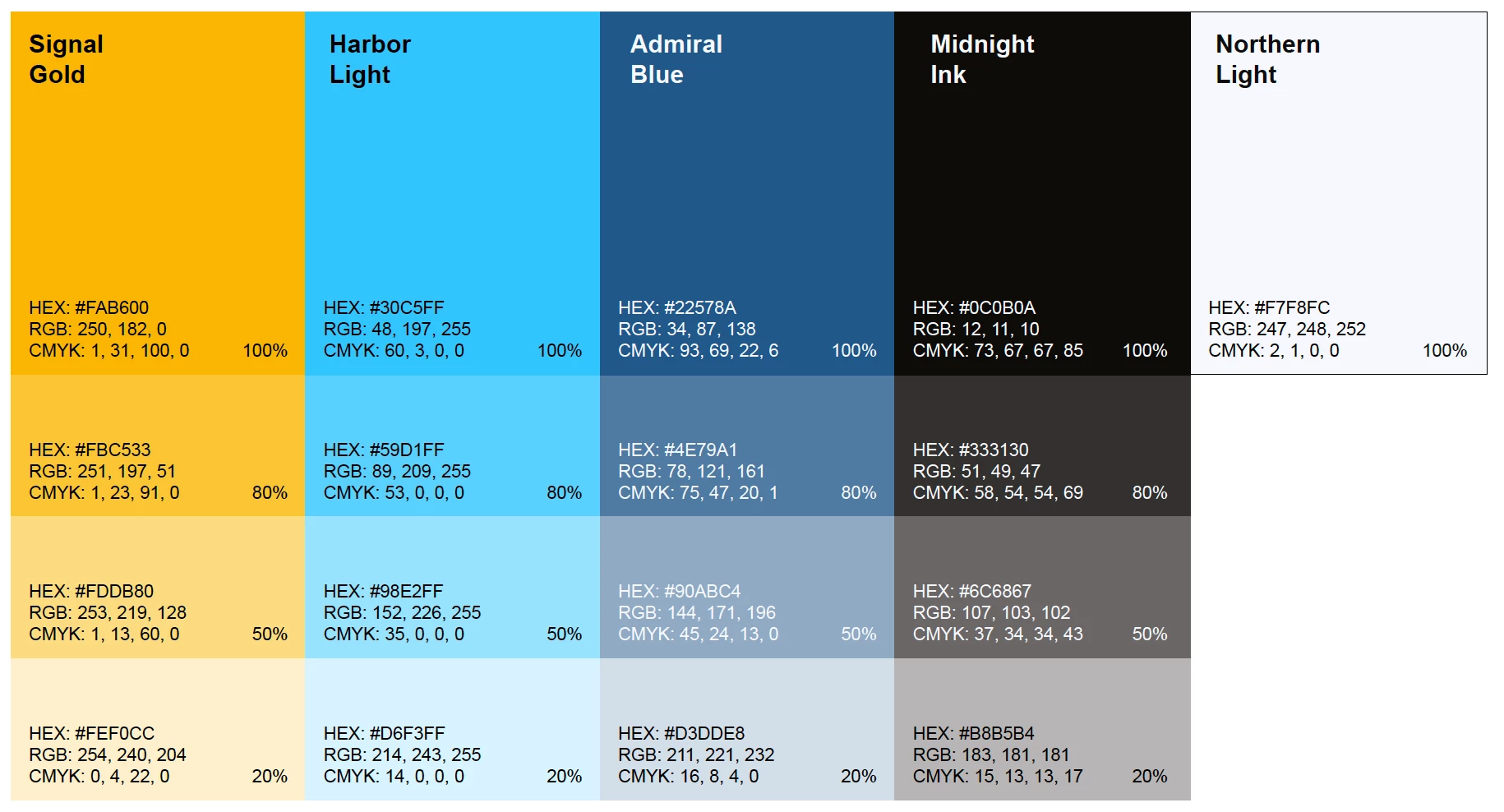
 

The gold and light blue are especially different. Here’s a pic of my color settings:
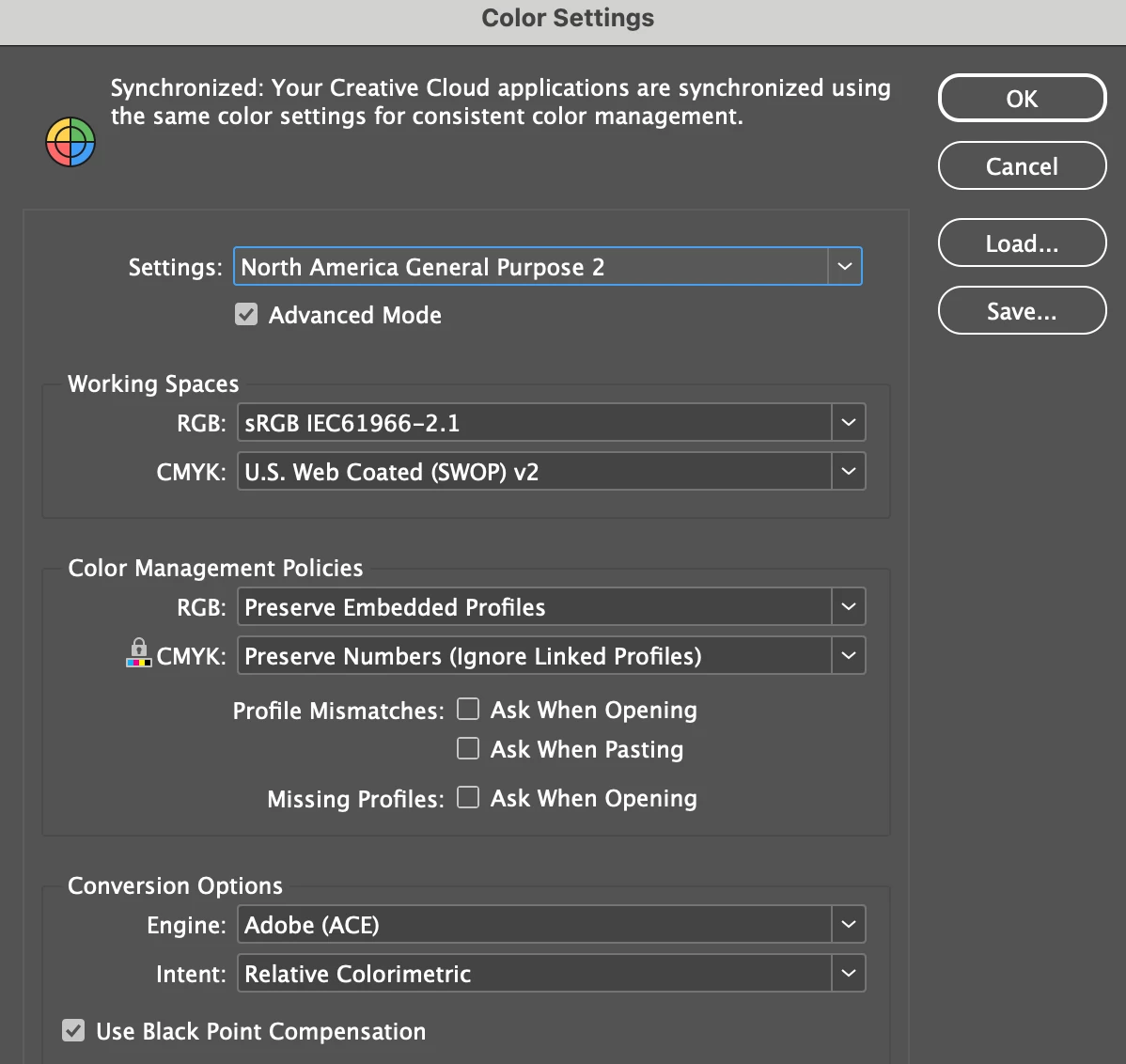
 

As you can see, my color settings are synced across all Adobe apps. 


Please help! 

    2 replies

    rob day
    Community Expert
    Community Expert
    March 3, 2026

    Hi ​@cmykfangirl00 , Are you viewing the PDF in Acrobat or some other application? Acrobat is color managed, other PDF readers may not be.


    Check Edit>Assign Profiles... rather than Color Settings. Usually it is the document’s profile assignments that color manage the document, not Color Settings, which could be different.


    Make sure the Swatches’ Color Type is set to Process and not Spot.


    And make sure you don’t have Overprint Preview or Proof Colors turned on. Overprint Preview displays out-of-gamut RGB colors (i.e. your #30c5ff) in the document’s CMYK profile space

    Community Expert
    March 3, 2026

    You have the colours in RGB - but the interactive pdf use sRGB so you’re getting a shift in the conversion

    cmykfangirl00
    Participant
    March 3, 2026

    Do you mean the swatches need to be in sRGB? How do I fix that? I don’t see a setting for it