
Known Participant
November 24, 2020
Question

Round corners of shape in InDesign

  • November 24, 2020
  • 4 replies
  • 5846 views

Hi there,


I have drawn a simple box and added 3 nodes to create an arrow effect like this:
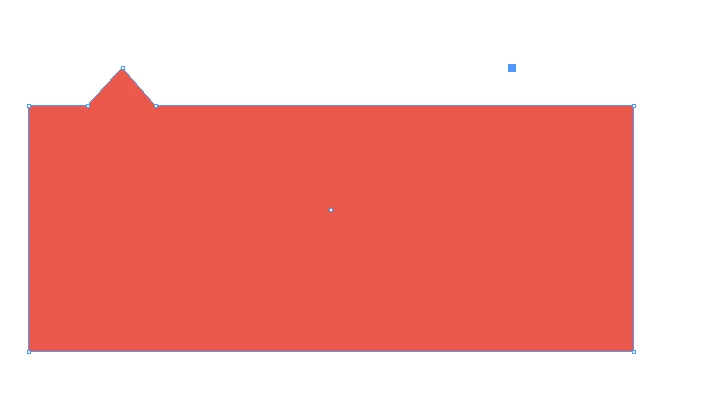
 

What I would like to do is round all of the corners a little. 


How can I do this in InDesign? In Illustrator, the little blue dots appear which let you pull the corners to become rounded, but I can't see anything like this here.


Any ideas would be great, thanks!

This topic has been closed for replies.

4 replies

Community Expert
November 25, 2020

You could also move and position the black rectangle above your shape, copy it to the clipboard, select your shape and do Paste Inside.


Regards,
Uwe Laubender

( ACP )

Community Expert
November 25, 2020

You may also "merge" the two elements, the triangle and the rectangle, using the Add method of the Pathfinder function in InDesign.


But this comes with two drawbacks or restrictions:

[1] The rounded corners are converted to real path objects so you will not be able to change the radius through InDesign's function Rounded Corners. You still can change the radius but you have to do that by moving path points with the Direct Selection Tool.

[2] To change length or height of the object you have to move path points with the Direct Selection Tool.

Otherwise you risk to change the radius of the rounded corner shapes unproportionally.


Regards,
Uwe Laubender

( ACP )

Known Participant
November 25, 2020

Thanks for the replies. I think I have managed to work it out now. I will be using both methods throigh out my project.


My next questions is, how do I have  border on just the left of that shape? Is this possible or would I have to create another shape and add it on top? I am thinking of having a border with the round top left and bottom left corners and then straight borders on the right.


Sorry if this is in this thread. Let me know if I should create a new post for it.


Thanks!

jmlevy
Community Expert
Community Expert
November 25, 2020

Like this?

Community Expert
November 24, 2020

Hi toolman123,

create two objects first:


[1] A triangle

[2] A rectangle

Apply the rounded corners to the rectangle.

Object > Corner Options…


Group the two objects so you can hold them together, but also are able to change the size and position of the rectangle and the triangle individually if you like to:


Regards,
Uwe Laubender

( ACP )

Legend
November 24, 2020

Tools for this can be found in the top toolbar, or under Object > Corner Options

Known Participant
November 25, 2020

Thank you, that was exactly what I needed!


Thank you too @Laubender I will probably need that method with other elements I am creating.