lorenzom80985990
Participant
January 23, 2018
Answered

Rounded corners for each cells of the table (not just the table) InDesign CC 2018

  • January 23, 2018
  • 2 replies
  • 10275 views

Hi Everyone, i'm trying to make the round corners on each raws of the table but i'm struggling, anyone can tell me if it is possible?

I'm looking for a shortcut easy way something like a Style which you can apply on every raws

here an example

Thank you who ever will be able to help me

This topic has been closed for replies.
Correct answer Steve Werner

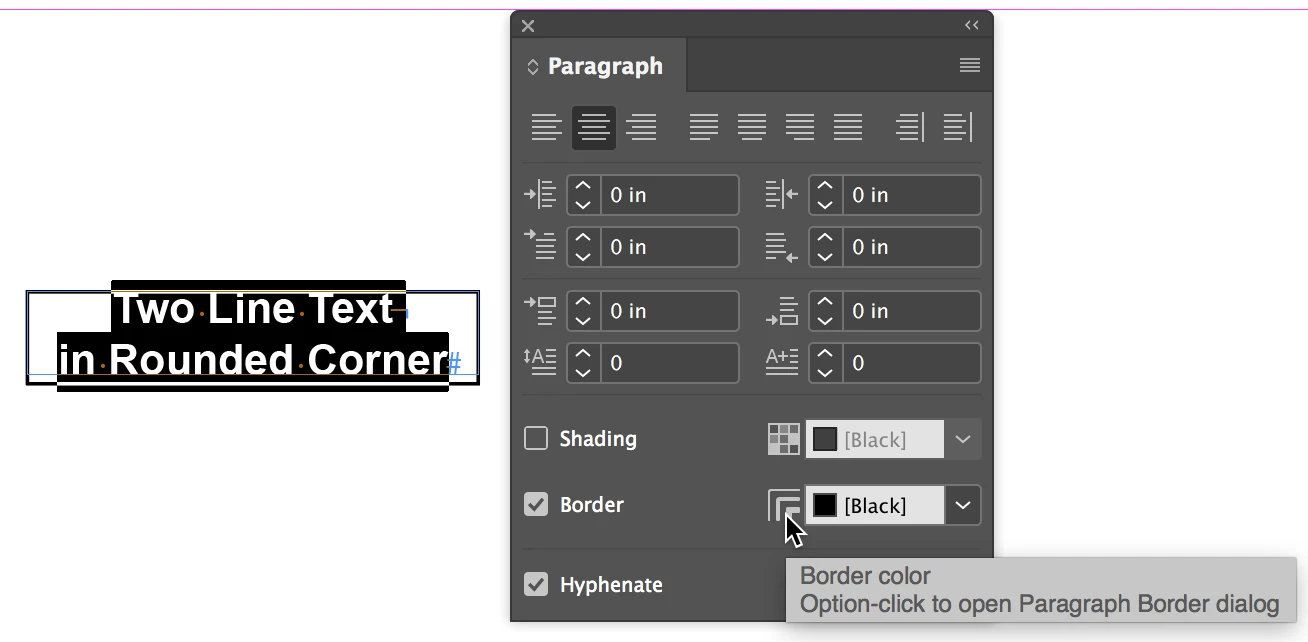
The Paragraph Border is a paragraph attribute. You can set it either in the Paragraph panel or the Control panel (paragraph mode). A paragraph border can have rounded corners.

Start by learning how to create a paragraph border:

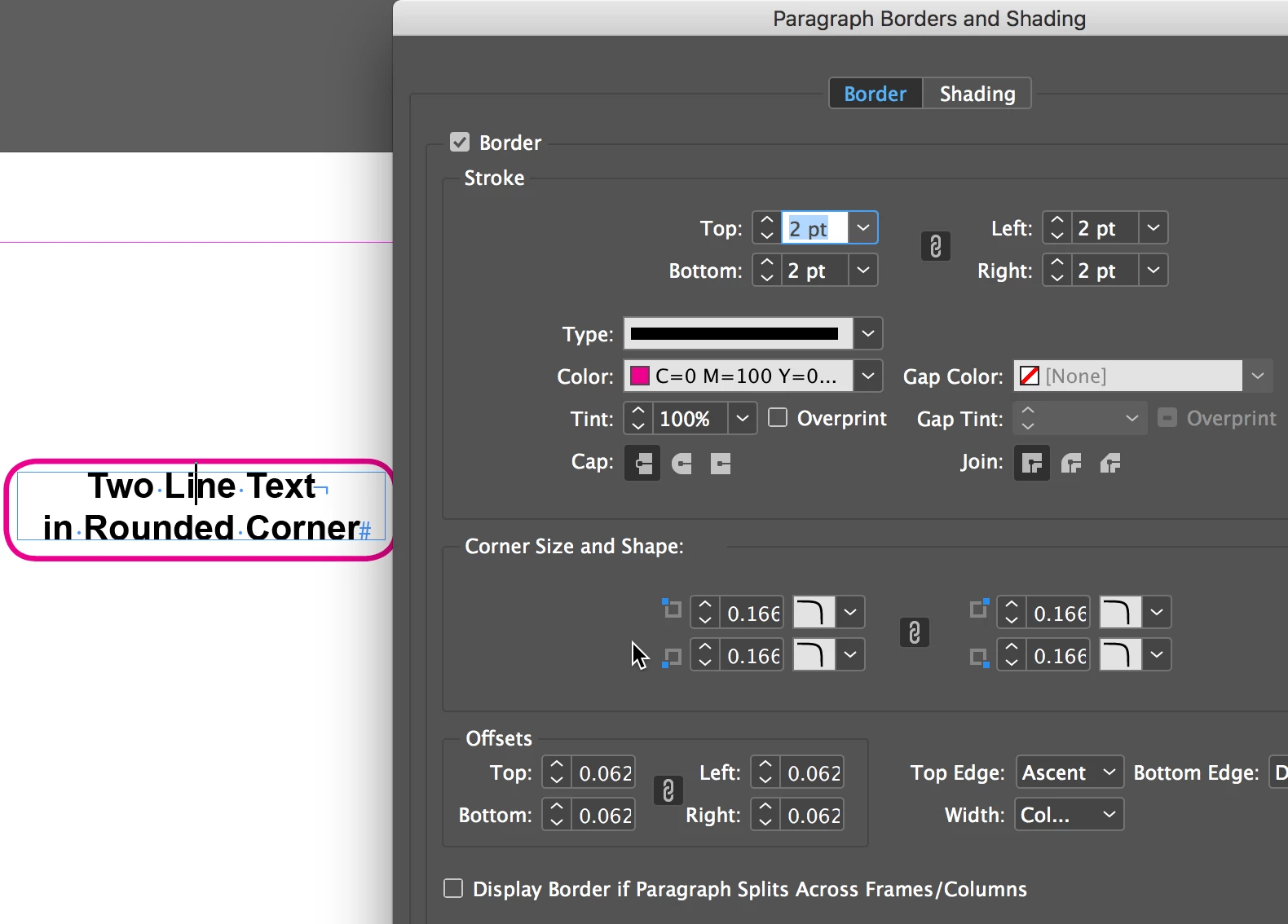
Open the Paragraph Borders & Shading dialog box from the Paragraph or Control panel menu to adjust your settings:

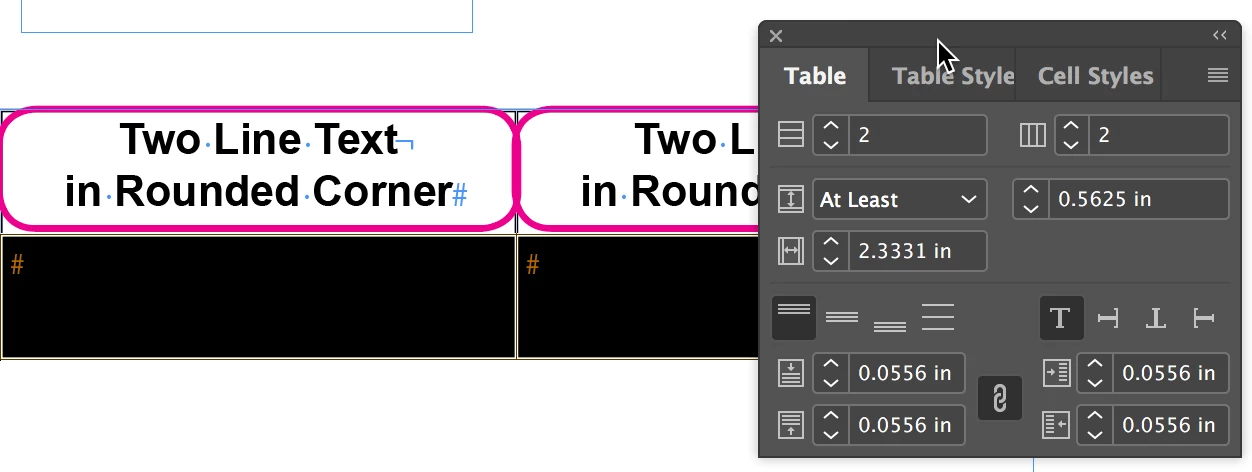
Once I got a rounded border that liked I cut and pasted into a small table:

Use the Table panel to adjust the row height, and so on.

You can include your paragraph border in paragraph styles to make it faster.

2 replies

Frans v.d. Geest
Community Expert
Community Expert
January 23, 2018

Bit tricky, best I could do. The example is for download here:

Dropbox - testparborder_table.indd

You can always adjust the values for rounding, baseline-shift, cell height and inset, clip etc.

lorenzom80985990
Participant
January 23, 2018

how you manage to round the inner box inside the cells?

Frans v.d. Geest
Community Expert
Community Expert
January 23, 2018

Download the file, it is a paraborder in the Paragraph style

Frans v.d. Geest
Community Expert
Community Expert
January 23, 2018

You could try the new Paragraph border for text...