Hi Aman,
And again - Thanks for everything!
I'm sorry but I'm afraid the original question is not answered yet... I asked how can I run a script automatically when I'm opening a specific Indesign document, and the script (Swimmer) doesn't run yet.
I'm afraid we will move to the personal message or on mail and the problem will stay.
Please help me run the Swimmer when I'm opening a specific "sample.indd" file (my original question).
You guided me so far, please help me finish this properly.
Thanks!
Hi,
This is my folder structure and my Swimmer.config.ini file
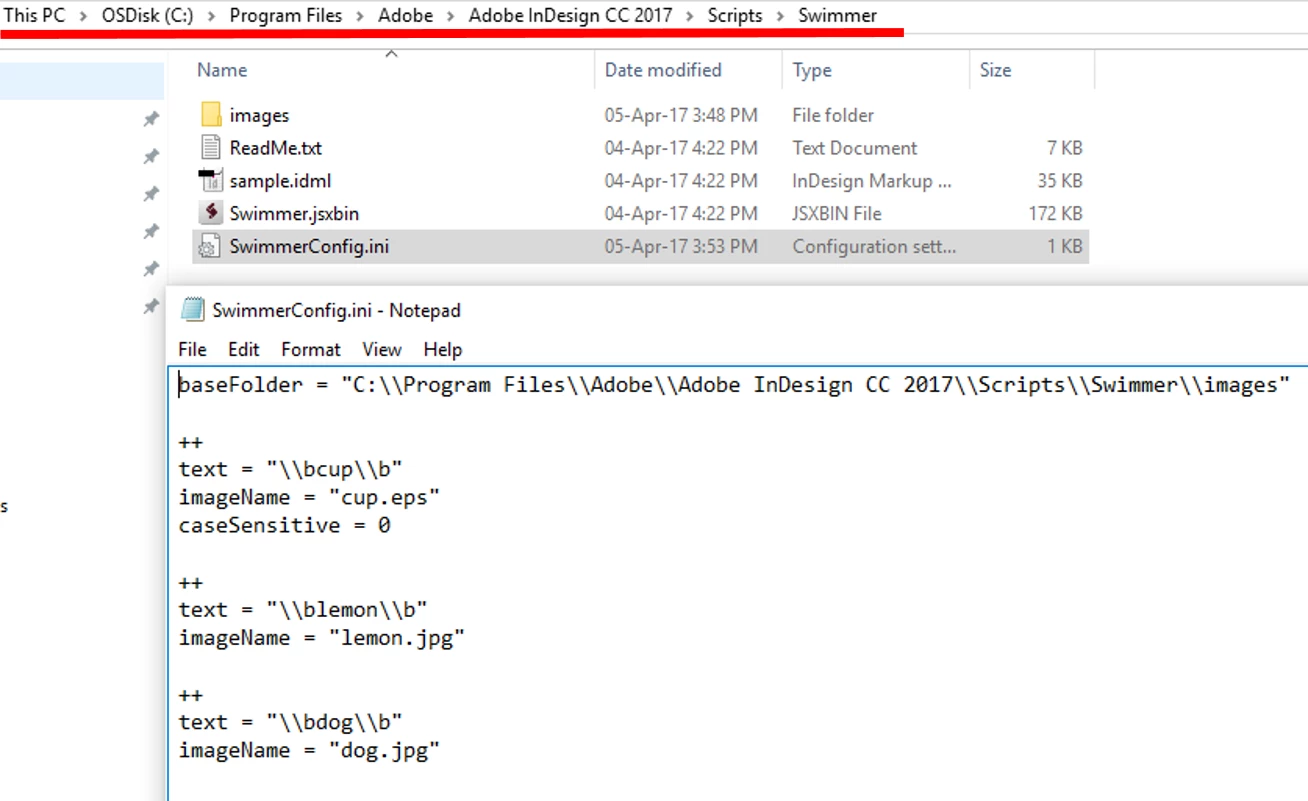
This is the original swimmer folder.
I have placed the below script in the startup scripts folder that runs the Swimmer.jsxbin file. Lets name this script as "trigger.jsx"
#targetengine "onAfterOpen"
main();
function main() {
var myApplicationEventListener = app.eventListeners.add("afterOpen",myfunc);
}
function myfunc (myEvent) {
var doc = myEvent.parent;
alert(myEvent.parent);
if ( doc.name == "sample.indd" )
{
alert("hi");
var thisFile = new File($.fileName);
var basePath = thisFile.parent.path;
alert(basePath);
var f = new File (basePath + '/Swimmer/Swimmer.jsxbin');
app.doScript(f);
}
}
Now, the "Swimmer.jsxbin" file is executed automatically when the "sample.indd" file is open. The "swimmer.jsxbin" file is written in such a way so that it executes on ALL the open document. With my script "trigger.jsx" the "swimmer.jsxbin" file is ONLY TRIGGERED TO RUN. The writter of the script "swimmer.jsxbin" wrote it in a way so that it executes on all the open documents.
In order to check the above do this:
1. Open "sample.idml" present in the ORIGINAL swimmer folder. This file contains the text that will be replaced by the images.
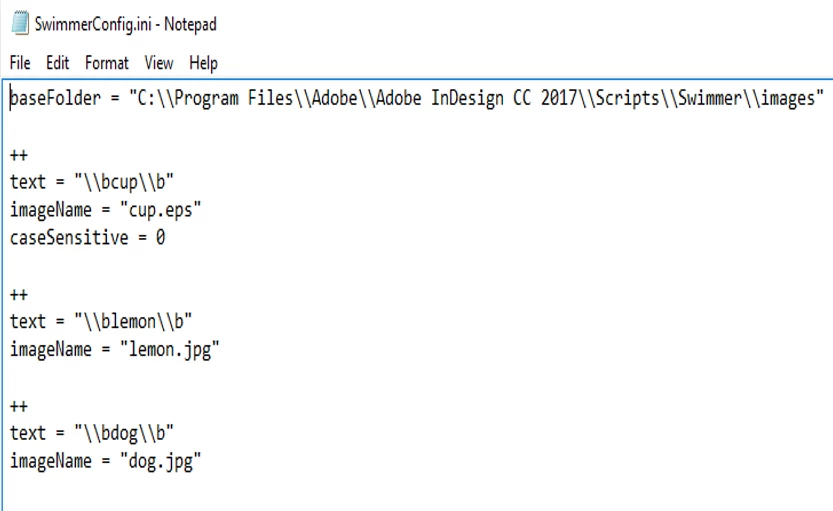
This text to be replaced is mentioned in the ini config file. (as shown above). Do note: am talking about the original swimmer folder which is not edited by you and only downloaded from the link you mentioned.
2. save "sample.idml" as "doc.indd" and also save it as "sample.indd"
-> doing this step so that idml is saved as indd
3. close Indesign
4. open Indesign and the document "doc.indd"
5. Open "sample.indd" -> at this point "swimmer.jsxbin" should be executed thorough "trigger.jsx" without any error.
Now you will see that the content of the "doc.indd" file are replaced by the "swimmer.jsxbin", but "sample.indd" remains uneffected,
To make it run ONLY on "sample.indd" you need to edit the "swimmer.jsxbin" file.
Hope I am clear.
-Aman



 AdChoices