Known Participant
Jun 4, 2023 1:51 PM UTC
Answered

run script only on pages specified in array

How run the above script only in page specified in myArr

var myDoc = app.activeDocument;
var tfs = myDoc.allGraphics;
var myFrames = myDoc.textFrames;
var myArr = [15,16,20,22]

var A = -5
var B = 0
var C = 120
var D = 175

for (var i = 0; i < tfs.length; i++) {
    try { 

	var myPage = tfs[i].parentPage;
  	
tfs[i].parent.geometricBounds = [A, B, C, D];
tfs[i].geometricBounds = [A, B, C, D];
}
    } catch(e){}
}
 
Thanks
This topic is closed to new replies. Start a new post to keep the conversation going.
rob day
rob dayCorrect answer
Community Expert
Jun 8, 2023 8:06 PM UTC

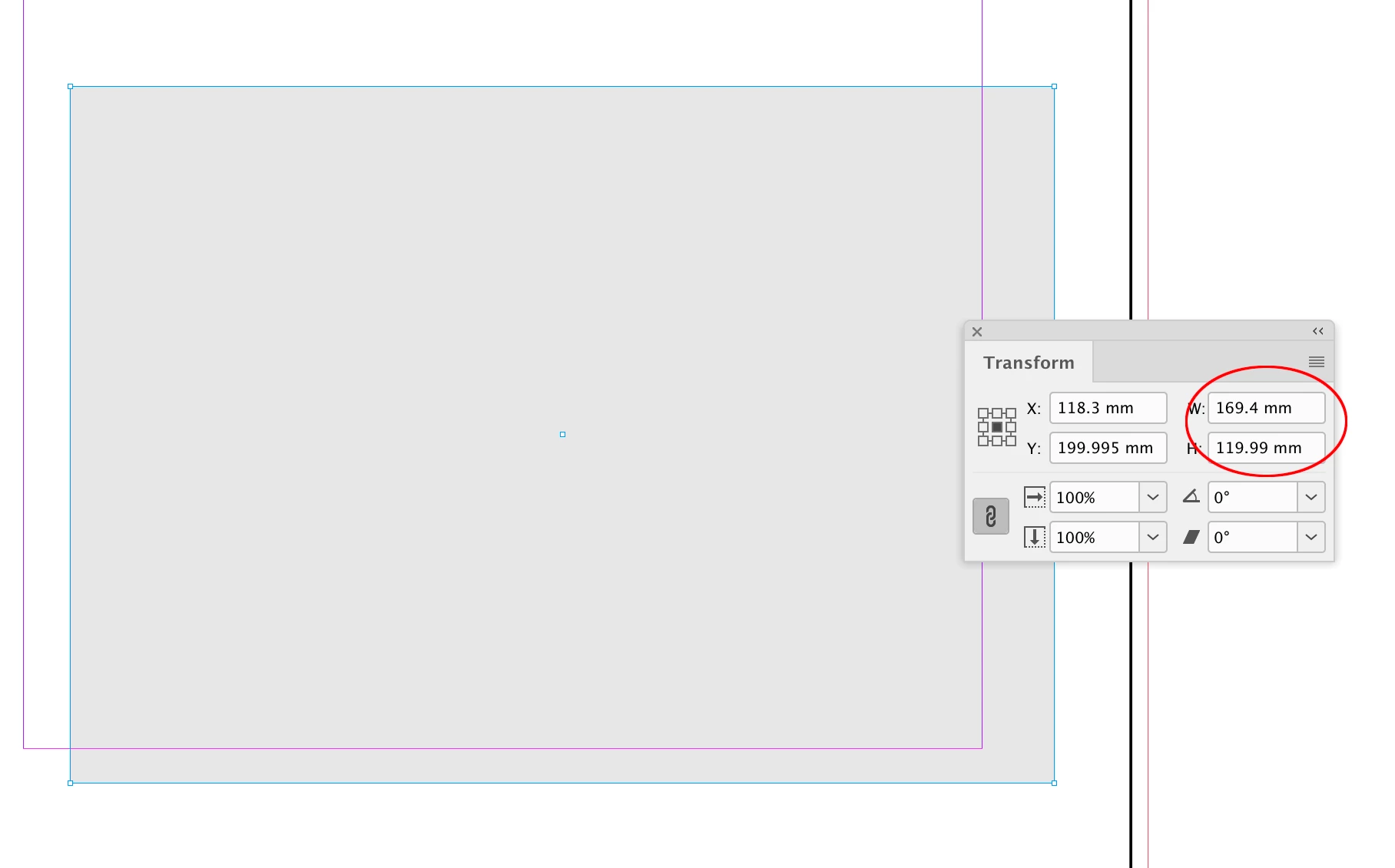
I place vector pdf generated from indesign, like the attached.


Looks like a rounding difference on the conversion from the PDF’s size in inches to millimeters. If I inspect the PDF Acrobat reports the trim dimension as 6.693" x 4.724"
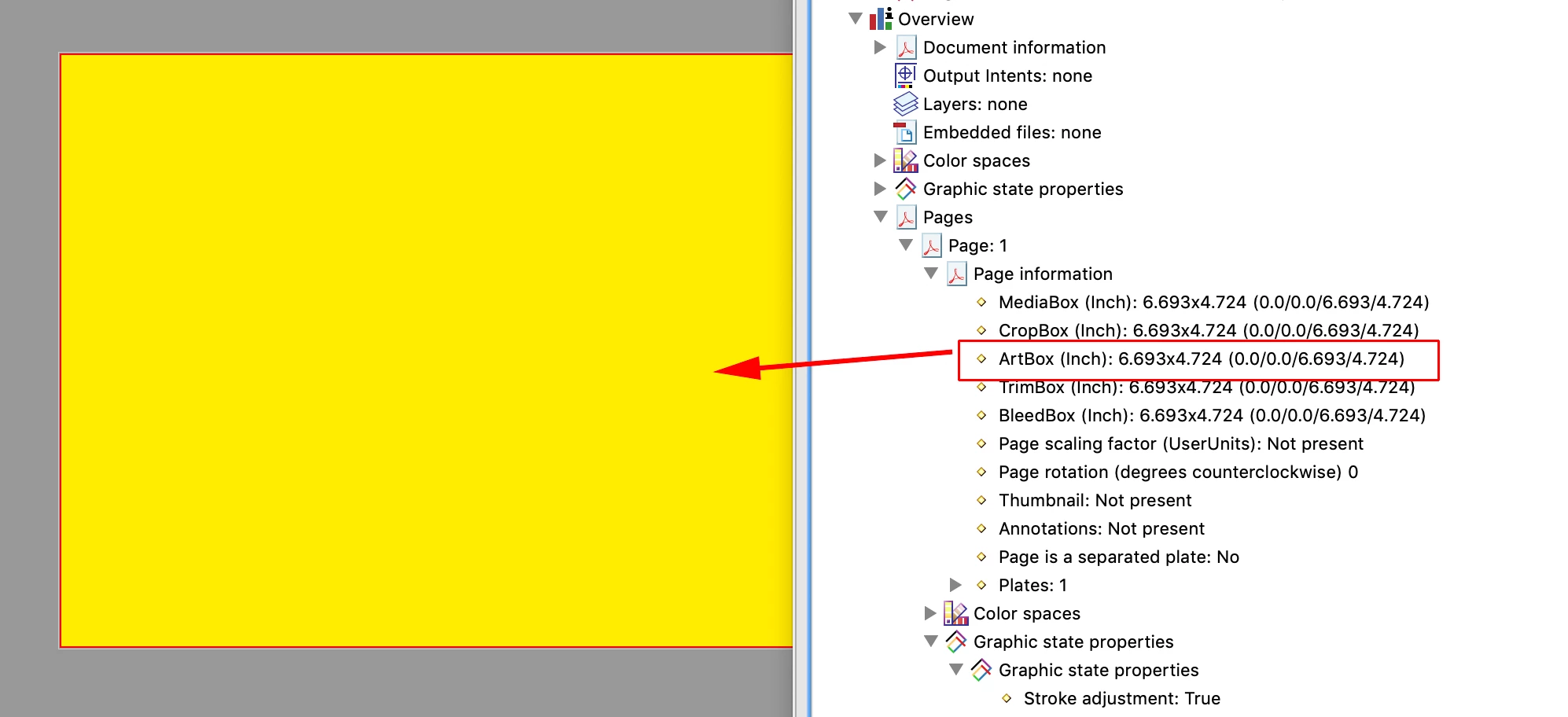


Those inch dimensions don’t convert to exactly 170mm x 120mm:
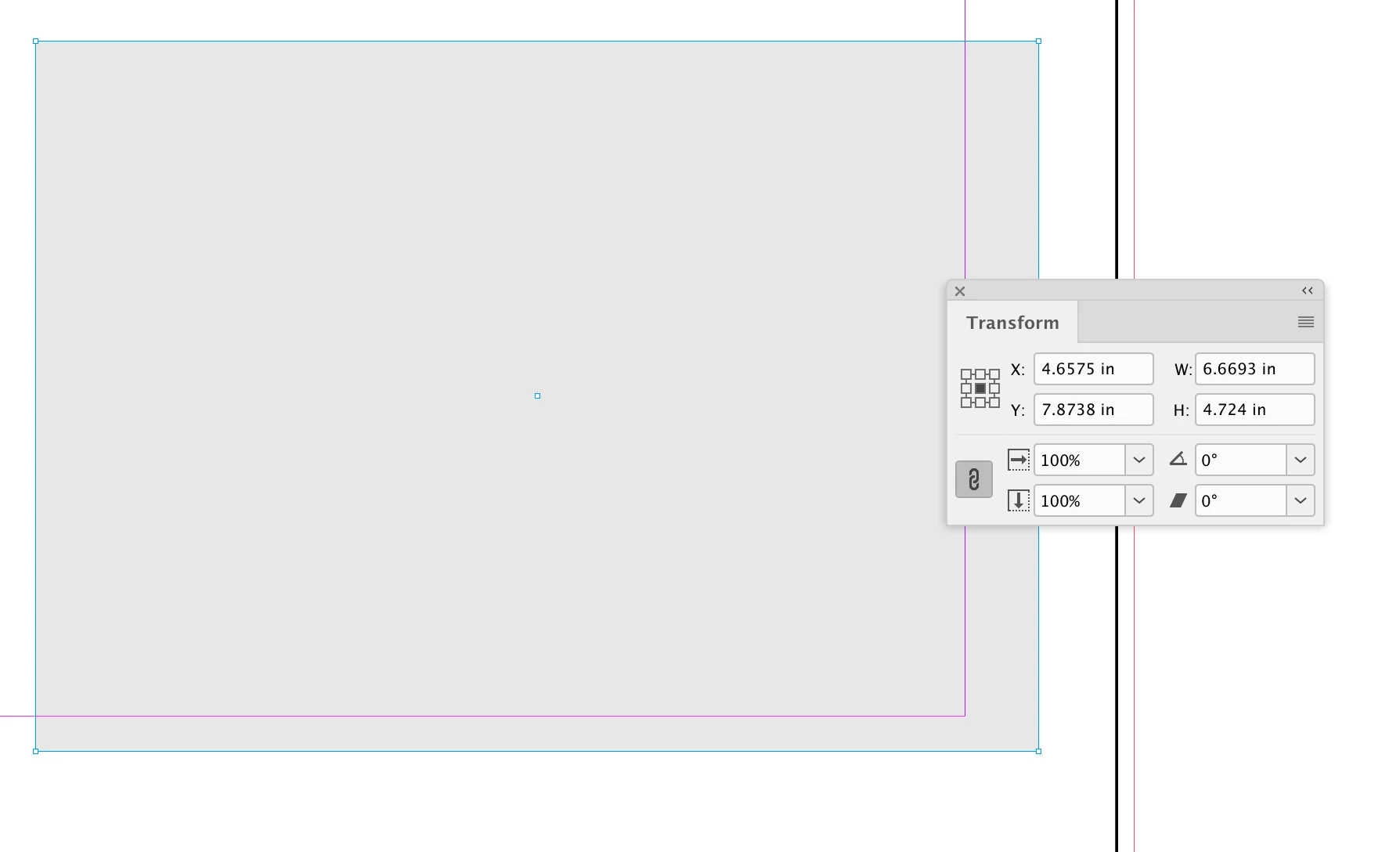


The script could force the scale of the graphic to 100%:


var myDoc = app.activeDocument;
//an array of page names
var pa = [1,16,20,22]
//the bounds to use
var ba = [-5,0,115,170]
//set units for bounds—points?
app.scriptPreferences.measurementUnit = MeasurementUnits.MILLIMETERS;
//the target page
var p;

for (var i = 0; i < pa.length; i++){
    //get the target page by name
    p = myDoc.pages.itemByName(pa[i].toString())
    //if the page exists run the function
    if (p.isValid) {
        setBounds(p,ba)
    } 
};   

app.scriptPreferences.measurementUnit = AutoEnum.AUTO_VALUE;

/**
* Sets the bounds of all the graphics on the specified page 
* @ param target page object
* @ param the bounds to set 
* @ return void 
*/
function setBounds(p,b){
    var tfs = p.allGraphics;
    for (var i = 0; i < tfs.length; i++) {
        tfs[i].parent.geometricBounds = b;
        tfs[i].geometricBounds = b;
        tfs[i].horizontalScale = 100;
        tfs[i].verticalScale = 100;
    }
}



11 replies

rob day
Community Expert
Community Expert
Jun 4, 2023 2:38 PM UTC

Hi @lux65 , Maybe wrap your bounds setting in a function, then loop thru your page array to set the graphic bounds—something like this?


var myDoc = app.activeDocument;
//an array of page names
var pa = [15,16,20,22]
//the bounds to use
var ba = [-5,0,120,175]
//set units for bounds—points?
app.scriptPreferences.measurementUnit = MeasurementUnits.POINTS;
//the target page
var p;

for (var i = 0; i < pa.length; i++){
    //get the target page by name
    p = myDoc.pages.itemByName(pa[i].toString())
    //if the page exists run the function
    if (p.isValid) {
        setBounds(p,ba)
    } 
};   

app.scriptPreferences.measurementUnit = AutoEnum.AUTO_VALUE;

/**
* Sets the bounds of all the graphics on the specified page 
* @ param target page object
* @ param the bounds to set 
* @ return void 
*/
function setBounds(p,b){
    var tfs = p.allGraphics;
    for (var i = 0; i < tfs.length; i++) {
        tfs[i].parent.geometricBounds = b;
        tfs[i].geometricBounds = b;
    }
}


Translate
lux65Author
Known Participant
Jun 4, 2023 4:09 PM UTC

Thank you rob day.

It's quite perfect.

It's possible make it works only on visible or unlocked layers? or specific named layer?

Translate
rob day
Community Expert
Community Expert
Jun 4, 2023 5:06 PM UTC

You can get the itemLayer of the graphic and check its name or locked status. Change "LayerName" to the name of your layer


function setBounds(p,b){
    var tfs = p.allGraphics;
    for (var i = 0; i < tfs.length; i++) {
        if (tfs[i].itemLayer.name == "LayerName") {
            tfs[i].parent.geometricBounds = b;
            tfs[i].geometricBounds = b;
        } 
    }
}


https://www.indesignjs.de/extendscriptAPI/indesign-latest/#Graphic.html


https://www.indesignjs.de/extendscriptAPI/indesign-latest/#Layer.html#d1e200146


Translate