
Running Header Last on page not working
First, I am running InD 2017 on a mac, El Captitan 10.11.6.
I have a book file with an Index, the index has running headers that have "First on Page" running header on left page and "last on page" running header on right. I copied the styles from a book that I did this way before, which worked. But now, when opened that book it doesn't work (doesn't populate) and doesn't work in the new book.
I have reset prefs to defaults and restarted a few times.
I have set up the text variables and running headers this way. Running header on the left uses a character style "indexLvl1". The character style has been applied to the text in the index as a nested style "up to the en space" so as to leave out the page numbers when picking up the header. It's set as "First on page".
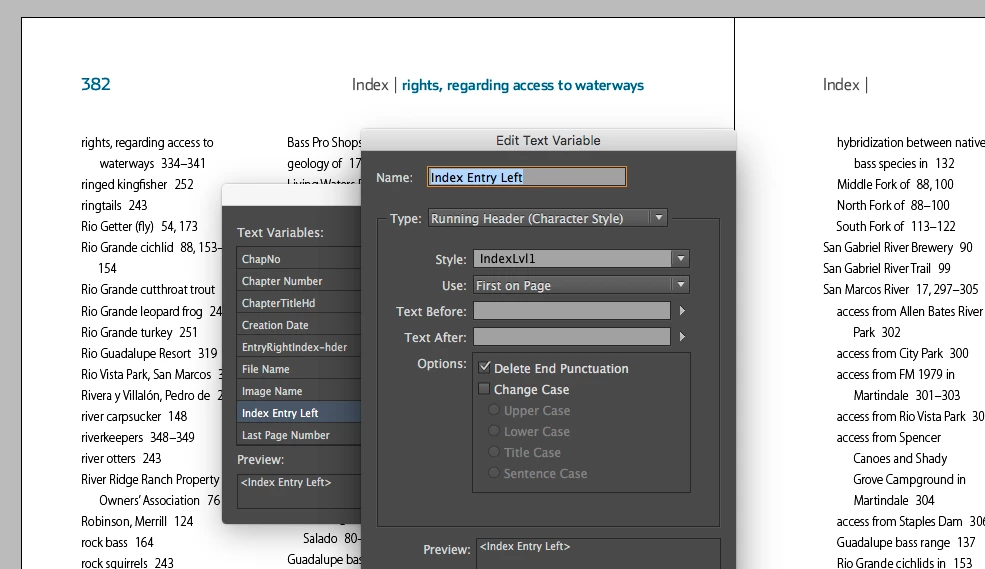
(The on on the right is set up the same way, except I selected last on page. The character style is applied to level 2 entris as well even though it's called IndexLvl1.) I deleted the original text variable and running header and recreated it with a different name: "EntryRightIndex-hder" thinking maybe it's hung up on the old one. But it still doesn't work.
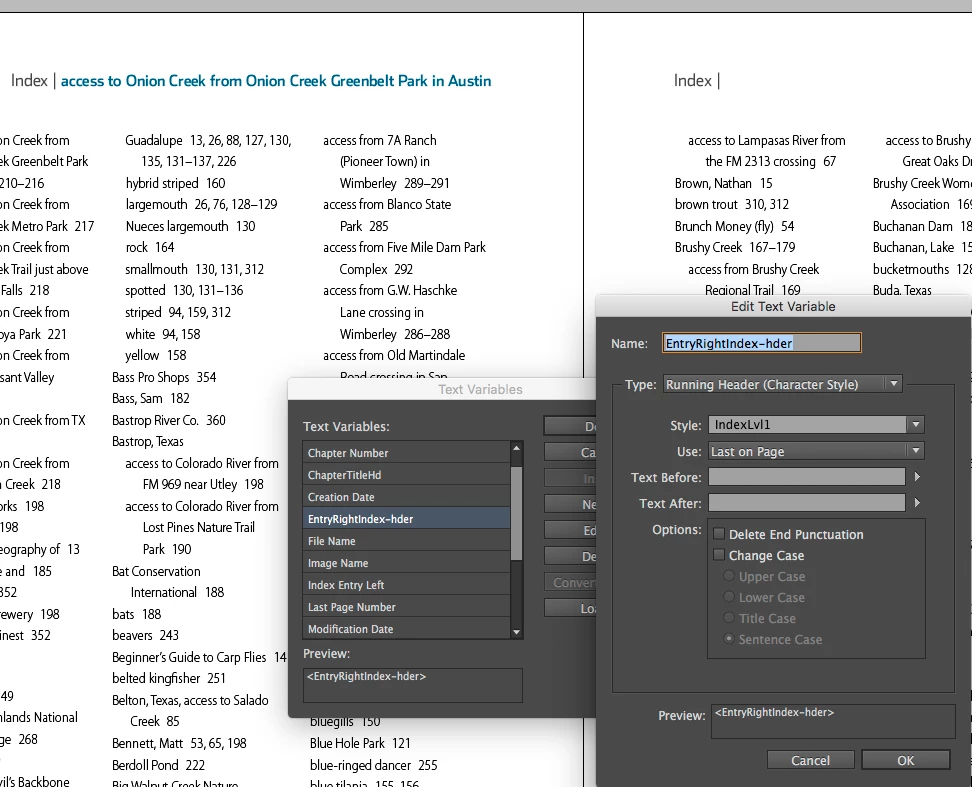
See Last on Page is selected. Then I tried "first on page" to try to narrow down the problem. Voila!
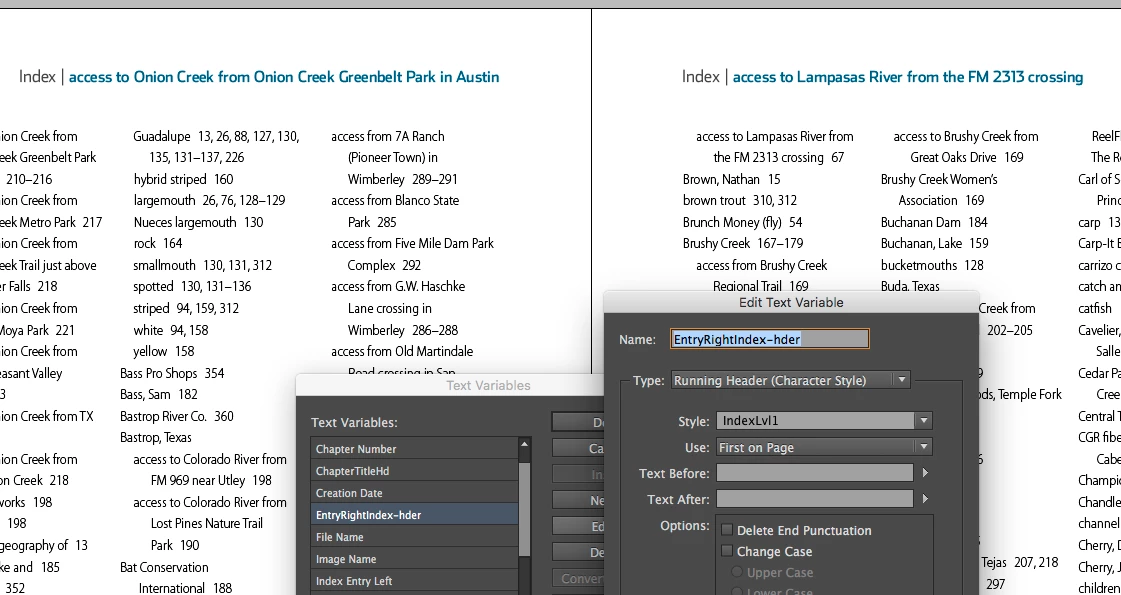
With First on page selected, it does populate with the first entry on the page. (Not what I want.)
And the master pages do have the correct running header variables inserted.
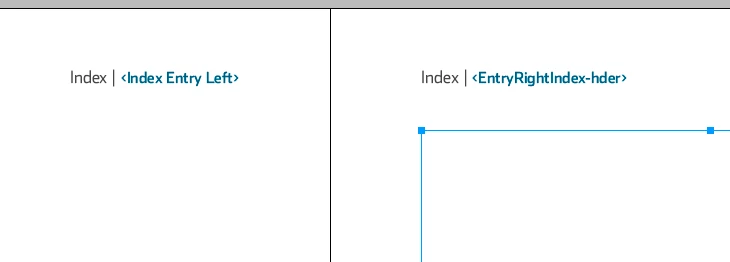
It's odd that it has worked before, and now doesn't and odder still that it now is broken in the file where it worked completely—and the file hasn't been touched except to open it to copy the styles (not saved) and opened today to check this issue. It was created in the same version of IND. It displays the same issue now.
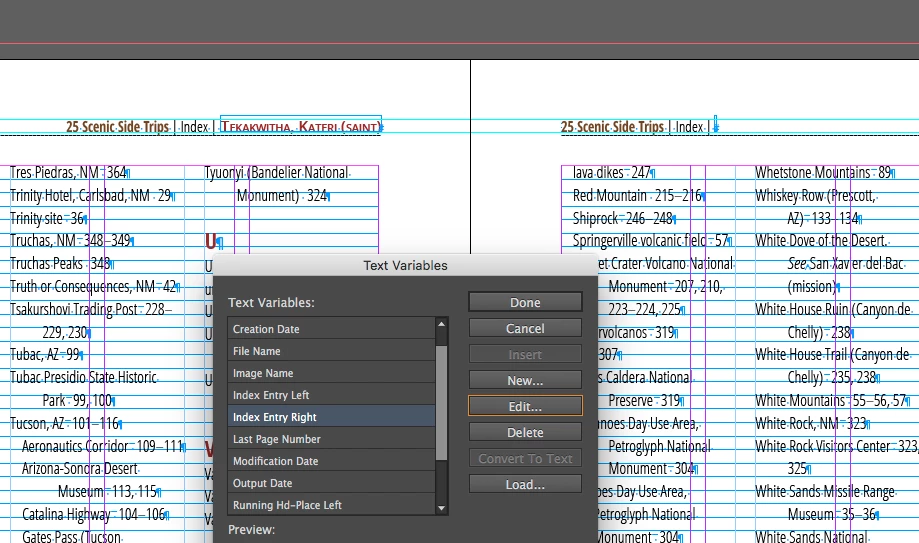
(It still has the original text variable name.)
So I am not sure what else to do. I can insert the headers manually, it is just a few pages, but obviously I'd like to clear it up, as I have some even bigger indexes coming up where I will need this feature.
I haven't updated yet to 2018, or later because I am on an older machine, and I know there are issues for me with the OS and Adobe software etc. But I'm just stymied as to why it worked and now it doesn't.
 AdChoices