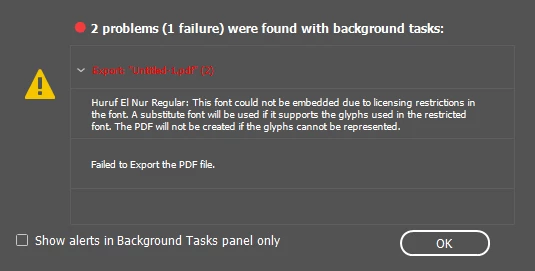
Quote: "for 2 years i used my one created fonts in indesign"
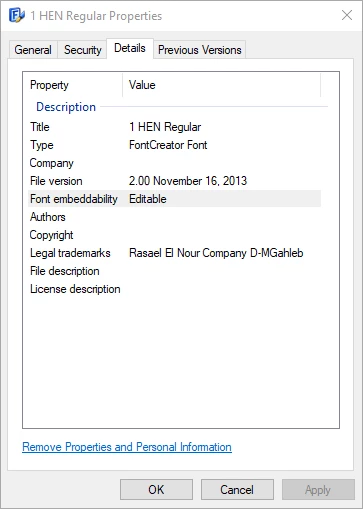
Just confirming: you created the font 1 HEN Regular with FontCreator font software?
And it embedded into PDFs correctly before you upgraded to InDesign 15.1.1?
If the above is correct, then most likely something has changed somewhere:
- Maybe InDesign requires an additional setting (or an update to an original setting) in order to recognize that it's embedabble.
- Maybe InDesign is looking for your fonts in a different folder.
- Maybe something needs to be updated in your font file to conform to InDesign's (new) requirements.
I can't add more to my colleagues' excellent suggestions above. And there has been an increase in the number of font problems in InDesign's latest releases, so I think something has changed for everyone. We just aren't privvy to what that change is!
Suggestions:
- Make sure your font is installed correctly. InDesign is getting more particular about where they are on your hard drive. Try copying them to the Fonts Folder inside the InDesign application folder (reboot your computer afterwards to clear out old font cache). See https://helpx.adobe.com/indesign/using/using-fonts.html
- Upgrade your version of FontCreator and re-export your font, reinstall it on your system, and try to embed the font again.
- Check with FontCreator to see if they have any insight into this problem.

 AdChoices