



Scaling numerically placed content
This, I'm sure, is plain silly? But I can't find the way to scale images numerically? By percentages?
While adjusting the frame!!! -- Very important.
Suppose I have an image I interactively placed at 30% :
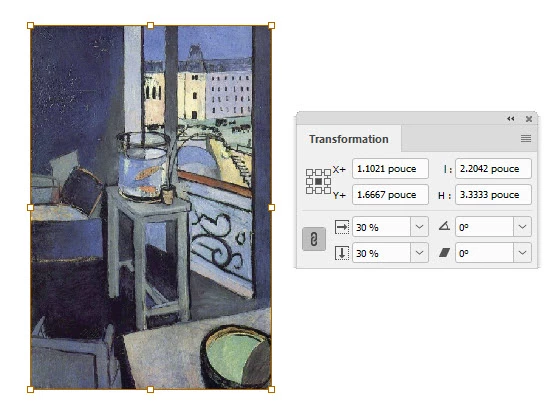
As the Transform panel shows, the image is scaled at 30%.
Now, InDesign automatically created the required frame size so that it matches the scaled image perfectly.
But what if I want the image scaled at 50%? For some rason?
It's easy enough to type in 50% in the Transform panel but what about the graphic frame itself?
Even if I have Frame Adjustment Automatic turned on in the Frame Adjustment Option, once I issue the new scaling percentages, the image DOES resize but the frame itself remains unchanged? I thought there was a keyboard combination I had to hold to force the frame to scale with the image but I didn't find any.
I know I can always use "Fit frame to content" right aftre changing the scaling... I know. But that's about all I can do to automate such a silly transform.... Hopefully, I'm missing something very obvious -- egg on my face in advance...
 AdChoices