Scaling on pages panel on Surface
Hi,
I have Indesign installed on my Surface Pro 4. It seemed to work fine up till now, but the last few times I started the program, the pages panel is messed up. I have to stretch the panel really wide to see my pages at all, and the bottom few pages never come into view (which is quite annoying). My master pages are also invisible.
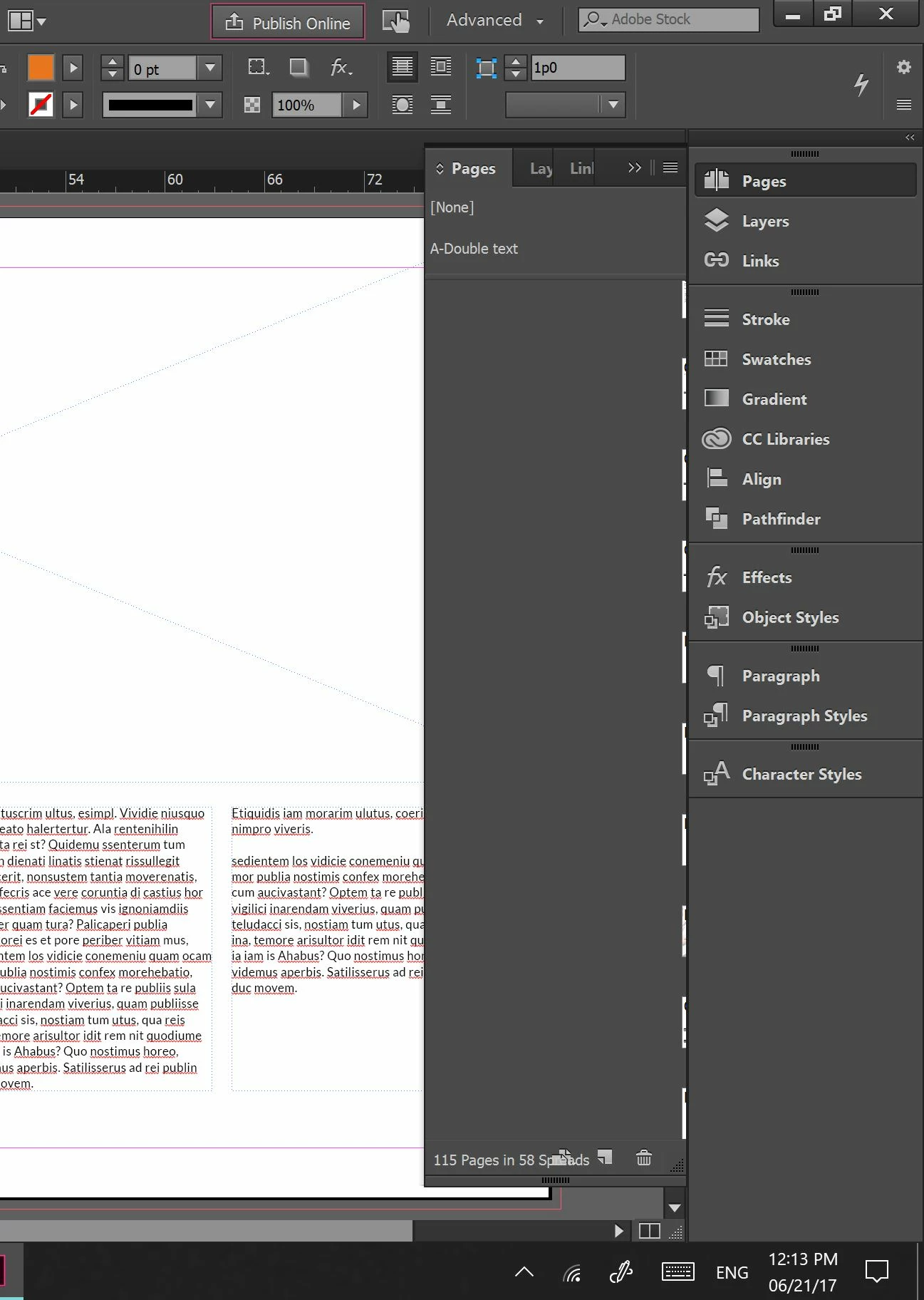
I tried setting the UI scaling, but none of the settings fix the problem. Also, I tried all possible panel options to fix the problem, but nothing seems to work. I think it is weird that it just happened without me changing any settings.
Is there a UI setting, or scaling preference that I missed or does anyone have another idea to fix this?
I found this similar problem, but those fixes did not work unfortunately:
I can't see my master pages on pages palette indesign
Thanks!
Alieke
 AdChoices