


frauenauge
Inspiring
July 15, 2024
Answered

Schaltfläche funktioniert nur 1x / Pop-up

  • July 15, 2024
  • 1 reply
  • 550 views

Liebe Community,

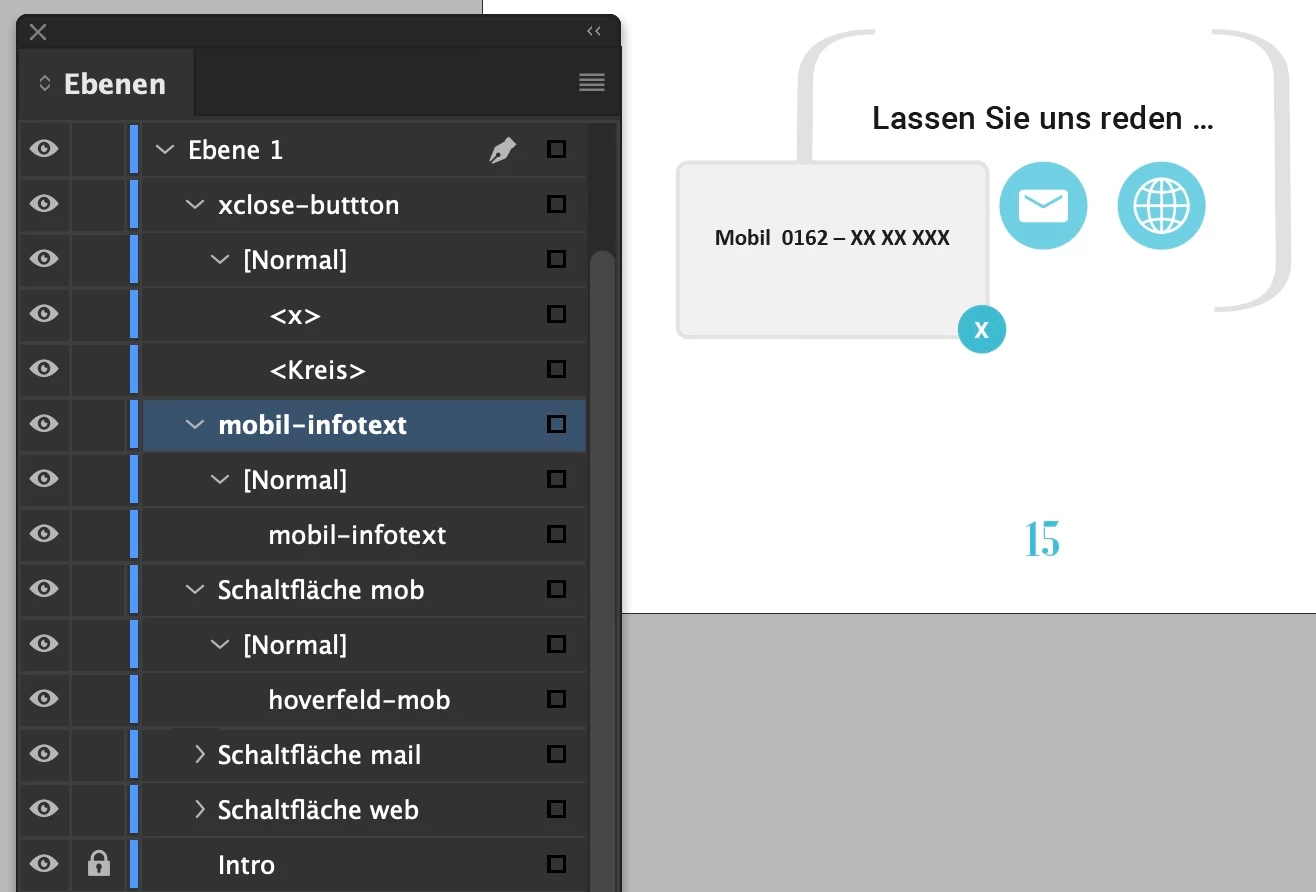
ich habe hier ein Dokument mit einem CTA unten. Dort sollen 3 Buttons stehen, wenn man auf diese draufklickt, öffnet sich jeweils ein Pop-up-Fenster mit der Information zu Tel, Mail, Web.

Das mit dem Tel.  habe ich nun schon ganz gut hinbekommen 😉 in der Vorschau funktioniert es und auch im als interaktiv exportierten PDF - aber immer nur einmal! Also ich kann nur 1x das Fenster öffnen und dann 1x wieder auf  X schließen. Ich finde auch nach ewiger Suche hier keine Einstellmöglichkeiten und auch beim Googeln im Netz nix. Vielleicht verwende ich die falschen Stichwörter? 
Vielleicht kann mir hier jemand einen Tipp geben? Das wäre himmlisch. 🙏


Es gibt außerdem noch das Problem, dass im exportierten PDF das X-Feld unter dem Infofenster liegt, obwohl es in der Ebenenanordnung darüber liegt und auch in der Interaktivitäts-Vorschau als darüber richtig dargestellt wird. Aber das wäre wahrscheinlich ein neuer Thread ...
Ganz herzlichen Dank für Hilfestellung 😉 
This topic has been closed for replies.
Correct answer leo.r

Ok, that sounds like an ideal solution, but I'm afraid that's redundant 😉
I'm already making the website for the client anyway ... so I can make the texts available there in a protected area. And my customer wants to have this independent from Adobe.
I thought I might have done something wrong because it doesn't work for me. As I said, I don't understand why such a simple feature doesn't work when the button function has been around for a very long time ... And there are also other PDFs in the world with form fields, etc. ... ;( . Thanks 🙂


quote

As I said, I don't understand why such a simple feature doesn't work when the button function has been around for a very long time ... And there are also other PDFs in the world with form fields, etc. ... ;( . Thanks 🙂


By @frauenauge


PDF isn't built to contain robust interactive options. Plus even if you manage to make it work in Acrobat, there's no guarantee your interactive elements will work as expected in countless 3rd-party PDF readers. Simple forms do usually work reliably.


EDIT: @Derek Cross posted more elaborate historical info while I was writing.

1 reply

Derek Cross
Community Expert
Community Expert
July 15, 2024

PDF is not good for this kind of thing, have a look instead at InDesign's Publish Online feature.

frauenauge
Inspiring
July 15, 2024

@Derek Cross Hi Derek, thanks for answering me ;)) I'm not shure, if I understand what you mean ... sorry 😉
My assignment is, to make this PDF (Whitepaper) for a customer, she will use it as a download on her website. The website will be made with wordpress. And she also wants to send those Whitepapers per email to her customers on demand ... mmhhh 


leo.r
Community Expert
Community Expert
July 15, 2024

What Derek meant is that all kinds of interactive features won't work reliably in PDF. If you must have all the interactive features, you'll need to choose another format (such as InDesign's Publish Online or just a plain webpage).
