
holger.volz
Inspiring
March 9, 2026
Question

Schlagschatten springt hin und her

  • March 9, 2026
  • 2 replies
  • 66 views

Ich habe dieses Problem hier schon einmal gepostet, finde es aber leider nicht mehr.


Wenn ich einem Objekt einen Schlagschatten zuordne und dieses Objekt danach auf meiner Seite verschiebe, verschiebt sich auch der Schlagschatten völlig willkürlich. Passiert auch mit Objekten, die bereits einen Schlagschatten haben. Der Fehler lässt sich in jedem ID Dokument reproduzieren und scheint ein Darstellungsproblem zu sein. Sobald ich das Dokument schließe und danach wieder öffne ist alles in Ordnung.


CPU Vorschau ein bzw. ausschalten bringt keine Verbesserung. Ich vermute einen Bug im Programm. Ich frage mich nur, warum dieser nicht schon längst behoben wurde.


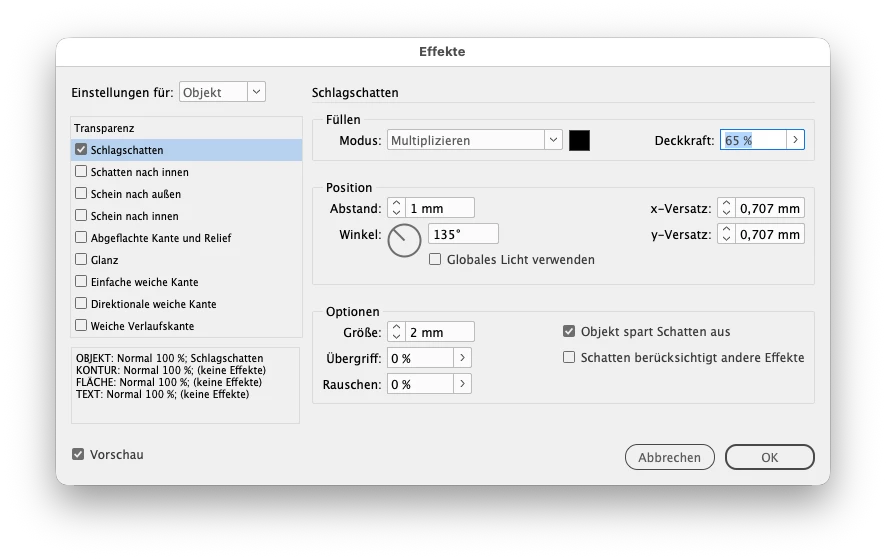
der Schatten wird über Effekt → Schlagschatten erstellt


korrekte Darstellung

falsche Darstellungen sobald ich das Objekt verschiebe



Indesign 2026, version 21.2

OS Tahoe 26.3.1


Video kann man sich hier herunterladen

Video

    2 replies

    Abhishek Rao
    Community Manager
    Community Manager
    March 9, 2026

    Hi ​@holger.volz,


    Thanks for reaching out, and I’m sorry to hear that you’re experiencing this issue. Adding to the expert’s suggestion, could you please check this thread and confirm if the behavior, you’re seeing matches what is described there?
    https://community.adobe.com/questions-671/indesign-2026-drop-shadows-graphical-glitch-898121?postid=898121#post898121

    If it appears to be the same issue, a bug has already been logged, and the product team is working on a fix. In the meantime, could you also confirm whether the problem occurs when the object has any rotation applied?

    I’ll keep you posted here as soon as I have any updates from the team.


    Looking forward to your confirmation.

    Abhishek

    holger.volz
    Inspiring
    March 9, 2026

    Seems to be the same problem, even if I rotate the object.

    Abhishek Rao
    Community Manager
    Community Manager
    March 9, 2026

    Hi ​@holger.volz,


    Thanks for confirming that the behavior matches the issue discussed in the thread. I’ve shared your update with the product team, including that the issue is still reproducible in InDesign 21.2 on your system.

    I’ll keep you posted here as soon as I receive any updates from the team.


    Thanks again for helping confirm this.

    Abhishek

    Community Expert
    March 9, 2026

    Can you just check it on an OS version other than Tahoe. There have been reports of bugs in InDesign with this OS version and it is still not listed in the supported versions at https://helpx.adobe.com/indesign/system-requirements.html

    -Manan
    holger.volz
    Inspiring
    March 9, 2026

    I had the same problem with Sequoia.