

mikeb1517581617350975
Participating Frequently
August 19, 2020
Answered

Screen Mode: toggling between "Preview" and "Normal"

  • August 19, 2020
  • 1 reply
  • 4082 views

I'm trying to help a user in my group who does NOT want to use the "W" keyboard shortcut to toggle between "Preview" and "Normal" Screen Mode.


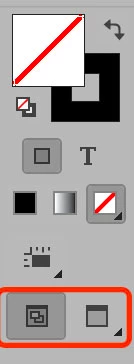
Until recently, he used a legacy version of InDesign which had a button at the bottom of the toolbar which, when clicked, would toggle between "Preview" and "Normal," without having to click and hold, or right-click, and select from four options (Normal, Preview, Bleed, and Slug).


I've looked back at CS4 and I can't find the two-part toggle button on the toolbar.

And, of course, the current version of InDesign CC has the four-part button I've described.


Does this two-part toggle button for Preview/Normal Screen Mode exist anymore? Can I customize this user's toolbar to have this function?


Thanks in advance,

Mike
This topic has been closed for replies.
Correct answer Steve Werner

You're not telling us what VERSION of InDesign your friend is using. The two button toggle shows up in all the versions of InDesign I can remember, if you select the two column view of the tools:


1 reply

Steve Werner
Community Expert
Steve WernerCommunity ExpertCorrect answer
Community Expert
August 19, 2020

You're not telling us what VERSION of InDesign your friend is using. The two button toggle shows up in all the versions of InDesign I can remember, if you select the two column view of the tools:


mikeb1517581617350975
Participating Frequently
August 19, 2020

InDesign CC. Latest version.

Steve, thank you. That did it--the 2 column view!

Mike