

Bateson Publishing
Participating Frequently
March 19, 2018
Answered

Screen not refreshing

  • March 19, 2018
  • 5 replies
  • 5815 views

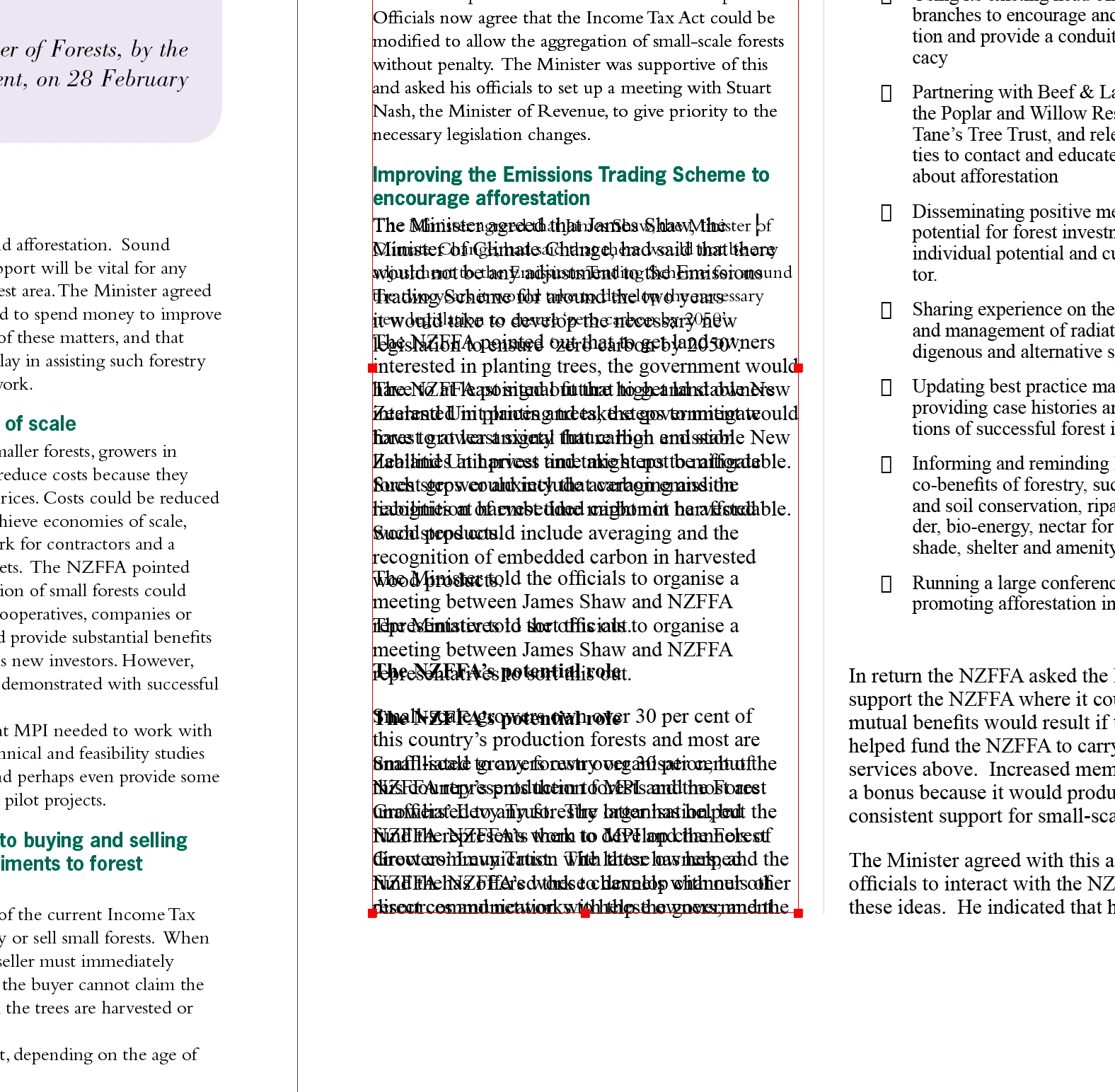
Every time I make a text change in InDesign, the screen doesn't refresh properly.

It displays the edited text but also the text prior to the edit.

It refreshes when I click on an object, so I can work with it, but it is annoying nevertheless.

I am running a brand new iMac and am having no other apparent problems, other than the screen refresh glitch in InDesign.
This topic has been closed for replies.
Correct answer BobLevine

Click on the rocket ship icon and turn off GPU performance.

5 replies

Community Expert
May 4, 2020

Hi Fred,

look into your keyboard shortcuts. There should be a "Force Redraw" command.

In my German InDesign 2020 on Windows 10 it's listed like that:


Produktbereich : Ansichten, Navigation
Aktualisierung erzwingen --- Standard: Umschalt+F5


The default KBSC is: Shift+F5


Regards,
Uwe Laubender

( ACP )

fredl65064644
Known Participant
April 27, 2020

I am on Windows 10 Pro with InDesign CC v15. there is no rocket ship. What is not refreshing are the footers which use text variables--the only way I can get them to display a change is to move to the spread before or after and then move back. Is there a keyboard shortcut which can be used to refresh the page?

Participating Frequently
January 16, 2020

Where can I find the rocket ship icon? I'm on a Mac, guessing it's a windows thing?

BobLevine
Community Expert
Community Expert
January 16, 2020

No...it is Mac only and I don't know if the icon is there for 2020.

Participant
January 21, 2020

Same issue here, using Windows and CC2020. Is there a referesh screen button?

Bateson Publishing
Participating Frequently
March 19, 2018

Thanks! Clicking on the rocket and turning GPU Performance off worked.

As a bonus, it still worked when I switched it back on, so I'm guessing it just needed to be toggled to reset itself.

BobLevine
Community Expert
BobLevineCommunity ExpertCorrect answer
Community Expert
March 19, 2018

Click on the rocket ship icon and turn off GPU performance.

simonb61272824
Inspiring
June 9, 2022

Weirdly, I had to turn it ON to solve this problem.