Script for selecting multiple tables in indesign and editing
Hi and I hope you can help.
I need a script that will select all tables in a large indd doc that has tables imported from word.
I have read another simliar question on here Need to select ALL tables
but i don't have the scripting knowledge to alter it to suit my needs. I hope someone can help. Also hope i'm not asking too much either but here goes.
I need to select all the tables and make the stroke weight 0.25pt
Then select the top row of each column and fill it with 10% black and make the top row (or cell heights) 'exactly' (not 'At least') 5.09mm height
That would do me really, but is it possible to adjust the column widths of all these tables too using a script and the cell style?
It would be cell 1 of row 1 'exactly' 112.956mm (cell style 1) and cell 2 row 1 'exactly' 4.956 (cell style 2)
Cell 1 (the only cell) of row 2 117.912mm (cell style 3)
And cell 1 ( the only cell) of row 3 (cell style 3)
I really hope you can help, as it will save me a load of time.
Thanks a million - in the mean time i will continue to plod through them all manually hoping someone can help before i've done them all - but it looks like taking me days.
Thanks again
Andy
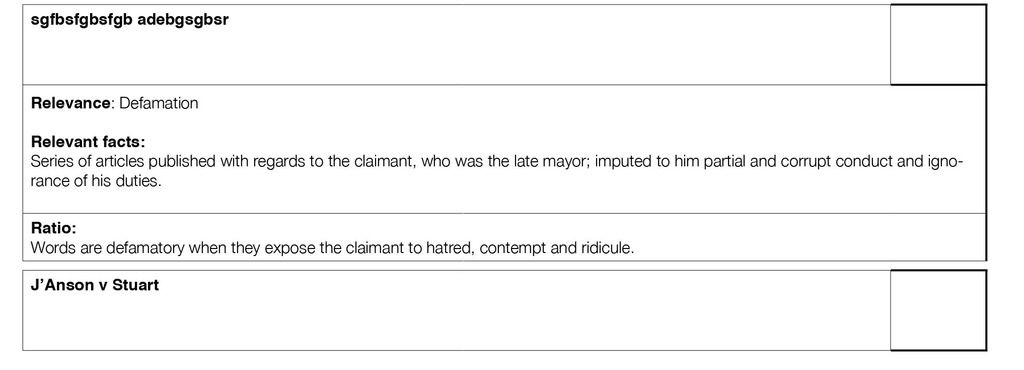
From word: (ignore the bit of text that says J'Anson v Stuart' - thats just the start of the next table)
Finished formatting:
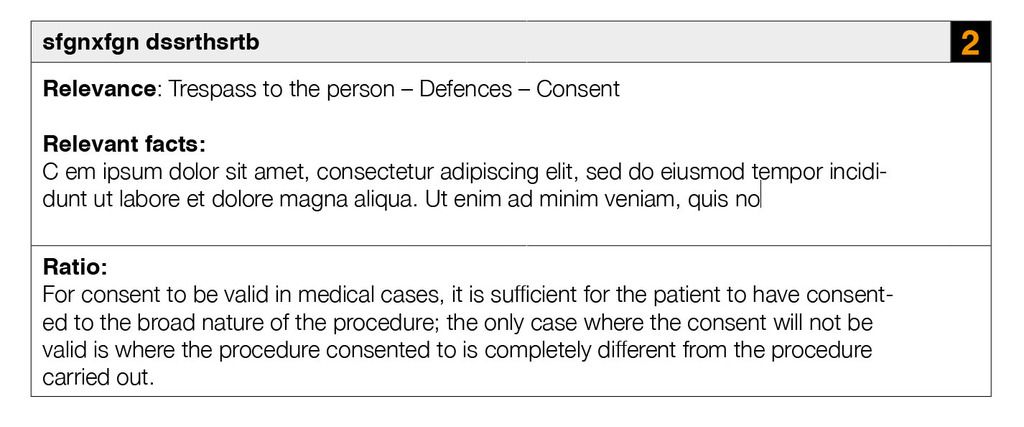
I added the number 2 in the second cell row 1 all on my own 
 AdChoices