Known Participant
October 12, 2022
Answered

Script to pull cmyk values

  • October 12, 2022
  • 4 replies
  • 806 views

I have to create alot of swatches, and I need to include the cmyk values. Right now, I copy and paste from the swtach panel. Is there a script that can automatically pull this information and place it below each swatch?

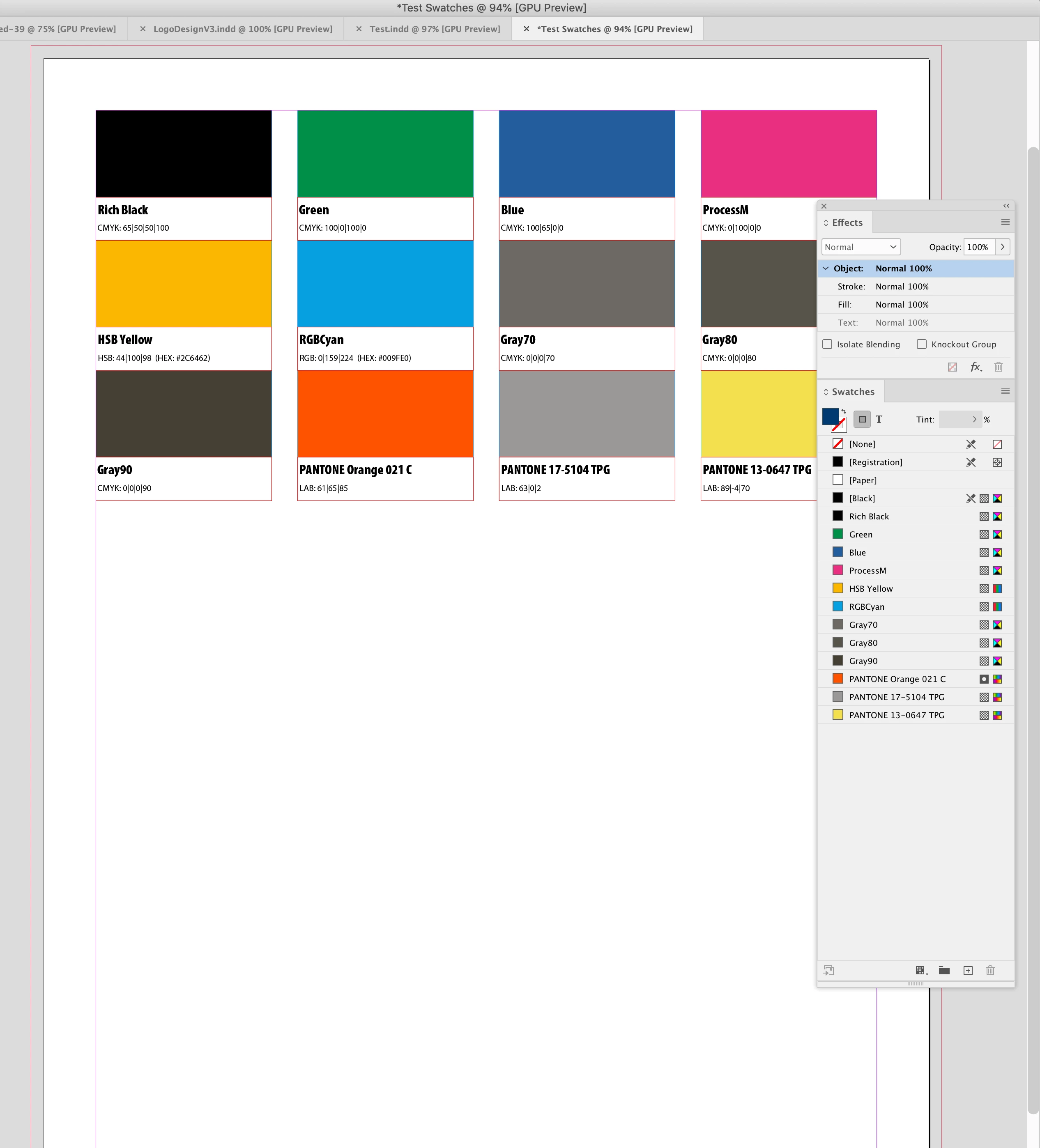
see example


Thanks in advance


Steve

This topic has been closed for replies.
Correct answer rob day

Hi @GMK2624299024hl , Also, if the scripts in the link Eugene posted don’t work for you try this script:


https://shared-assets.adobe.com/link/1e8b06a1-acd8-4c59-404e-e37c2aa51277


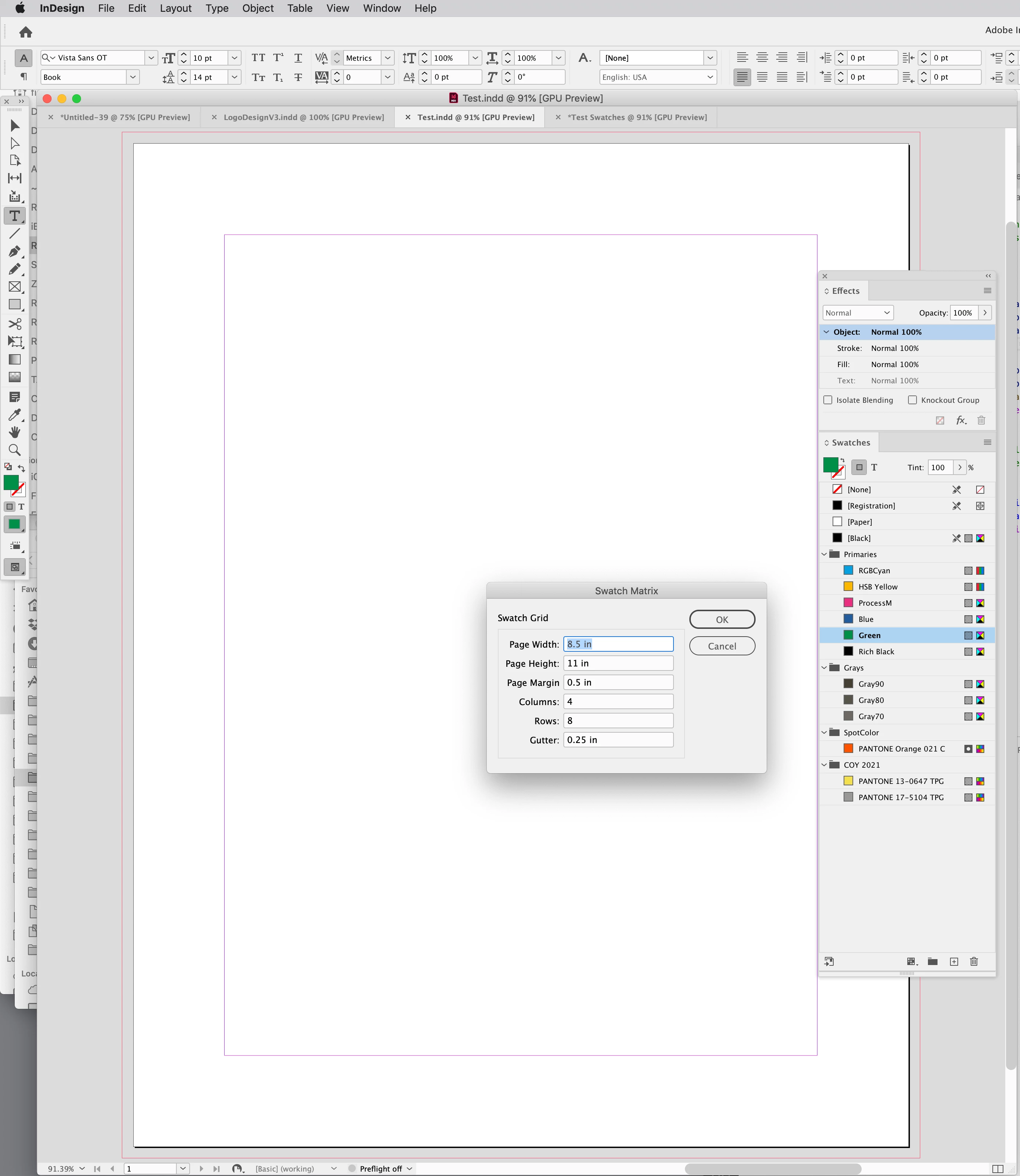
It takes all of the swatches in a document, creates a new document and makes a grid of patches with labels. Dialog looks like this: 


It’s a simplified version of my Branding Guide script, which you can get here:


https://community.adobe.com/t5/indesign-discussions/branding-color-guide/td-p/10818696


4 replies

rob day
Community Expert
rob dayCommunity ExpertCorrect answer
Community Expert
October 12, 2022

Hi @GMK2624299024hl , Also, if the scripts in the link Eugene posted don’t work for you try this script:


https://shared-assets.adobe.com/link/1e8b06a1-acd8-4c59-404e-e37c2aa51277


It takes all of the swatches in a document, creates a new document and makes a grid of patches with labels. Dialog looks like this: 


It’s a simplified version of my Branding Guide script, which you can get here:


https://community.adobe.com/t5/indesign-discussions/branding-color-guide/td-p/10818696


Known Participant
October 13, 2022

This is perfect! Thanks

Willi Adelberger
Community Expert
Community Expert
October 12, 2022
  1. I create a file which can be opened in Illustrator (like PDF)
  2. I open it in Illustrator (normally I would never do that).
  3. Delete all  existing swatches (except paper and black)
  4. Select all objects (if pixel images are the convert them to vectors)
  5. Swatch panel, create a new color group, convert process to global colors active
  6. Swatch menu > Save swatches as ASE library

This you can load in many CC applications

Community Expert
October 12, 2022
Known Participant
October 13, 2022

This is a great option, thanks

Community Expert
October 12, 2022

I should have read more before posting the link.

I'll come back.

Edited this post to remove link.