
danielw42205661
Known Participant
February 15, 2022
Answered

Script to "save as" to overwrite a file

  • February 15, 2022
  • 1 reply
  • 2499 views

I was wondering if it is possible to write a script to do a save as that overwrites a file without having to deal with the warning dialog boxes e.g "...the file already existi. Do you want to replace it etc." 


The reason I want this;

I just found out that say you had a resource-heavy file with a bunch of images etc that was say 50MB, even if you delete all the content so it's a blank document and do a regular save, the file will still be 50MB. But if you did a save as and overwrote it it would go down to say 1MB. So doing regular saves causes a lot of file size bloating. If I could do save as's this would keep all my file sizes way down. I just dont like having to deal with the warning dialog boxes when doing so. 


Thanks!
This topic has been closed for replies.
Correct answer Mike Bro

No sorry I hadn't.  I'm not very knowledgeable with code.


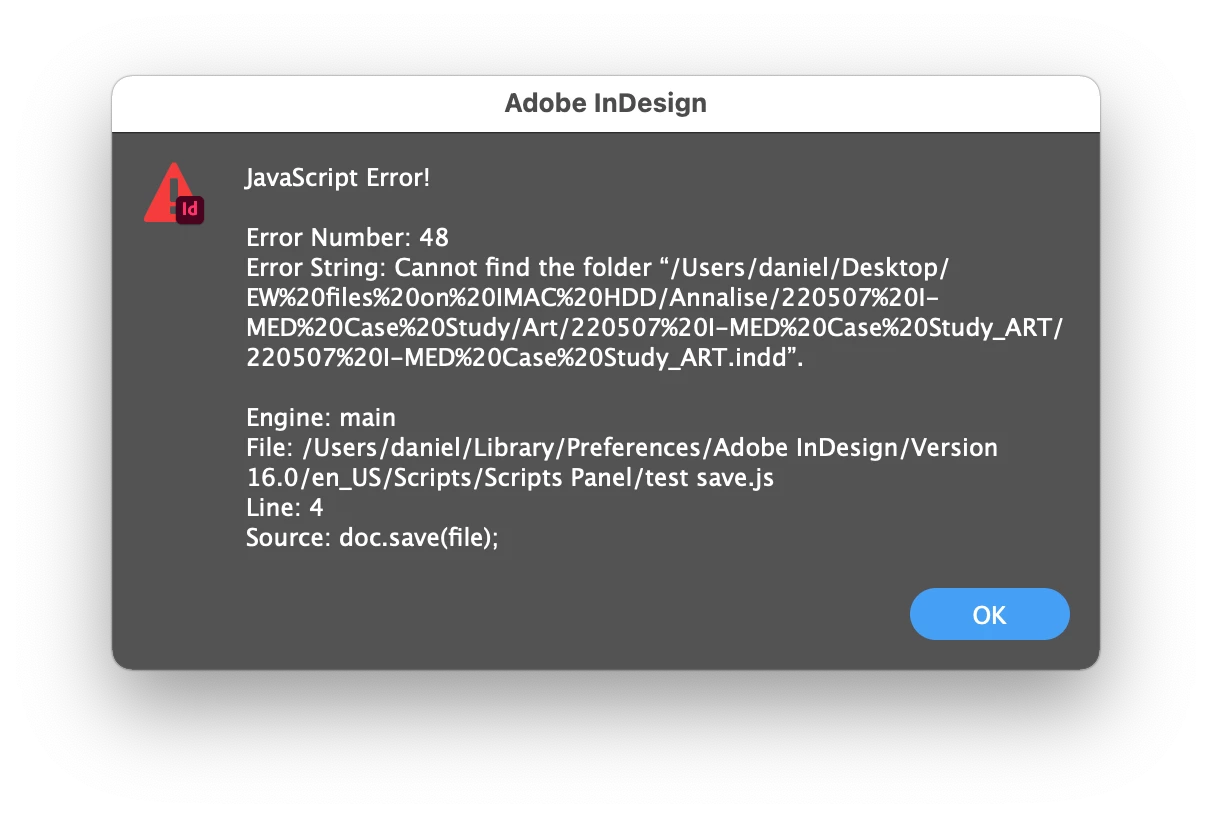
It seems like it has issues if the folder has spaces in it I think since I get the below error message.


I tested on an indesign document placed on the desktop and it ran without giving me the error. However, it created a copy on the desktop and replaced the spaces in the filename with %s.


Hello @danielw42205661,


Give this a try, it will save over the open document when you execute the script even if no changes were made ...

doc = app.documents[0];
myDocFolder = doc.filePath;
doc.save(File(myDocFolder.fsName + "/" + doc.name));


Regards,

Mike

1 reply

Charu Rajput
Community Expert
Community Expert
February 15, 2022

Hi,

Try the following

// app.userInteractionLevel = UserInteractionLevel.DONTDISPLAYALERTS;
var doc = app.activeDocument;
var file = File(Folder.desktop + '/test.ai');
doc.saveAs(file);
// app.userInteractionLevel = UserInteractionLevel.DISPLAYALERTS;


I run it multiple times on same document, and it does not show any alert that file already exists. You can try and let us know if that works for you.

Best regards
danielw42205661
Known Participant
February 15, 2022

Thanks for your reply.


When I try to run the script I get the error below. Do you know what I would be doing wrong?


Charu Rajput
Community Expert
Community Expert
February 15, 2022

My mistake. I have written that for Illustrator.

Best regards