
Known Participant
Nov 20, 2026 5:16 PM UTC
Question

Scripted Menus reconfigure themselves

Using InDesign on Mac Platform.

When I add and configure my Menus through scripting they are laid out as expected, for the first launch only!!
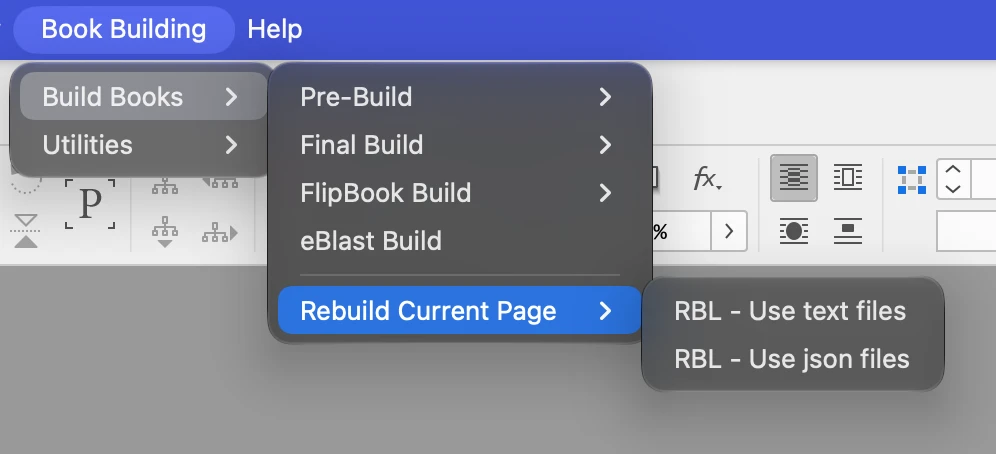
 

How I script them


If I quit out of InDesign and go back in, InDesign reconfigures them as shown below. Separator is gone, as well as reordered.
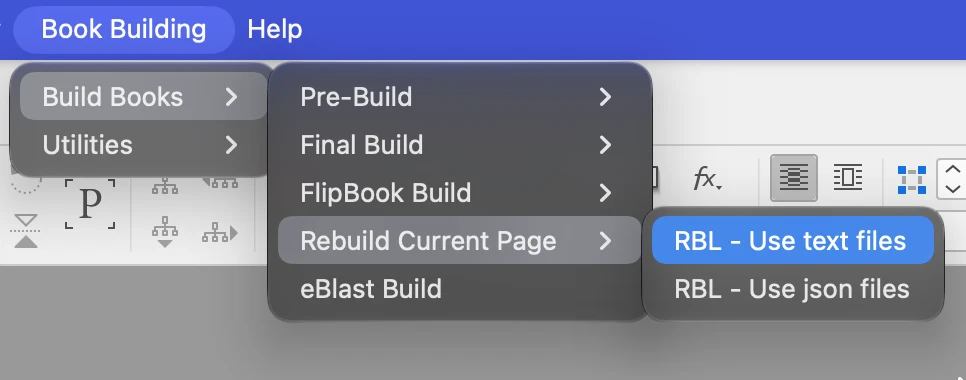
 

How InDesign reconfigures them


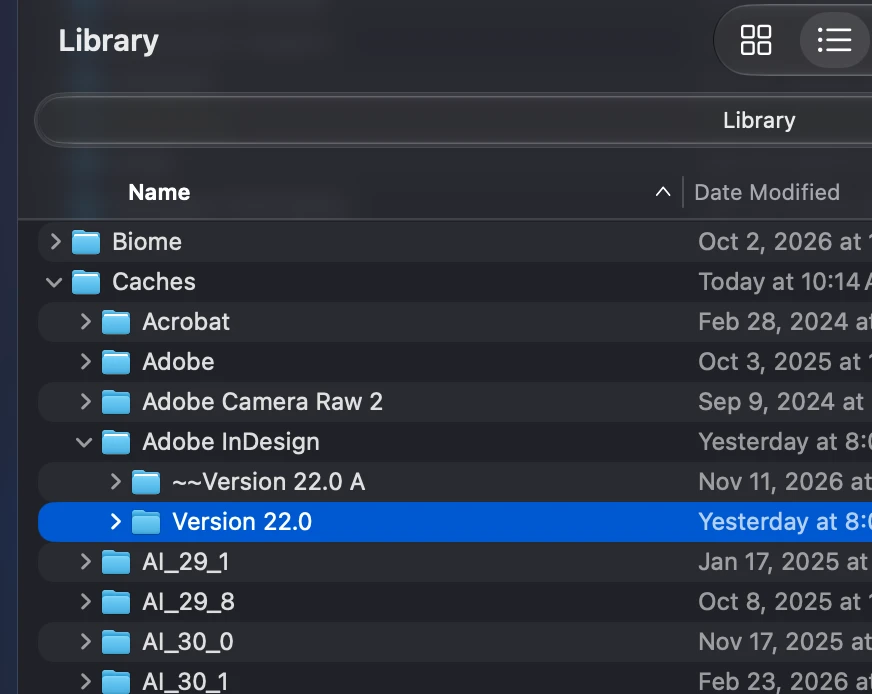
What’ strange, is if I delete the Adobe InDesign Cache folder and then relaunch, they will then go back to the original menu layout (for one launch only).


Does any know why InDesign is forcing my menus this way?? They still work, but it would be nice to know.


    12 replies

    Community Expert
    Nov 22, 2026 8:09 AM UTC

    I think I found something that might explain what's happening.

    There's an older discussion covering almost exactly the same problem, where scripted menu items were changing position after restarting InDesign.

    https://community.adobe.com/questions-671/js-menu-added-via-scripting-moves-830630

    It turns out that InDesign retains custom menus and submenus between sessions. So when your startup script runs again, it may be working with an existing menu structure rather than creating everything fresh.

    The solution in that discussion was to create the submenu first and then explicitly position the menu items and separators using LocationOptions.BEFORE and LocationOptions.AFTER.

    That might also explain why deleting the cache fixes things for one launch.

    I'd be interested to see the part of your script that creates the menus and separators. It might just be a case of changing the order in which they're created.

    The disappearing keyboard shortcuts are another matter, unfortunately. That's been reported separately over the years, so I wouldn't necessarily assume fixing the menu order will resolve those too.

    Translate
    leo.r
    Community Expert
    Community Expert
    Nov 22, 2026 2:53 PM UTC

    ​@Eugene Tyson It turns out that InDesign retains custom menus and submenus between sessions.


    Yes. And for years I’ve been insisting that it’s a BUG.

    However, by now I know that others—including Adobe—disagree with me on this.

    Maybe I’m missing something. But I don’t see any scenario where this would be useful. It only forces developers to regularly remove the menus so they don’t appear after the third-party software has been removed and the user doesn’t need the menus anymore.

    Translate
    Known Participant
    Nov 23, 2026 2:24 AM UTC

    I would say that it is a bug, because I’ve already tried to LocationOptions.BEFORE and LocationOptions.AFTER options, and it seems to have no effect. But thanks for the suggestions anyway! All are welcome.

    Translate
    Participant
    Nov 22, 2026 12:56 AM UTC

    all photos and data scamling same links open photos

    Translate
    leo.r
    Community Expert
    Community Expert
    Nov 20, 2026 7:29 PM UTC

    ​@Ken Webster When I add and configure my Menus through scripting


    Are you doing this from a startup script? If not, then you should use a startup script for this.

    Translate
    Known Participant
    Nov 20, 2026 7:50 PM UTC

    Yes - as far as I know, the only way to add/remove menus is through a startup script.

    Translate
    leo.r
    Community Expert
    Community Expert
    Nov 20, 2026 8:05 PM UTC

    Yes - as far as I know, the only way to add/remove menus is through a startup script.


    Well, you can do this from any script, it’s just that startup script is the only practical way of doing this.

    Does your startup script check for existing menus and delete/recreate them if needed?

    I’m not sure recreating them every time is required, but you may try this approach if everything else fails.

    Alternatively, you can add a handler to remove all your menus on quit. I know I have to do this with my menus so they are not recreated automatically from InDesign caches when they’re not needed anymore and are not expected by the user.

    Also, what are your macOS and InDesign versions?

    Translate