Robert at ID-Tasker
Legend
March 26, 2025
Question

Scripting Tables - bug when resizing via JavaScript

  • March 26, 2025
  • 1 reply
  • 253 views

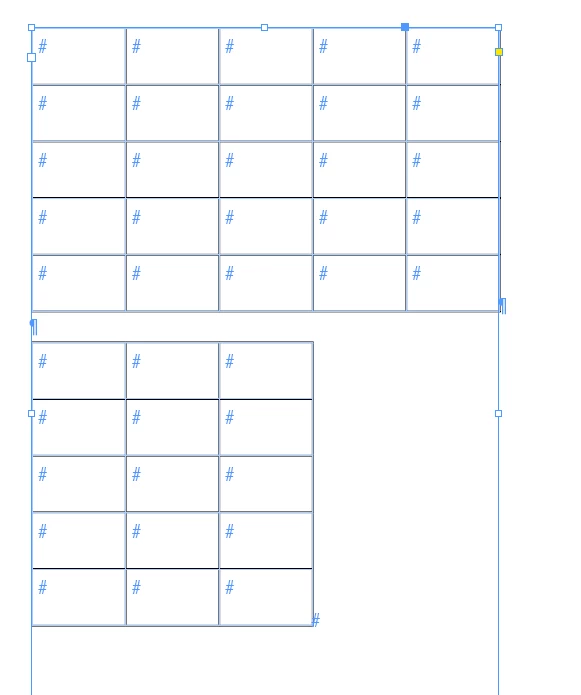
Tables - can be ANY quantity / size:


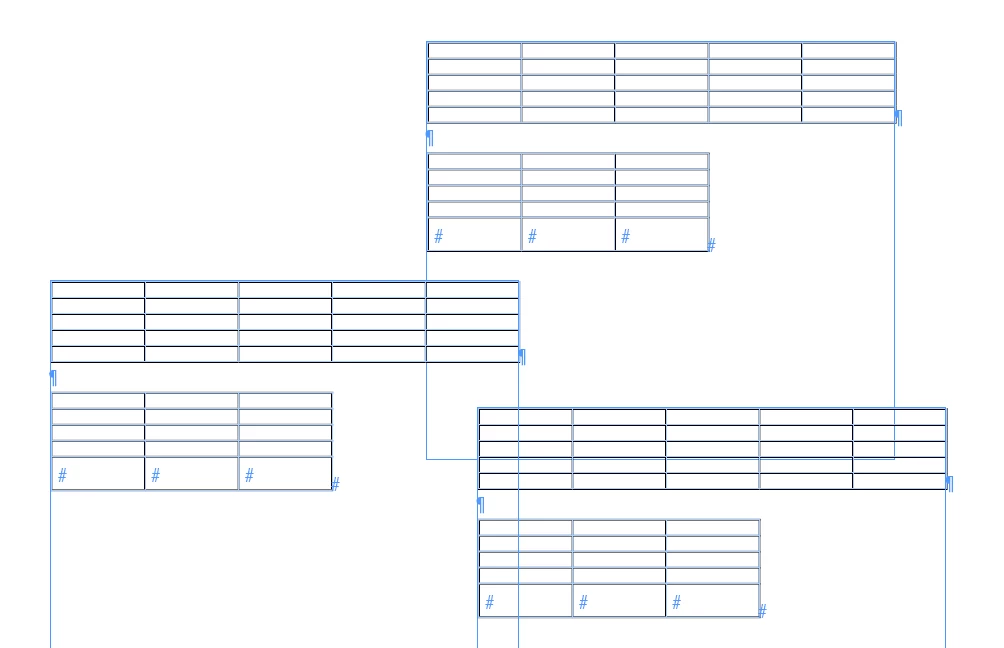
This script - modifying ROWS:

app.activeDocument.stories.everyItem().tables.everyItem().rows.everyItem().autoGrow = false;
app.activeDocument.stories.everyItem().tables.everyItem().rows.everyItem().height = 2;
app.activeDocument.stories.everyItem().tables.everyItem().rows.everyItem().autoGrow = true;

Will return this:

 

LAST row in the LAST Table in EVERY Story will ALWAYS be higher than the rest:
 

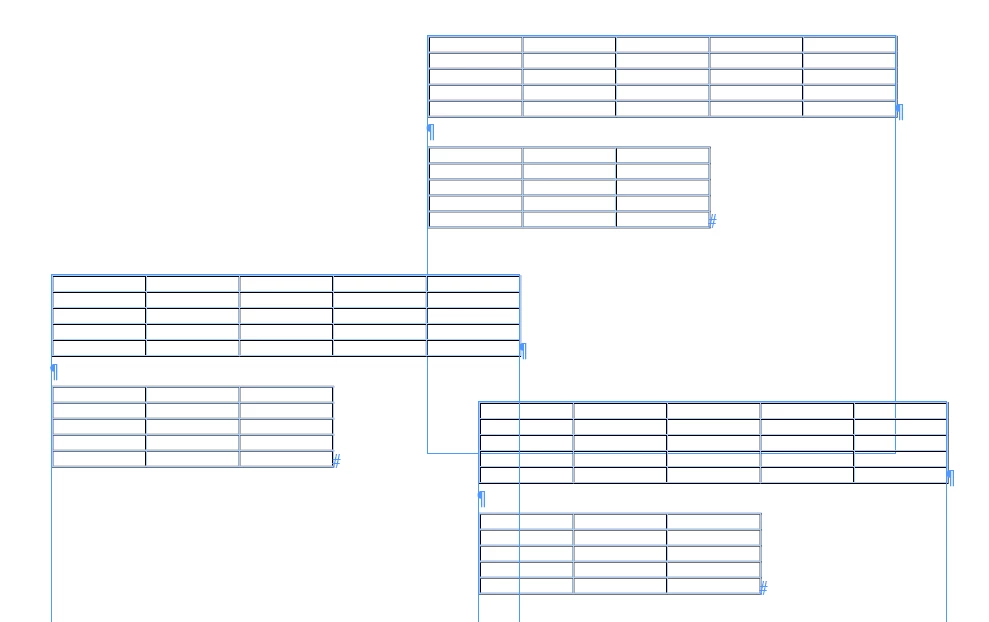
But this - modifying CELLS:

app.activeDocument.stories.everyItem().tables.everyItem().cells.everyItem().autoGrow = false;
app.activeDocument.stories.everyItem().tables.everyItem().cells.everyItem().height = 2;
app.activeDocument.stories.everyItem().tables.everyItem().cells.everyItem().autoGrow = true;

Will ALWAYS return the correct result: 


Plain tables - no header / footer.


1 reply

m1b
Community Expert
Community Expert
March 26, 2025

Hi @Robert at ID-Tasker I can confirm this bug on MacOS 15.3.2, Indesign 20.2.

- Mark


P.S. is there any advantage in turning off the autoGrow. In my quick tests it seemed to work just as well (and doesn't trigger the bug, by the way) when I just turn autoGrow on first, then set the height:

app.activeDocument.stories.everyItem().tables.everyItem().rows.everyItem().autoGrow = true;
app.activeDocument.stories.everyItem().tables.everyItem().rows.everyItem().height = 5;


HARSHIKA_VERMA
Community Manager
Community Manager
March 26, 2025

Hi Robert at ID-Tasker & m1b,


Thank you for reporting & confirming the issue. I am checking with the team to confirm if there is already a known bug for it. Meanwhile, could you please also post the issue on the InDesign UserVoice page and share the link with us here so that our engineering team can investigate it?


Thanks,

Harshika

Robert at ID-Tasker
Legend
March 26, 2025

@HARSHIKA_VERMA


OK, I'll.