
Participant
April 3, 2025
Question

scroll function for the year (interactive pdf form)
  • April 3, 2025
  • 3 replies
  • 200 views


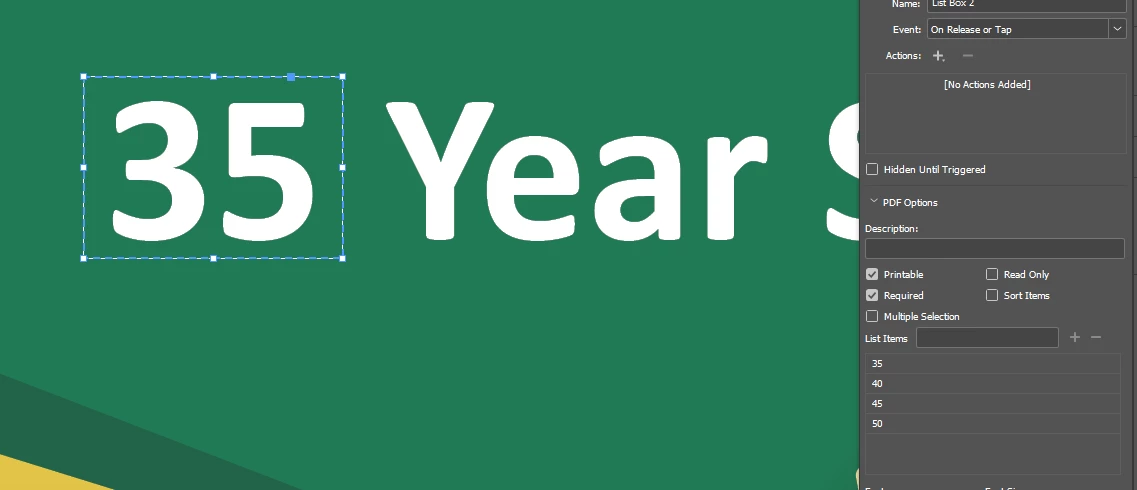
Hi all, how to set up the year (scroll down) in interactive pdf form preperly?

after i did put in the year options under list box,  the text is not white color as i expected in the final PDF, and the text box is hard to be centered. 

How to fix the color and the positon?
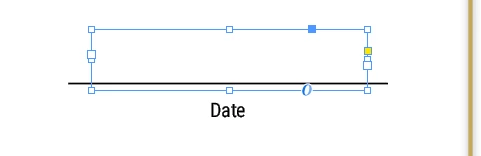
 

and also the date, it is alwasy left aligned, how to make it centered?


Thank you so much

3 replies

Colin Flashman
Community Expert
Community Expert
April 4, 2025

There is a script on the CreativePro site that will take a list of data that you want in a dropdown field and will add it to the dropdown field without the labor of going through the user interface yourself. Script and instructions are here: https://creativepro.com/combomambo-script-updated-indesign-cc-2014/

So far as centering or any formatting, this is something that would have to be tackled in Acrobat itself - as stated by @Robert at ID-Tasker , form formatting within InDesign is quote limited. 

There is a request for better formatting for forms within InDesign Uservoice (the site maintained by the InDesign developers for bug reports and feature requests) - suggest adding to the pile: https://indesign.uservoice.com/forums/601021-adobe-indesign-feature-requests/suggestions/32820841-it-d-be-so-much-more-efficient-to-be-able-to-put-i

If the answer wasn't in my post, perhaps it might be on my blog at colecandoo!
Dave Creamer of IDEAS
Community Expert
Community Expert
April 4, 2025

Is this something like what you are looking for:

David Creamer: Community Expert (ACI and ACE 1995-2023)
Robert at ID-Tasker
Legend
April 3, 2025

InDesign on its own is quite limited in this department...


So rather only by using @TᴀW's FormMaker:


https://www.id-extras.com/products/formmaker/
