Holik
Participant
April 4, 2017
Answered

Section marker or running header

  • April 4, 2017
  • 3 replies
  • 7304 views

Hi,

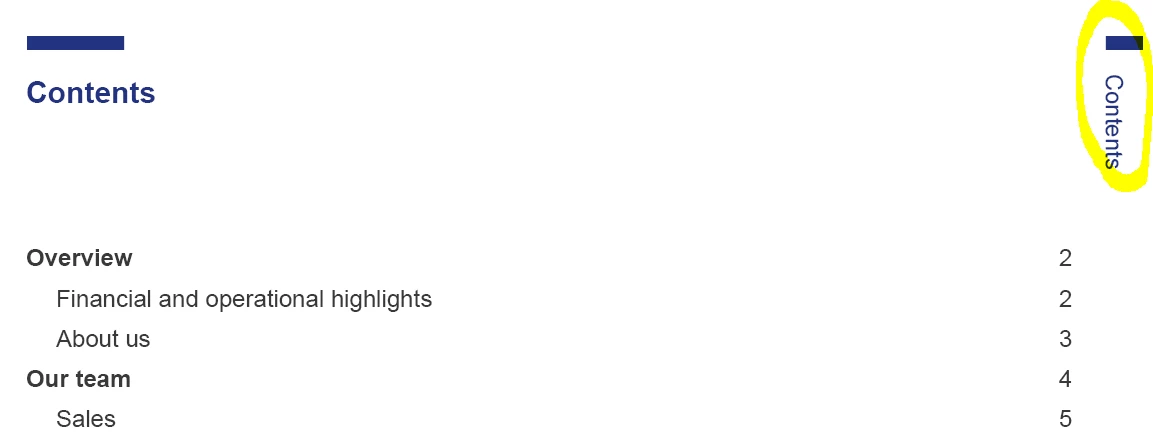
I'm designing an annual report where every even number should have a title of a section. But I would like that those move down with every section (together with a blue line). I was thinking of creating section marker but there would be a lot of sections (e.g.: section will be Sales team, Marketing team, etc. - we have 12 teams to present) + every title in Financial section shoudl also have a marker (so about 20 sections also there). Is there any better solution, than manually insert every section?

Thanks a lot.

    This topic has been closed for replies.
    Correct answer TᴀW

    hi TaW,

    yes, that's what I want. Sorry for making my description not clear enough. So, like TAW wrote. I would like a section title on the outside of pages and move down with every new section.


    It's not really possible to do this entirely automatically in InDesign.

    Your best best is to create as many master pages as there are sections. In each master page, move the text frame containing the section name, together with the blue line, down a little to where you want it.

    The actual text inside the text frame could be created with a text variable, as my colleagues here are describing -- so you wouldn't need to actually type it out yourself.

    You would then need to apply the appropriate masters to the appropriate pages. Thing is, if pages move around or text reflows, you would need to do this again and again. To avoid that, it's probably best to detach the thread between the separate sections, so each is its own story. That way, if text reflows, it will go into overset, and then you can manually add a page or two at the end of the section, and apply the necessary master. Whereas if everything is a single story, text reflow will cause all those carefully applied master pages to be completely out of sync.

    Ariel

    3 replies

    Holik
    HolikAuthor
    Participant
    April 6, 2017

    Thank you everyone for your help.

    Inspiring
    April 5, 2017

    They are two things you've to do regarding your question:

    1. insert a variable > Type > Text Variables > Define… first and than use the insert button to place it on the right hand-side master page

    • Definition of the custom txt variable: Add a running header based on the use of the first instance of a certain title style used on that page. see how I did it on the screen shot below.

    Now, when you use that specific title style it will like magic appear on the head of the even page where you place that variable.

    good luck.

    Patrick

    Barb Binder
    Community Expert
    Community Expert
    April 4, 2017

    I think you are asking how to add the section heads to the running heads automatically?

    To get InDesign to display the section heads automatically in the margin of the odd pages, define the <Running Header> variable to collect the text formatted with ¶ Tag used to format the section heads, and insert that variable on the master pages. Once done, InDesign will take care of making sure the the running heads reflect the sections heads, and they will update as you edit the document.

    Create and edit text variables in InDesign

    Learn how to number pages, chapters, and sections in InDesign​  (scroll down to the section on "Create variables for running headers and footers")

    How to Create Running Heads in InDesign Tina Henderson LLC book design & production

    ~Barb at Rocky Mountain Training
    TᴀW
    Legend
    April 5, 2017

    To me it sounds like he wants a section title on the outside edge of the page that "moves" down as you turn the pages of the documents.

    Perhaps a little more explanation would help...

    Visit www.id-extras.com for powerful InDesign scripts that save hours of work — automation, batch tools, and workflow boosters for serious designers.
    Holik
    HolikAuthor
    Participant
    April 5, 2017

    hi TaW,

    yes, that's what I want. Sorry for making my description not clear enough. So, like TAW wrote. I would like a section title on the outside of pages and move down with every new section.