ÉmTr
Participant
December 13, 2019
Question

Section numbering adds a page when restarting at 1

  • December 13, 2019
  • 2 replies
  • 666 views

This has me banging my head on my desk.

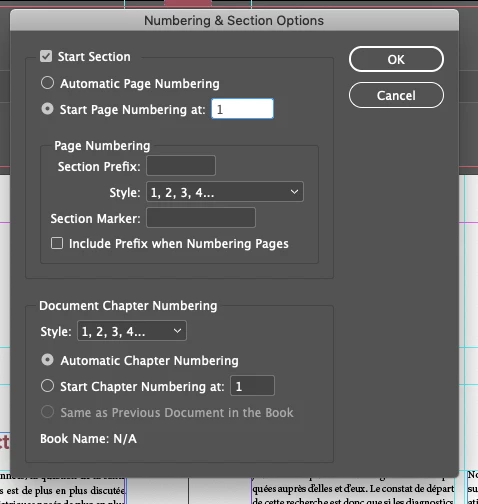
As is often the case, I want to start the page numbering a couple of pages after the start of my document (so, page 1 is actually page 4, etc.)

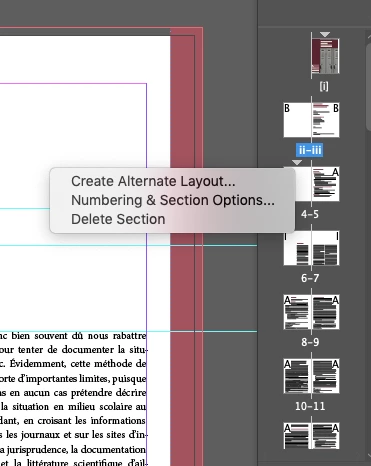
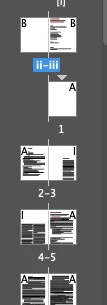
However, every time I try and start a new section to do so, Indesign takes out the left page of my document where I'm trying to start the section, which messes up my whole layout.

Any suggestions?
            

2 replies

Legend
December 13, 2019

By forcing page one to be on the left-hand side, you are going against all Western publishing conventions. That's why InDesign moves a page numbered as page 1 to the right. Open a few random books from your shelf, and you will see that odd numbers are on the right and even on the left - every time.  I suggest setting up your document to conform to that standard, even if it means that your first page of content is numbered as page 2.

ÉmTr
ÉmTrAuthor
Participant
December 13, 2019

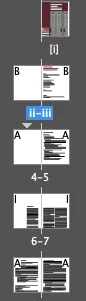
Figured it out: I needed to select the page itself and uncheck 'allow document spread to shuffle'.

BUT! If anyone knows why it would be useful to switch a page over like that, I'd love to know.

Legend
December 13, 2019

Most Adobe customers use left-to-right-reading languages, so books start their page 1 on the right. I don't do any work that uses right-to-left languages, but you can set up books to start on the left if you configure your program that way.


Most books that have an intro section and start page 1 a few pages into the book will use a different numbering system (i ii iii for example), but page 1 still starts on the right. Blank pages are used if the intro doesn't have a page count divisibe by 2.


Since you want page 4 to be before page 1, I assume you are trying to impose printers spreads, which is really the job of the printer, and not the designer.