
Participant
May 4, 2021
Question

Sections not combining as a spread.

  • May 4, 2021
  • 2 replies
  • 1094 views

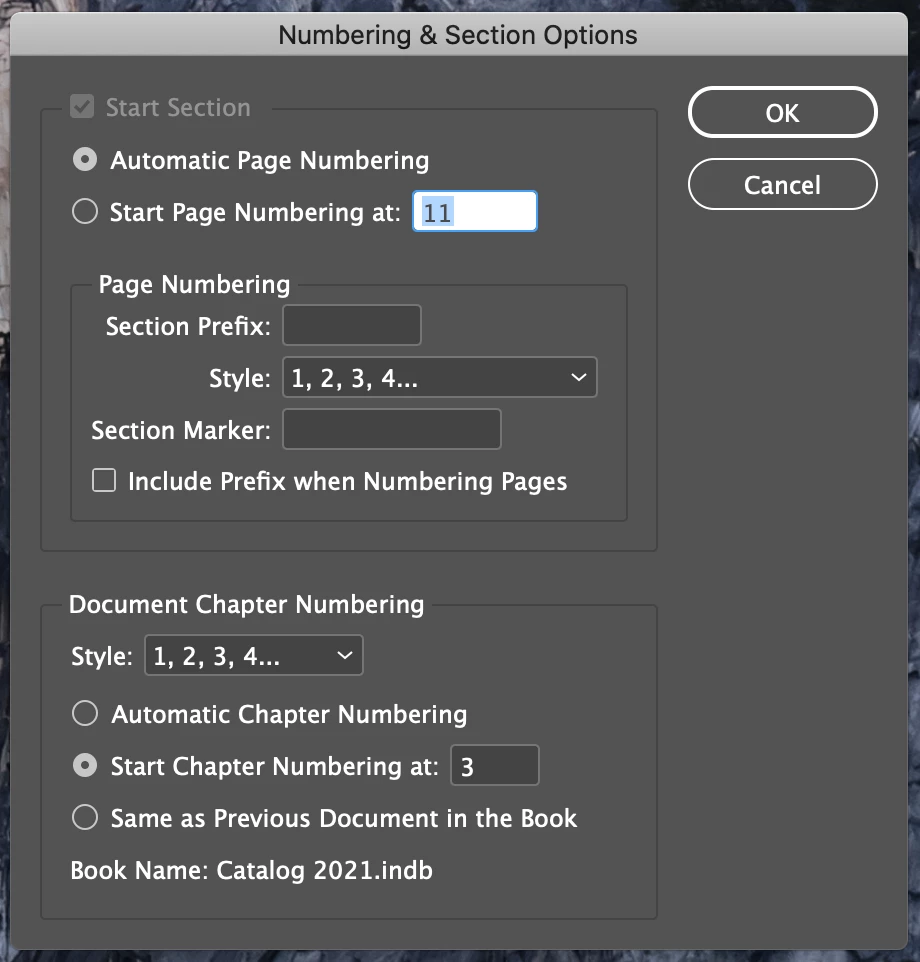
I have two sections in a book that isn't combining correctly. When I make a PDF they show up as individual pages rather than a spread (pages 10 and 11). When I open the Numbering and Sections Dialog window, the "Start Section" is greyed/off. I tried playing around with the "Allowed document pages to shuffle", but that doesn't resolve it. Thanks for the help.


2 replies

Willi Adelberger
Community Expert
Community Expert
May 15, 2025

It is impossible to bring pages from 2 document into a single spread.

My uestion is, why you would do this as single pages are easier to access on many computers or mobile devices. You can save it so that 2 pages are sown in Acrobat side by side, in Export settings: initial view > Two up Coverpage

Participant
May 4, 2021

For some reason this didn't get included. Here is what is happening.  

Participant
May 12, 2021

Is the second of these single pages a new section? I had a problem like this where if I inserted a new section, it would split the spread (I think this is due to a recent change of some sort Adobe has made, since I hadn't had this happen before). To fix the problem, I had to undo the new section, uncheck "allow selected spread to shuffle", and then re-add the section.


This might not be helpful since it sounds like you've tried the shuffle options, and I don't know what would cause your section option to be grayed out.


Participant
May 12, 2021

The pages with the green bar at the top is a new section (another Indesign file). The only way I can make them a spread when they come together is by making the previous section end in a spread and the next section starting as a spread. It seems that Indesign doesn't like combining sections on the same spread.