
Answered
Seeking inDesign/Photoshop Help - Total Ink Coverage
Hello,
I am seeking help as I try to get the total ink coverage of a document below 240%.
I have viewed the document using color separation in inDesign to determine where there it is over ink by 241%.
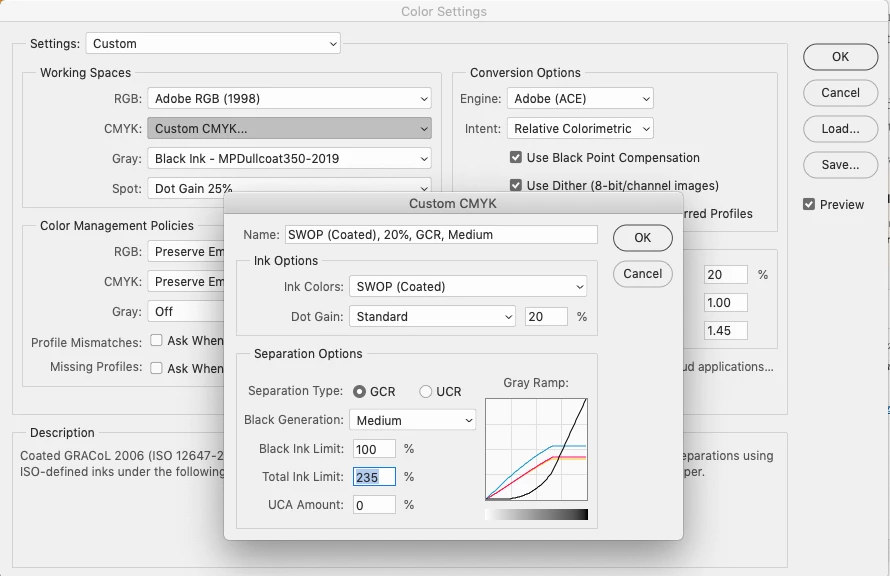
I have opened the art assets in Photoshop, and used Convert to Profile to create a custom CYMK profile that is set to 235% total ink. Then set mode to RGB and back to CYMK to apply the profile. All my art is either .psd, .tiff, or .jpg (I believe they all can embed color profiles).
Upon updating that art in inDesign, the art still appears over ink. I have inDesign set to preserve embedded color profiles.
I can't see to get the total ink changes in Photoshop to be reflected in inDesign. Any tips?
Thank you!


 AdChoices