ShannaC
Participating Frequently
January 29, 2025
Answered

"Select All Unused" disappeared for Character and Paragraph Styles

  • January 29, 2025
  • 2 replies
  • 521 views

"Select All Unused" option has disappeared from my menus when I'm in Character Styles and Paragraph Styles panels. It still appears in other panels like Colors. How do I get them back?

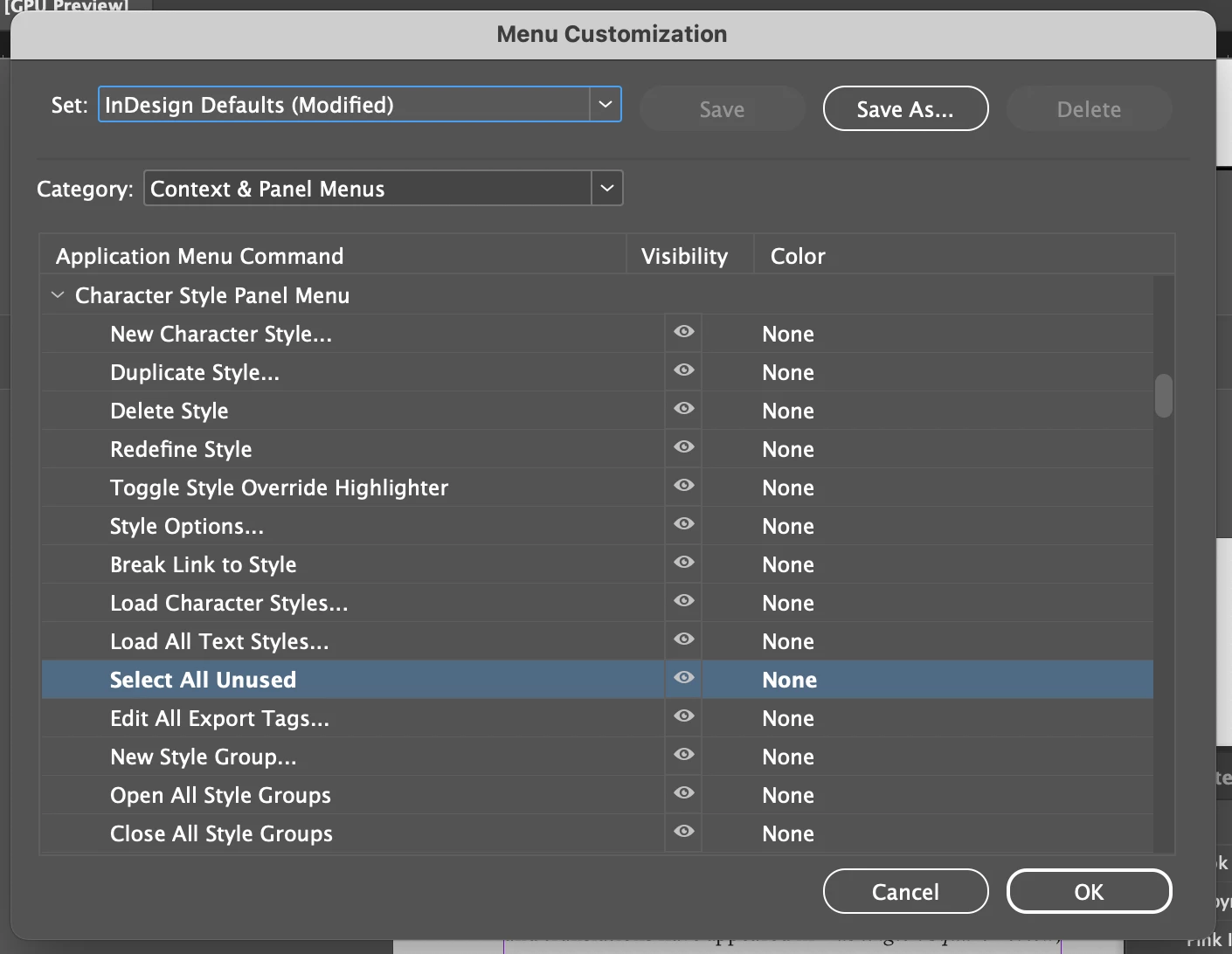
I quit all Adobe apps including Creative Cloud, restarted, updated InDesign to 20.1 (was running 20 when they disappeared), thinking the update might fixt it, but they are still not appearing. Checked Edit/Menus (see screenshot) to make sure both were still checked to be visible, and both are. I toggled that on and off, etc. No dice. 

Any ideas? Thank you!


Correct answer Pariah Burke

Select All Unused has been moved to the panel menu. Instead of right-clicking on the panel, click on the tiny button in the top-left corner that looks like four horizontal lines. You should see the command there.


2 replies

Dave Creamer of IDEAS
Community Expert
Community Expert
January 29, 2025

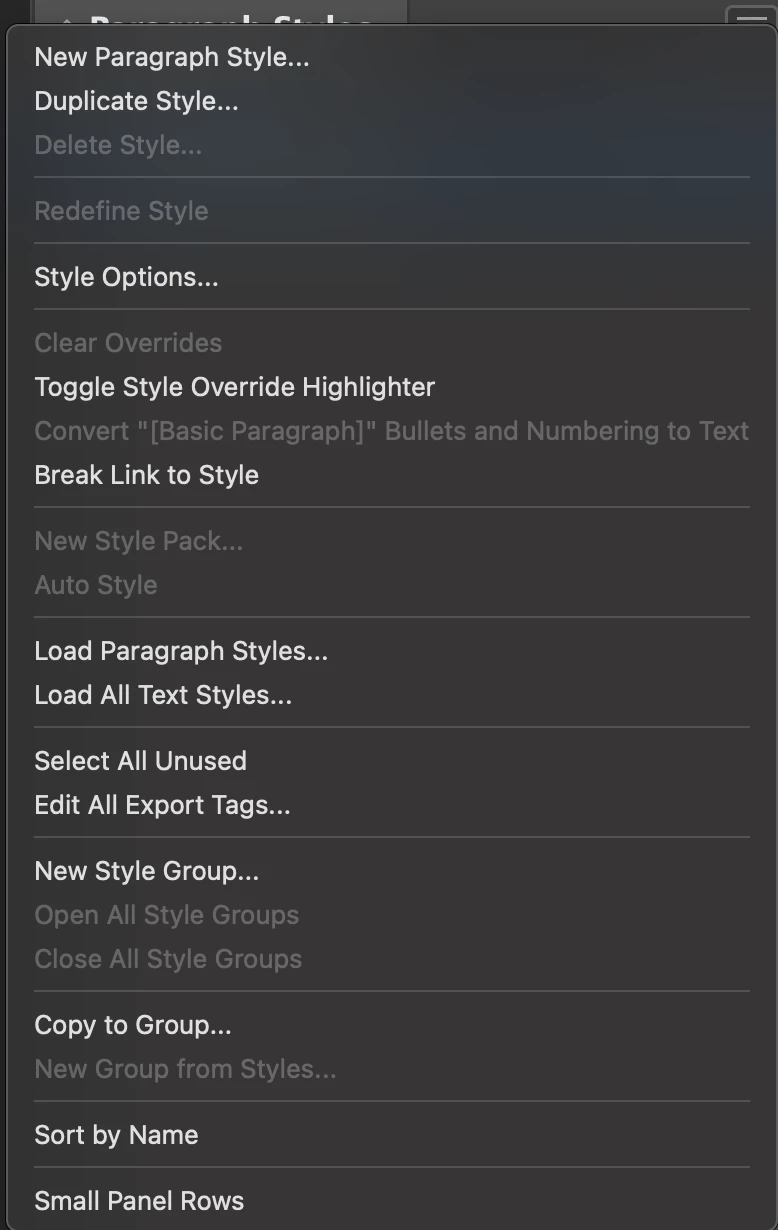
Can you actually show your Paragraph and Character panel menus?


David Creamer: Community Expert (ACI and ACE 1995-2023)
ShannaC
ShannaCAuthor
Participating Frequently
January 29, 2025

Sure, thanks. Normally "Select All Unused" is among the menu options when I right-click from inside the panel.
Showing Colors too just to show that works.

I'm not sure exactly when they stopped showing, but I went to prepare a file for the printer yesterday and they were gone (before I updated to 20.1). 


jmlevy
Community Expert
Community Expert
January 29, 2025

I think that the “select unused styles” command is not available with a right click, but only tby using the panel dropdown menu

Steve Werner
Community Expert
Community Expert
January 29, 2025

I'm using InDesign 20.1 on a Mac Book Pro (Sequoia 15.3), and my Paragraph Styles panel shows Select All Unused:


You might try restoring your InDesign preferences.