Inspiring
February 20, 2018
Question

Select anchored object and apply object style

  • February 20, 2018
  • 2 replies
  • 2662 views

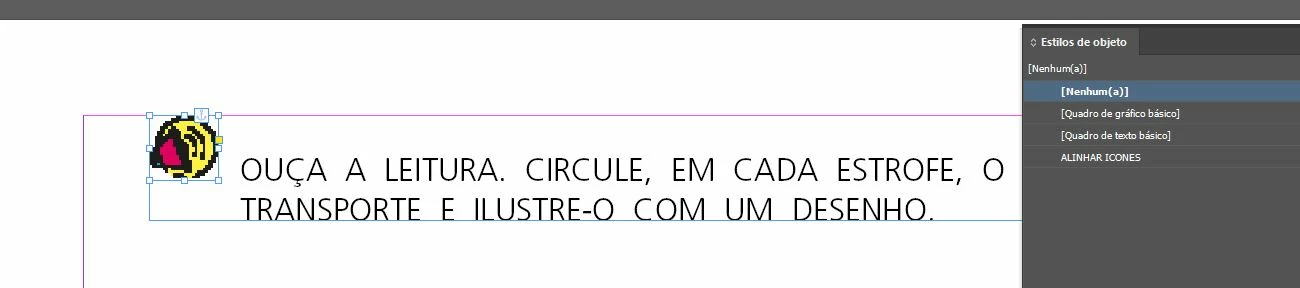
Hi friends, I'm needing a script to select an anchored object with ".ai" extension and apply an object style. Thanks for the help of your friends.
This topic has been closed for replies.

2 replies

Community Expert
February 20, 2018

Hi,

you would go for the allGraphics array of the document. Loop that and test for e.g. ai as suffix in itemLink.name and also test for parent.parent.constructor.name == "Character" for anchored. Mabe also for imageTypeName "Adobe PDF".

// ExtendScript (JavaScript)

// Detect an anchored frame where the graphic contents is an ai-file

// Apply an object style to it.

( function()

{


    if(app.documents.length == 0){ return };


    var objectStyleName = "ObjectStyleName"; // Edit and insert your object styles's name here


    var doc = app.documents[0];

    var objectStyle = doc.objectStyles.itemByName( objectStyleName );

    if( !objectStyle.isValid ){ return };


    var allGraphicsArray = doc.allGraphics;

    var allGraphicsArrayLength = allGraphicsArray.length;

    for(var n=0;n<allGraphicsArrayLength;n++)

    {

        if( allGraphicsArray.parent.parent.constructor.name != "Character" ){ continue };

        if( allGraphicsArray.imageTypeName != "Adobe PDF" ){ continue };


        if( allGraphicsArray.itemLink.name.match(/\.ai$/i) )

        {

            allGraphicsArray.parent.appliedObjectStyle = objectStyle ;

        };

    }

}() )

Edit line 10 and insert your object style's name between the "".

Regards,
Uwe

Inspiring
February 21, 2018

Wordless to thank my friend, it worked perfectly.

But I would like to ask for other help, I forgot to mention that there are other ".AI" files in the archive.

So, how would the script be applied only to text frames with the paragraph style "QUESTION"?
Very grateful for your willingness to help, big hug, and once again, thank you.

Community Expert
February 21, 2018

flaviogomes_script  wrote

… So, how would the script be applied only to text frames with the paragraph style "QUESTION"?…

You have to do an additional check. See code below:

// ExtendScript (JavaScript)

// Detect an anchored frame where the graphic contents is an ai-file

// Apply an object style to it if the anchor is formatted with a distinct paragraph style

( function()

{

    if(app.documents.length == 0){ return };

    var objectStyleName = "ObjectStyleName"; // Edit and insert your object styles's name here

    var paragraphStyleName = "QUESTION"; // Edit and insert your para style's name here

    var doc = app.documents[0];

    var objectStyle = doc.objectStyles.itemByName( objectStyleName );

    if( !objectStyle.isValid ){ return };

    var appliedParaStyle = doc.paragraphStyles.itemByName( paragraphStyleName );

    if( !appliedParaStyle.isValid ){ return };

    var allGraphicsArray = doc.allGraphics;

    var allGraphicsArrayLength = allGraphicsArray.length;

    for(var n=0;n<allGraphicsArrayLength;n++)

    {

        if( allGraphicsArray.parent.parent.constructor.name != "Character" ){ continue };

        if( allGraphicsArray.imageTypeName != "Adobe PDF" ){ continue };


        var anchorCharacter = allGraphicsArray.parent.parent;

        if

        (

            allGraphicsArray.itemLink.name.match(/\.ai$/i) &&

            anchorCharacter.appliedParagraphStyle == appliedParaStyle

        )

        {

            allGraphicsArray.parent.appliedObjectStyle = objectStyle ;

        };

    }

}() )

Here I assume that the paragraph style in question is not part of a style group.

Regards,
Uwe

Inspiring
February 20, 2018

First you need to get a list of all anchored objects in all stories of the document. Then you need to test the file path for the link reference. If the file path ends with ".ai" then apply the object style. Here is a sample written in AppleScript. Hope this helps.

set styleName to "Photo"

tell application "Adobe InDesign CC 2018"

  set docRef to document 1

  set styleRef to object style styleName of docRef

  set myList to every spline item of every text frame of docRef

  repeat with i from 1 to length of myList

  set thisFrame to item i of myList

  try

  set thisImage to image 1 of thisFrame

  set linkRef to item link of thisImage

  set thisTest to file path of linkRef

  if thisTest ends with ".ai" then

  set applied object style of thisFrame to styleRef

  end if

  end try

  end repeat

end tell