Known Participant
May 22, 2013
Answered

Selected elements from list to separate text frame

  • May 22, 2013
  • 1 reply
  • 1225 views

Hi,

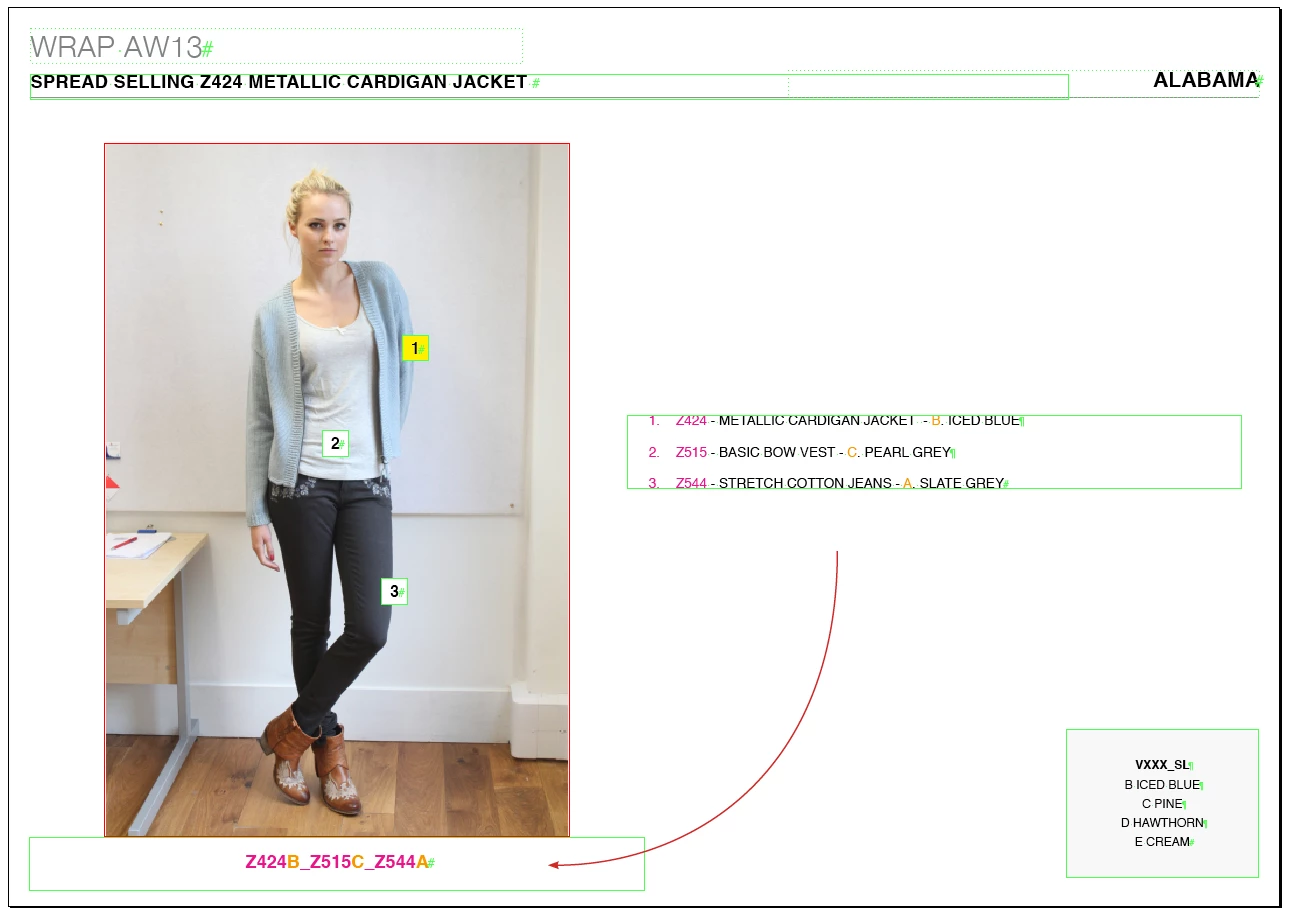
Could somebody please help find a solution to this? In the linked picture you will see a numbered list with each line in the list starting with a 4 digit code (magenta), there is also a colour identifyer in the form of a single capital letter (orange). I need to take these parts only from each line and created a single string separated by underscores as shown in the attached file.

Would this be possible do you think? If so, how could it be done?

Your help will be greatly appreciated!
This topic has been closed for replies.
Correct answer Jump_Over

Unfortunately there are many other text frames on each page (see original screen shot), so would be good to be able to select the boxes needed first then run the script. They are always in the same position though, i.e. the 'source' will always be higher up on the y axis than the 'output'.

So ideal workflow would be:

1. Select the two text frames (source frame will be above the output frame).

2. Execute script (will assign keyboard shortcut).

3. Result appears in the bottom text frame.

Thank you so much,


Hi,

OK. Replace these lines:

var source = mDoc.textFrames.item("source");
var output = mDoc.textFrames.item("output");

with:

if (app.selection.length != 2) exit();

if (app.selection[0].geometricBounds[0] < app.selection[1].geometricBounds[0]) {

     var source = app.selection[0];

     var output = app.selection[1];

} else {

     var source = app.selection[1];

     var output = app.selection[0];

     }

Jarek

1 reply

Jump_Over
Legend
May 22, 2013

Hi,

If your sourceTextFrame is named "source"

and your outputTextFrame is named "output"

you can use it (or change the way of detecting text frames):

var mDoc = app.activeDocument;

var source = mDoc.textFrames.item("source");     // this name should be shown in "Layer" panel

var output = mDoc.textFrames.item("output");    // this name should be shown in "Layer" panel

var mLine, part1, part2;

for (k = 0; k< source.parentStory.lines.length; k++) {

    mLine = source.parentStory.lines;

    app.findGrepPreferences = null;

    app.findGrepPreferences.findWhat = "^.{4}";

    part1 = mLine.findGrep();

    app.findGrepPreferences.findWhat = "\\u(?=\\.)";

    part2 = mLine.findGrep();

    part1[0].duplicate(LocationOptions.AT_END, output.parentStory);

    part2[0].duplicate(LocationOptions.AT_END, output.parentStory);

    output.parentStory.insertionPoints[-1].contents = "_";

    }

output.parentStory.characters[-1].remove();

output.parentStory.paragraphs[0].bulletsAndNumberingListType = ListType.NO_LIST;

rgds

Jarek

Known Participant
May 23, 2013

Hi Jump_Over,

Thank you very much for the reply. This looks promising, however I could not get it to work. I named the source text frame 'source' in the 'script label' panel and likewise the output as 'output'. but I recieved this error:

Ideally though, the script would be able to identify the 'source' and 'output' textframes by their relative positions, i.e. source will always be above output.

Is there a way I could select both frames and then execute the script?

Jump_Over
Legend
May 23, 2013

Hi,

use "Layer" panel to name the boxes

Jarek