Known Participant
November 9, 2023
Answered

Selecting always third and forth letter in a word and change their character style

  • November 9, 2023
  • 4 replies
  • 768 views

Hello everyone! 

I ran into an interesting problem. I need to select the third and fourth letters in 2400 words (these are number combinations, for example 0101A / 0102A... etc.) and change their style (make them bigger and more prominent). Is there any way to do this in bulk using a script in Indesign? I'm sure there is but I can't find a source to refer to, like the Find/Replace function. At the moment I do it by splitting the words into 3 columns in Excel and inserting them into Indesign by merging data. It's a good pretty quick option but I think indesign can play with it much more elegantly. Anyone have any ideas? I would be very grateful for everyone's help!

There is example of what I need: 

original:

what I need:


Thanks! 

Sending greetings from Czech Rep. 

Martina
This topic has been closed for replies.
Correct answer Scott Falkner

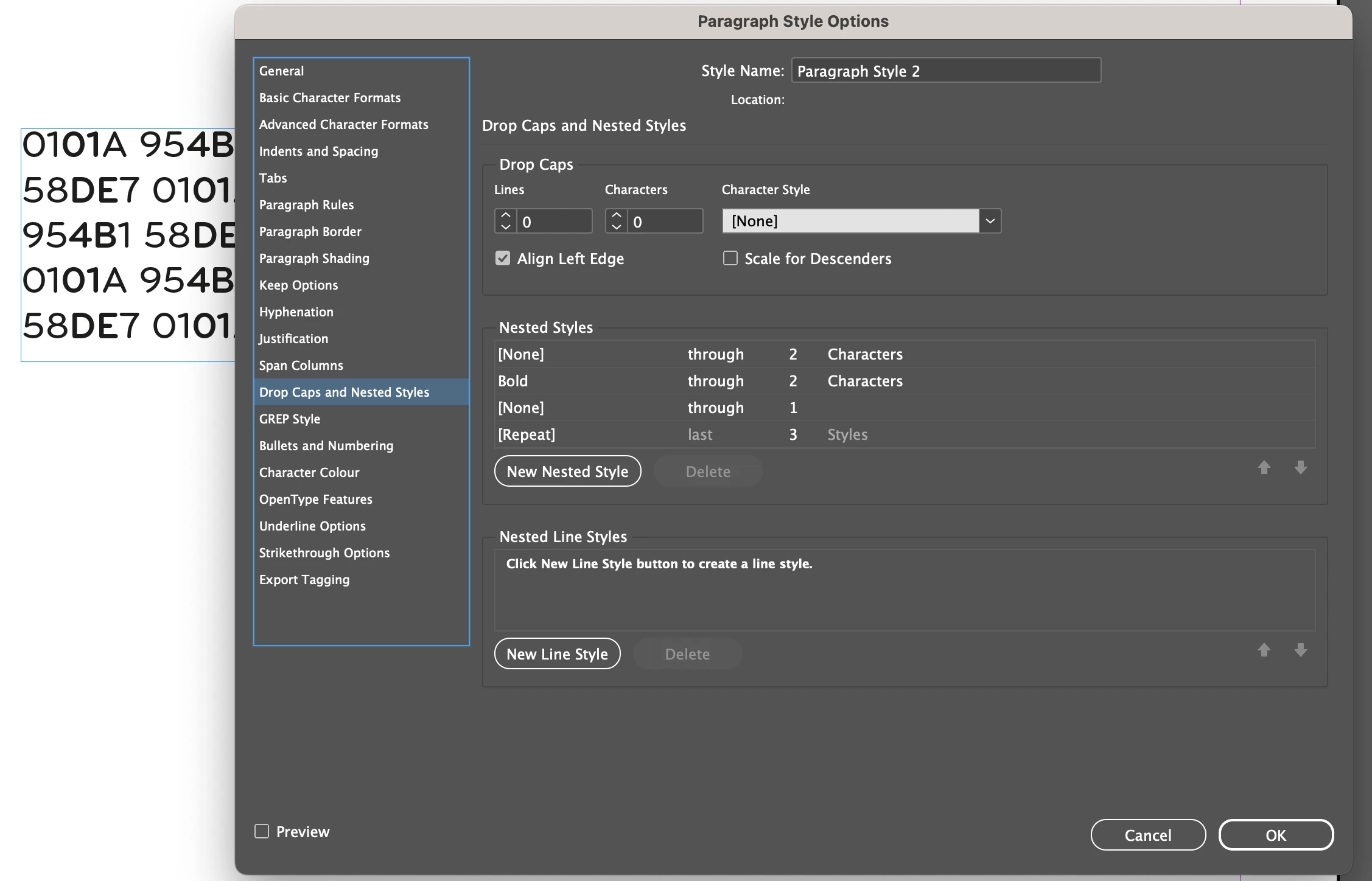
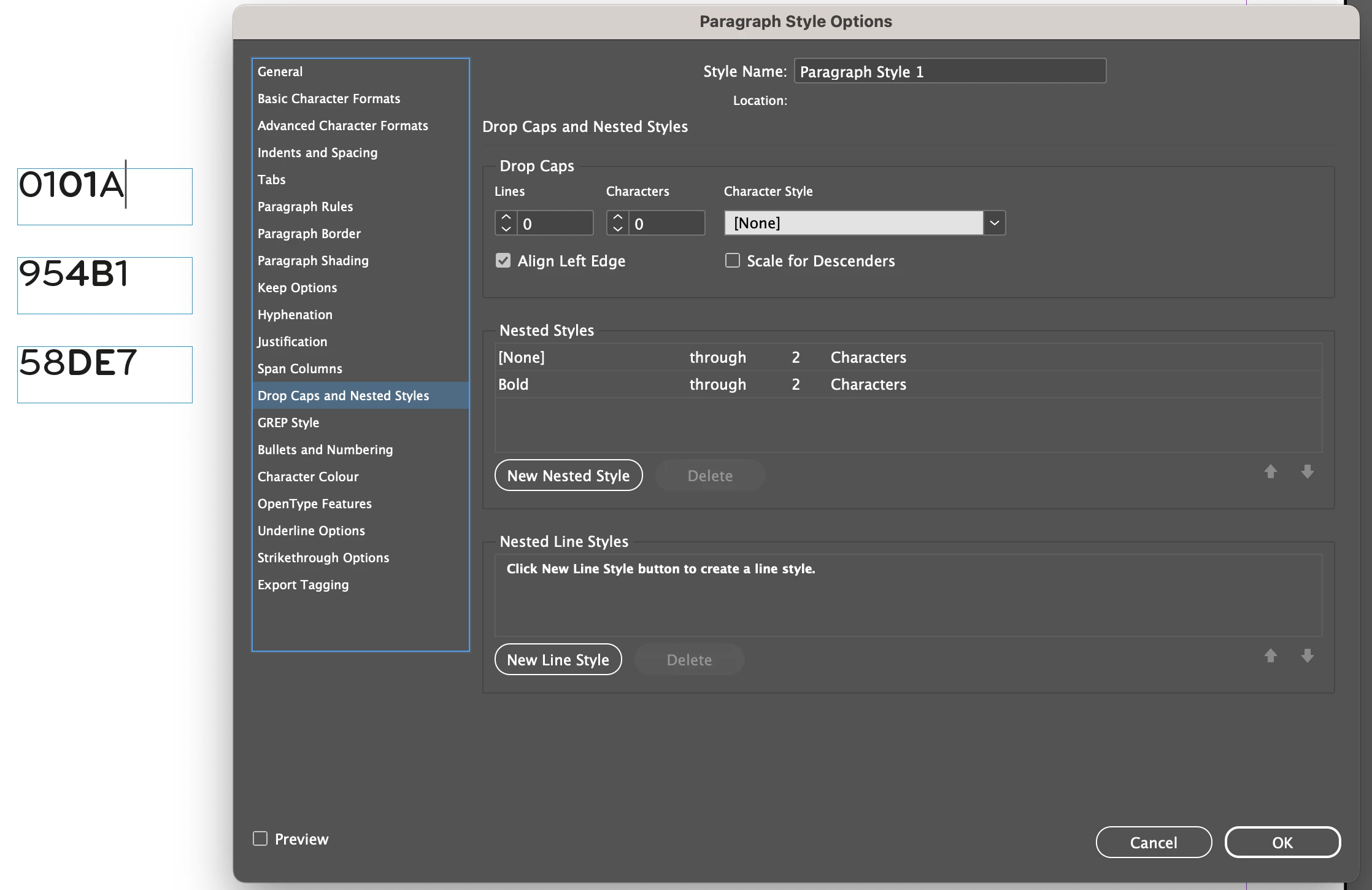
Would a nested style work?


This works like the examples given, so long as each affected word is in its own paragraph…


This works if there are multiple words in a paragraph (but only if you want every word affected)…


If you need the format applied selectively within text then you might need to use GREP, which matches specific and complex patterns (e.g. only five letter words that start with numbers and contain letters).

4 replies

Brito Haroldo
Inspiring
November 9, 2023

Hello @Martina zstudio 


and the other grep:

.{2}(?=.\t|.$)

For use in GREP Style in paragraph style* ou in Find/Change.


* This is the best way because the text is automatically formatted wherever the paragraph style is applied. However this will always be an indirect formation, for PDF and the like it will be kept. For copying and pasting between applications, it may not work at the destination.


Inspiring
November 9, 2023

second and third letters or numbers of every word

GREP Style:

\b(\w\w)\K\w\w


All roads lead to Rome

Scott Falkner
Community Expert
Scott FalknerCommunity ExpertCorrect answer
Community Expert
November 9, 2023

Would a nested style work?


This works like the examples given, so long as each affected word is in its own paragraph…


This works if there are multiple words in a paragraph (but only if you want every word affected)…


If you need the format applied selectively within text then you might need to use GREP, which matches specific and complex patterns (e.g. only five letter words that start with numbers and contain letters).

Known Participant
November 9, 2023

Wow, this also looks great - I will tested! Thank you so much. @Scott Falkner 

Known Participant
November 9, 2023

So this also work perfectly for me! 

GNDGN
Inspiring
November 9, 2023

If each word is in its own text frame, this should do the job:

var st = app.activeDocument.stories;

for(i=0; i<st.length; i++) {
	if(st[i].characters.length >= 3 ) {
		st[i].characters[2].fontStyle = st[i].characters[3].fontStyle = "Bold";
		st[i].characters[2].pointSize = st[i].characters[3].pointSize = 14;
	}
}


Before:


After: 


____________________Robotic Process Automation in Desktop Publishing (Book): https://doi.org/10.1007/978-3-658-39375-5
Known Participant
November 9, 2023

@GNDGN THANK YOU SO MUCH!! 

This is game changer 😄 😄 I knew there will be a way. 


This briliatnt. Working perfectly for me!