
Participant
November 7, 2016
Answered

Selecting text causes Indesign to use 100% cpu for 10 secs

  • November 7, 2016
  • 1 reply
  • 1025 views

Since update to 2017.0 every time when I select a earlier entered text within a indesign document, a turning beach ball appears, stalls for 10 secs, beach ball disappears. Happens every time I select a new text. I’m unable to work on documents in Indesign. Also happens when selecting other font.

Tried:

- remove all Indesign settings

- create fresh new document

… without result.
    This topic has been closed for replies.
    Correct answer Barb Binder

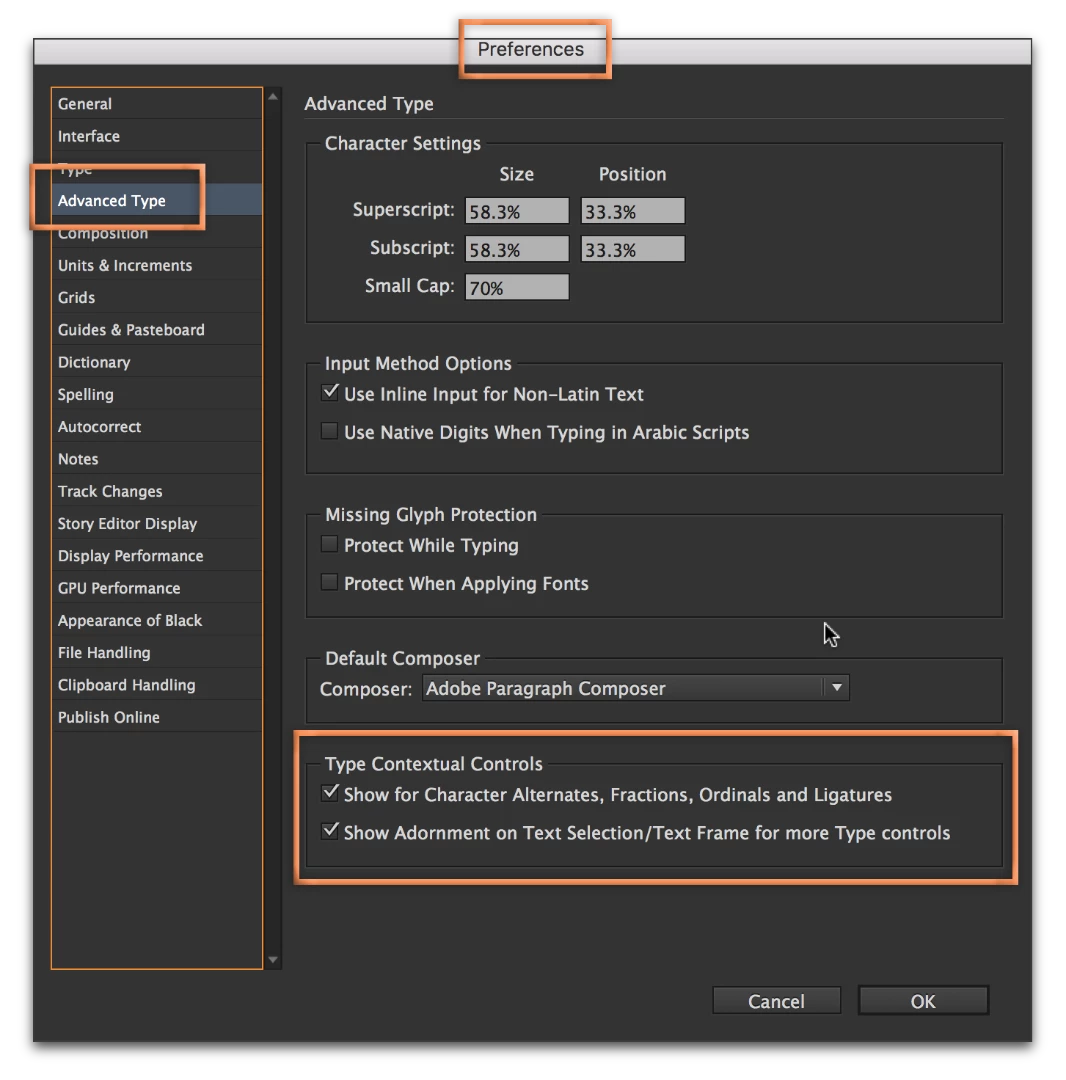
    I saw a similar question on an earlier thread and the suggestion was to disable the Type Contextual Controls. Could you give it a try and then come back to let us know?

    Edit: I found the thread: Type tool is very delayed in InDesign CC

    1 reply

    Barb Binder
    Community Expert
    Barb BinderCommunity ExpertCorrect answer
    Community Expert
    November 8, 2016

    I saw a similar question on an earlier thread and the suggestion was to disable the Type Contextual Controls. Could you give it a try and then come back to let us know?

    Edit: I found the thread: Type tool is very delayed in InDesign CC

    ~Barb at Rocky Mountain Training
    Participant
    November 9, 2016

    Hello Barbinder,

    This solved my problem. Thank you very much!

    (Adobe support logged in remotely and concluded it was a Extensis Suitcase problem).

    Many thanks.