
Participant
February 4, 2025
Question

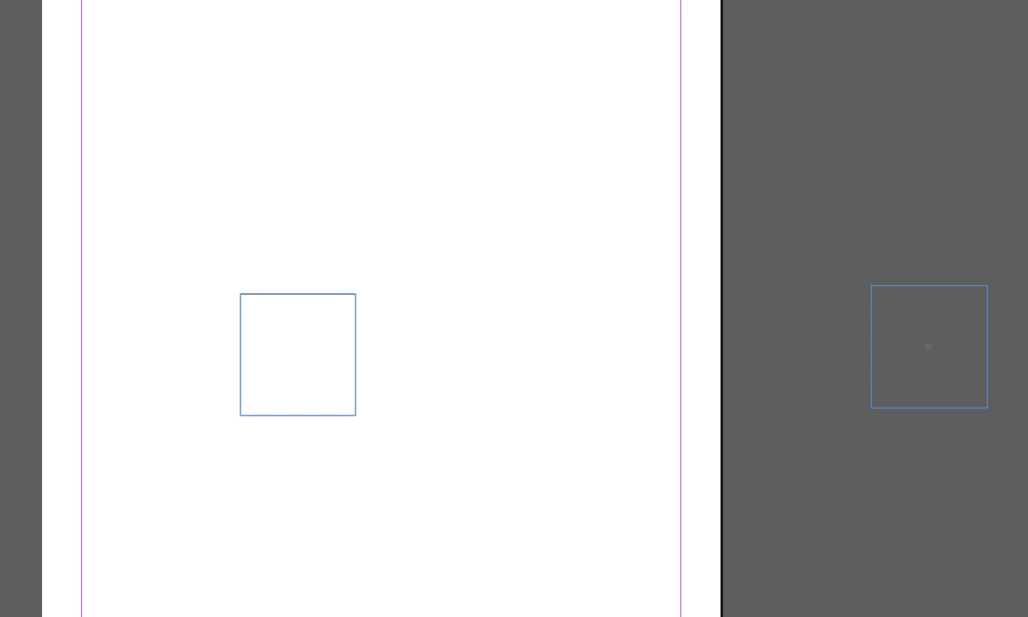
Selection Tool mis-aligns objects

  • February 4, 2025
  • 2 replies
  • 294 views

Hello,


I am in InDesign and whenever I grab an object with the selection tool and try to move it, it automatically offsets the object off to the right a bit (see screenshot). It is making it impossible to properly compose my pages.


I have tried restarting, restarting the computer, uninstalling and re-installing InDesign. And I can't seem to find an answer in the forum.


Thanks
2 replies

Mike Witherell
Community Expert
Community Expert
February 4, 2025

Here is a list of troubleshooting tips.

Mike Witherell
Abhishek Rao
Community Manager
Community Manager
February 28, 2025

Hi @David35989361789i,


I hope Mike’s suggestion helped resolve the issue. If not, could you share more details as he asked, like the OS version you're using?

Additionally, could you confirm if your issue is similar to the ones discussed here?
Selection Tool Issue in InDesign 2025
InDesign Selection Tool Not Working


Looking forward to your update!


^
Abhishek

Mike Witherell
Community Expert
Community Expert
February 4, 2025

Do you have any apps like Magnet running? What happens if you turn off any screen manager apps like Magnet?

Also, what operating system are you using? What version of ID?

Mike Witherell
Participant
February 4, 2025

I am not running any screen manager apps. It is the latest version of InDesign.