
Selective justified text with Text Wrap?
This seems like a feature InDesign should have, but try as I might, I can't find a way to do it without lots of manual line breaks and fussy typesetting.
What I'd like to do is place a small caption text frame so it partially insets against a larger body text column. The text in the larger column is set to align left, but I'd like it to force justify next to (and only next to) the inset frame.
I know that there's the "Justify Text Next to an Object" setting for Text Wrap in the composition preferences, but that only works if the text wraps to both sides of the object in question, not just one.
I'll include some screenshots here to better show what I'd like to do.
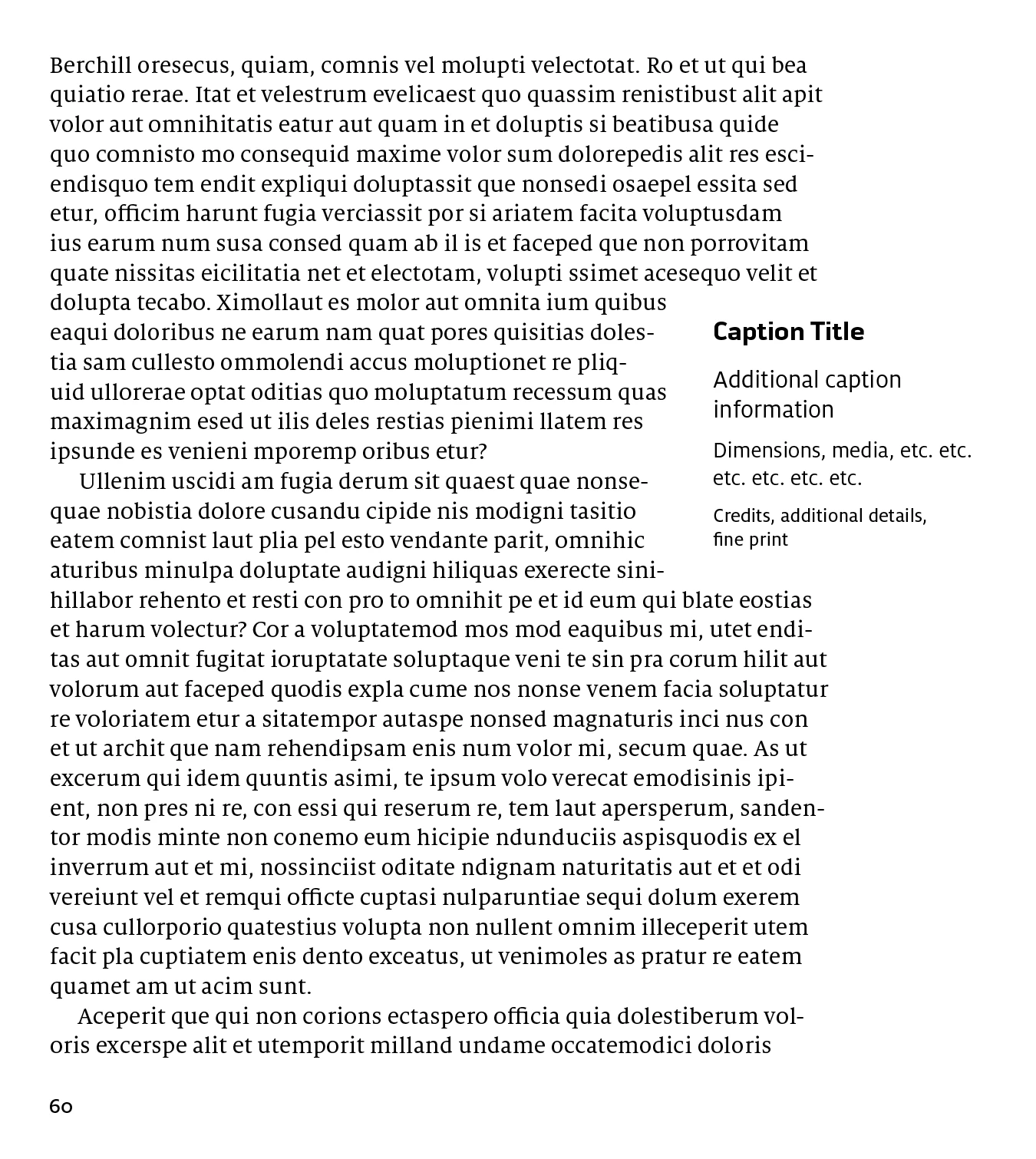
Above is what it looks like by default when I use left-aligned text to wrap the caption frame. The irregular white space between the broken lines of the body text and the clean vertical side of the caption text is what I want to eliminate.
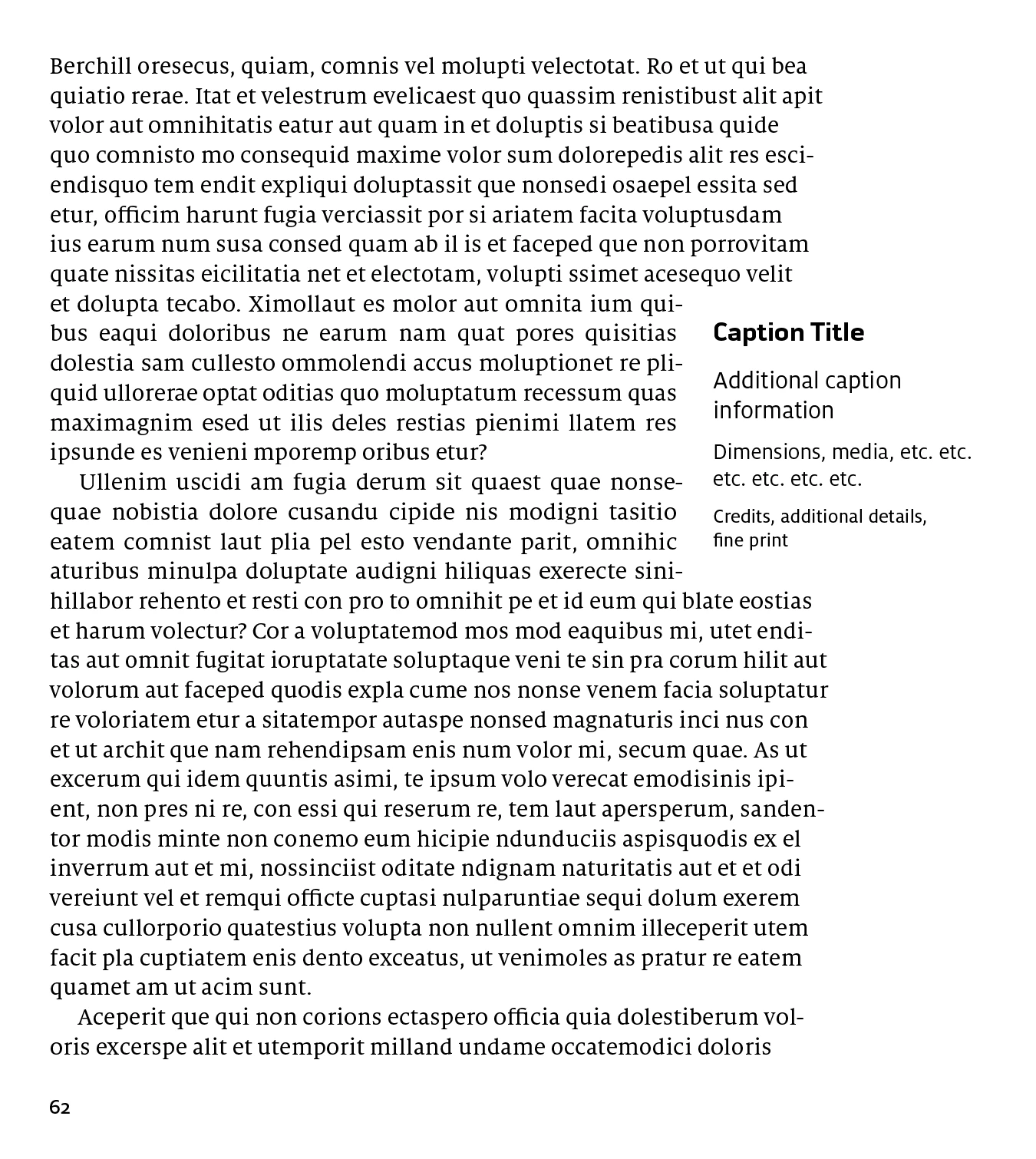
This is the result I'm looking for.

Here's that same setup with hidden characters turned on. I have to break all lines next to the caption frame into separate paragraphs that are then justified to get the desired effect. And it's not as obvious here since this is lorem ipsum, but using actual text creates all sorts of ugly hyphenation and line break issues.
If this situation were going to occur only once or twice, manually breaking things would be no problem. But this will happen somewhere between 100–200 times, so an automated solution is really the only way to make it feasible. Like I said, this seems like something InDesign should be built to provide, but there's no way I can find to make it happen. Any suggestions would be welcome!
Thanks,
Ryan
 AdChoices