Inspiring
August 3, 2019
Answered

selling digital magazines via login or download?

  • August 3, 2019
  • 3 replies
  • 1270 views

Hello,

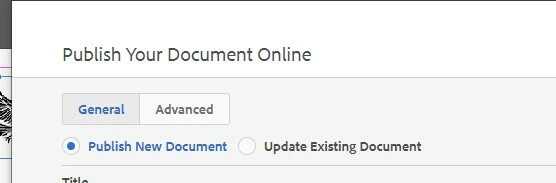
If you want to sell your digital published content online, would it be possible to make the InDesign online publishing page a login member page, where members get to login and read the magazine?

How is this done these days?
Say I have created a landing page to sell a digital content magazine. The customer pays via the checkout cart on the landing page, they then receive an email with a link to view the digital content. How would I make that content a member only login or login and download? Assume I would embed that ebook/magazine on my own site with a login there?

What if the document is interactive with custom fill in areas like a workbook and I want each member to have their own version of the ebook to fill in with their own writing? Is this the way to go with this? Or should I approach that with adobe XD ?

kind regards,

This topic has been closed for replies.
Correct answer Peter Villevoye

To be honest, apart from Export to PDF, all the other publishing output formats Adobe has touched on in the past and present are a mix of successes and a bag of hurt. My quick-and-dirty shortlist of them all:

  • So all plain vanilla PDFs (for print production) are great, but of the interactive PDF, only the forms and comment features are well-developed and fairly reliable. Adobe kind of acknowledged their weakness in this interactive area and has stalled the development or improvement of other and further interactive features.
  • Of the ePub flavours, creating a decent ePub reflowable (2.0 and 3.0) is a long-standing and strong feature in InDesign (since CS 5.5). But although Adobe's and Apple's support for ePub Fixed Layout (3.0) seemed promising, the viewing of them on other devices than Apple's Macs, iPads, and iPhones is just terrible.
  • Then there once were Flash and DPS – both output platforms were touted and tried for a few years, but killed-off after that.
  • Publish Online started really well, but we're still waiting for serious and necessary upgrades to this feature.
  • Native Kindle formats are a conversion of an ePub Reflowable 2.0 (check out their tools to do that). So it's not something you can directly export from InDesign, but it's not that difficult.
  • Native HTML-output from InDesign is almost non-existent, but IN5 will offer you many inroads to that, as others already mentioned.

3 replies

Jeff Witchel, ACI
Community Expert
Community Expert
August 3, 2019

You may want to consider in5, a plugin for InDesign that allows you to export interactive content to HTML5 directly from your layout. This content will open in any web browser. So you can host the content on your own site that is password protected.

Unlike PDF, in5 allows you to use all InDesign's interactive features, such as hyperlinks, buttons, multi-state objects, animation, movies, sound and more to create your interactive magazine. I've been using this plugin for a while and it's amazing what can be done.

Here's a link to Ajar's website: Ajar Productions: Design Design Software (Makers of in5)

Inspiring
August 4, 2019

thanks Everyone,

interesting insights.

what about publishing to kindle? Is that just the EPUB output option?

I thought adobe would have built a lot of these workflows, kind of like premiere has a lot of settings for devices and social media outputs.

I had a look at the AJAR, the samples seemed very slow to load, images loades slowly. wonder if we can install on our own cloud set up with that?

issuu is good I read they take 30% of commercial sales if you use their platform I`ll have to check that >.<

Inspiring
August 4, 2019

I like issuu, dont know if it supports video, or html5 animation embeds.

but I think they take 30% if you go commercial...?

Peter Villevoye
Community Expert
Community Expert
August 3, 2019

InDesign has nothing to do with the commercial and secured distribution of content. The Publish Online option is just for simple proof-reading or somewhat secured downloading of PDFs. Nothing fancy. And Adobe XD has nothing to do with your goals either.

Look for services like ISSUU, where you can upload PDF content, and have a sophisticated and controlled distribution.

Derek Cross
Community Expert
Community Expert
August 3, 2019

InDesign's Publish Online can be used for more than just proofing. It's particularly useful for items like catalogues, samples and Prospectuses.

Peter Villevoye
Community Expert
Community Expert
August 3, 2019

You're totally right, technically it's capable of showing many kinds of content.

But it can't beat the swift overview of multiple pages and the many other extended functionalities of a proper PDF viewer. It's still in its infancy, and Adobe is not putting much effort in improving it either. So I'm reluctant in endorsing it as a viable and serious way of (public) distribution. That's my 2 cents...

Derek Cross
Community Expert
Community Expert
August 3, 2019

The issue is, as Publish Online publications are hosted by Adobe, anyone who gets the URL to your magazine can copy and pass it on. The feature is not designed for selling content.