
Semi-transparent text backgrounds
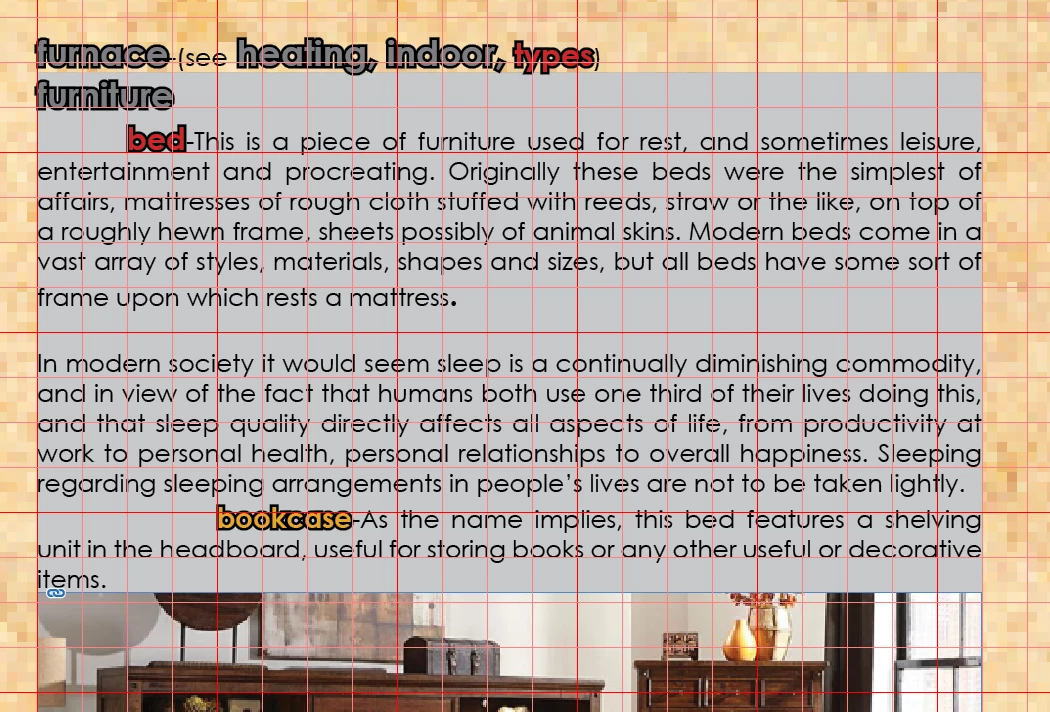
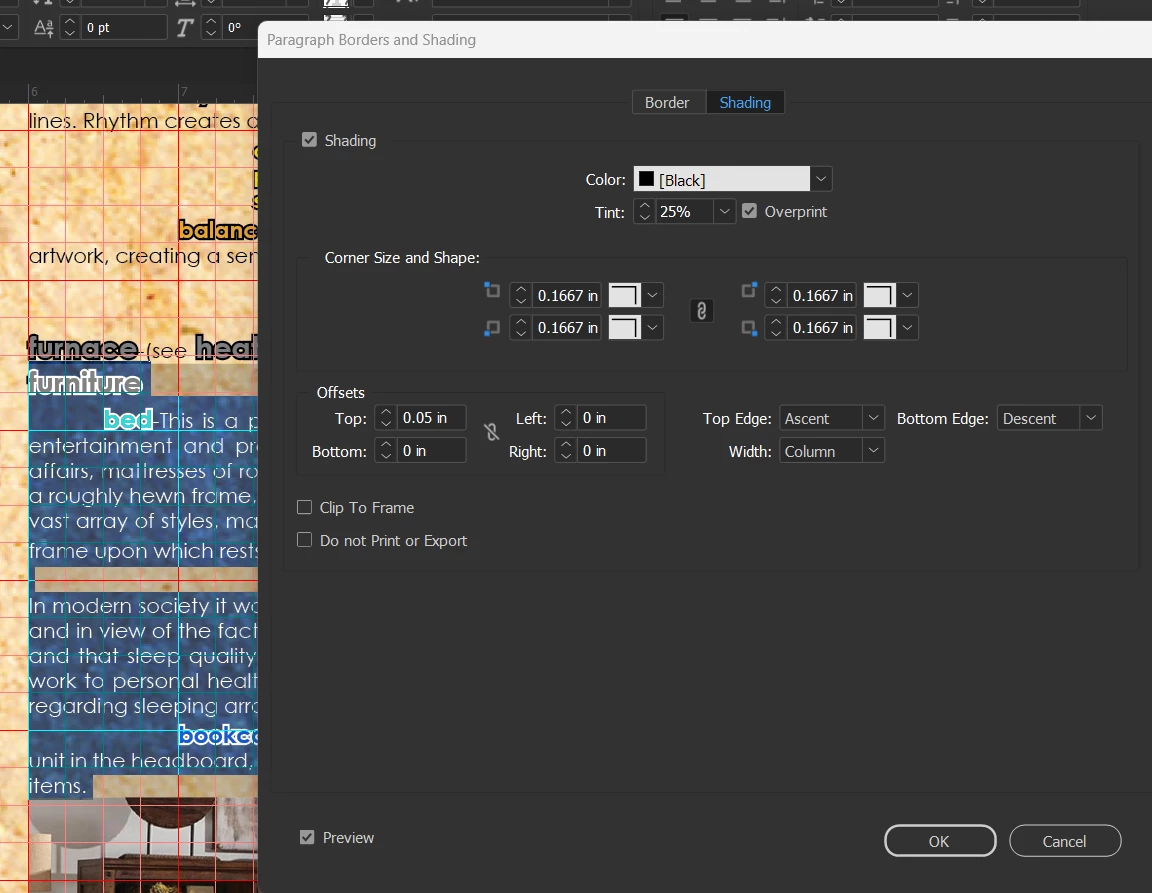
I'm trying to get text backgrounds to be partially transparent so you can still see the imagery behind it. I want a background that isn't intrusive, something like what you would be through smoke-coloured sunglasses. However, no matter what I do I end up with a solid, fully opaque text background. I highlight the text, go to the three little bars at the top right of the toolbar>Paragraph Border and Shading>Shading>checkmar shading, choose black, set tint at 20%, check Overprint, then Okay. I go back to where the text is, and what I get is not a sem-transparent background, but a solid grey (presumably what Indesign thinks is 20% black.) If I click on overprint preview, I see exactly what I want, black that is partially see-through, but when I export it to a PDF I've got the solid grey again. I don't get it, and can't find any information online for this specific issue. I've included two images, one with what I want and what I am actually getting. Any help would be much appreciated.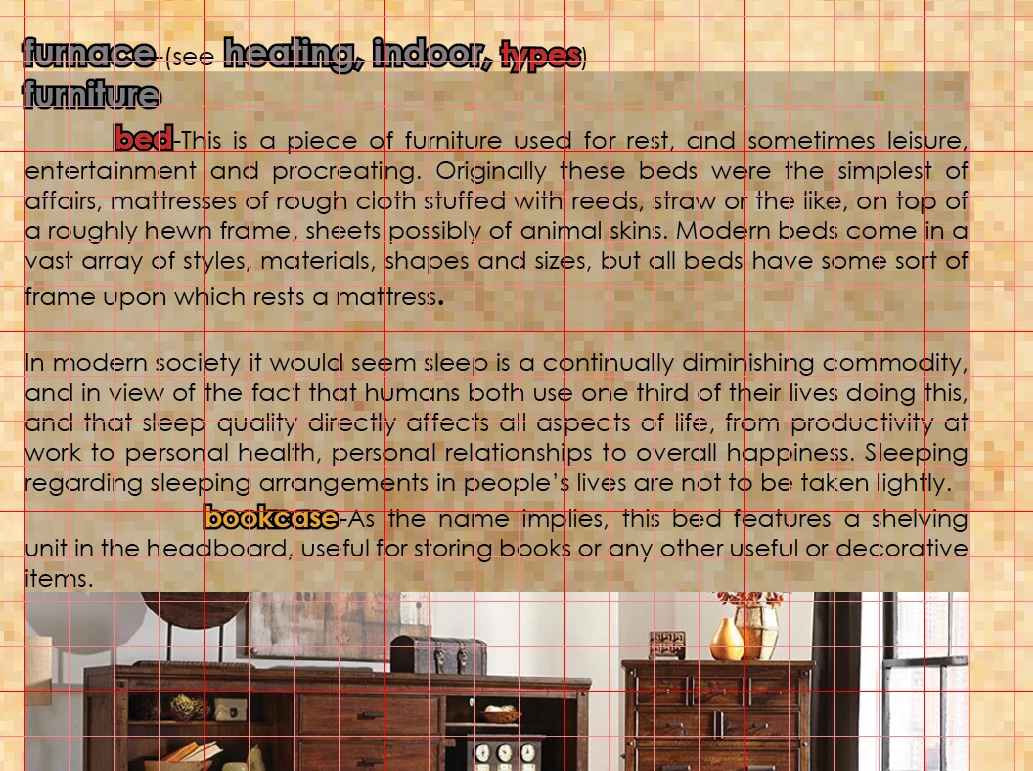


 AdChoices