Inspiring
April 26, 2025
Answered

Separate alignments in single paragraph

  • April 26, 2025
  • 2 replies
  • 764 views

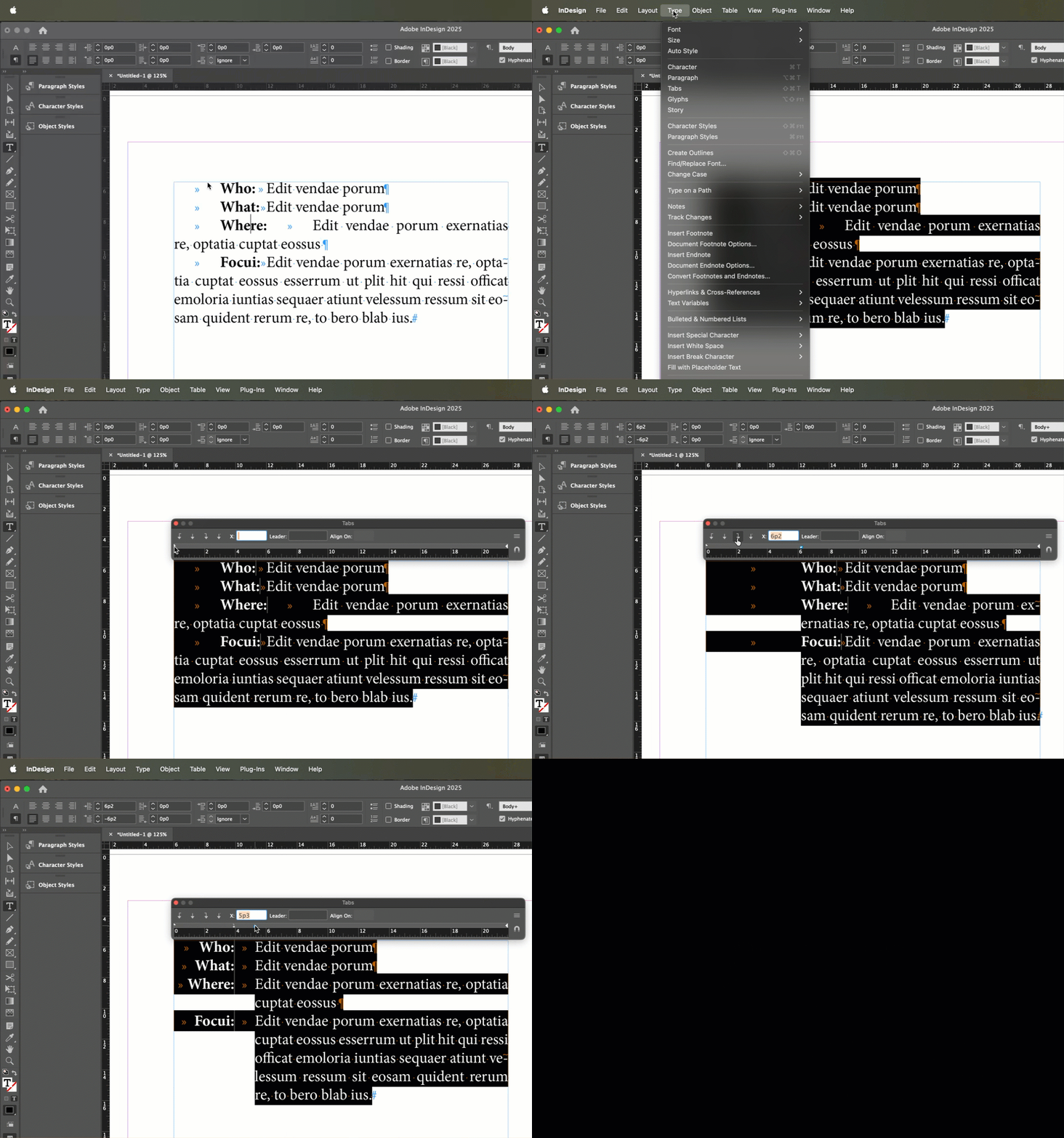
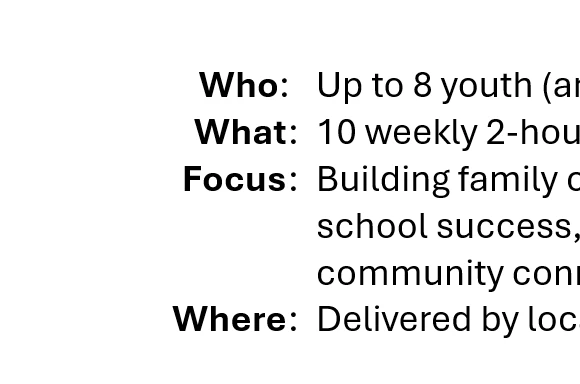
In this text box to the right of this graphic, I want each of the bold words ("Who," etc.) to be right justified with each other (as shown in the second image below), and then the beginning of each description to the lined up with each other. I've played with the various indentation controls, but cannot get it to work. I think I am probably missing some basic function here. Right now, all this text is part of a single text box. Advice?

 

Correct answer Barb Binder

Hi @DavidacrossAmerica:


You'll need to set a right-align tab stop and a hanging indent. Start by adding a tab before and after the bold words, then set as follows:


  • Shift+drag the the lower white triangle in the Tab ruler (Type > Tabs) to set the hanging indent. (The top triangle remains at the left margin.)
  • Add a right-align tab to set the position of the colon. 
  • Adjust either to control the spacing. 


~Barb

2 replies

Robert at ID-Tasker
Legend
April 26, 2025

@DavidacrossAmerica


You could convert your text into a Table? 


Barb Binder
Community Expert
Barb BinderCommunity ExpertCorrect answer
Community Expert
April 26, 2025

Hi @DavidacrossAmerica:


You'll need to set a right-align tab stop and a hanging indent. Start by adding a tab before and after the bold words, then set as follows:


  • Shift+drag the the lower white triangle in the Tab ruler (Type > Tabs) to set the hanging indent. (The top triangle remains at the left margin.)
  • Add a right-align tab to set the position of the colon. 
  • Adjust either to control the spacing. 


~Barb

~Barb at Rocky Mountain Training
Inspiring
April 27, 2025

Thanks much. But I don't understand how the bold words are right aligned.