Inspiring
December 3, 2022
Answered

Separator in Endnote

  • December 3, 2022
  • 1 reply
  • 1472 views

Hi,


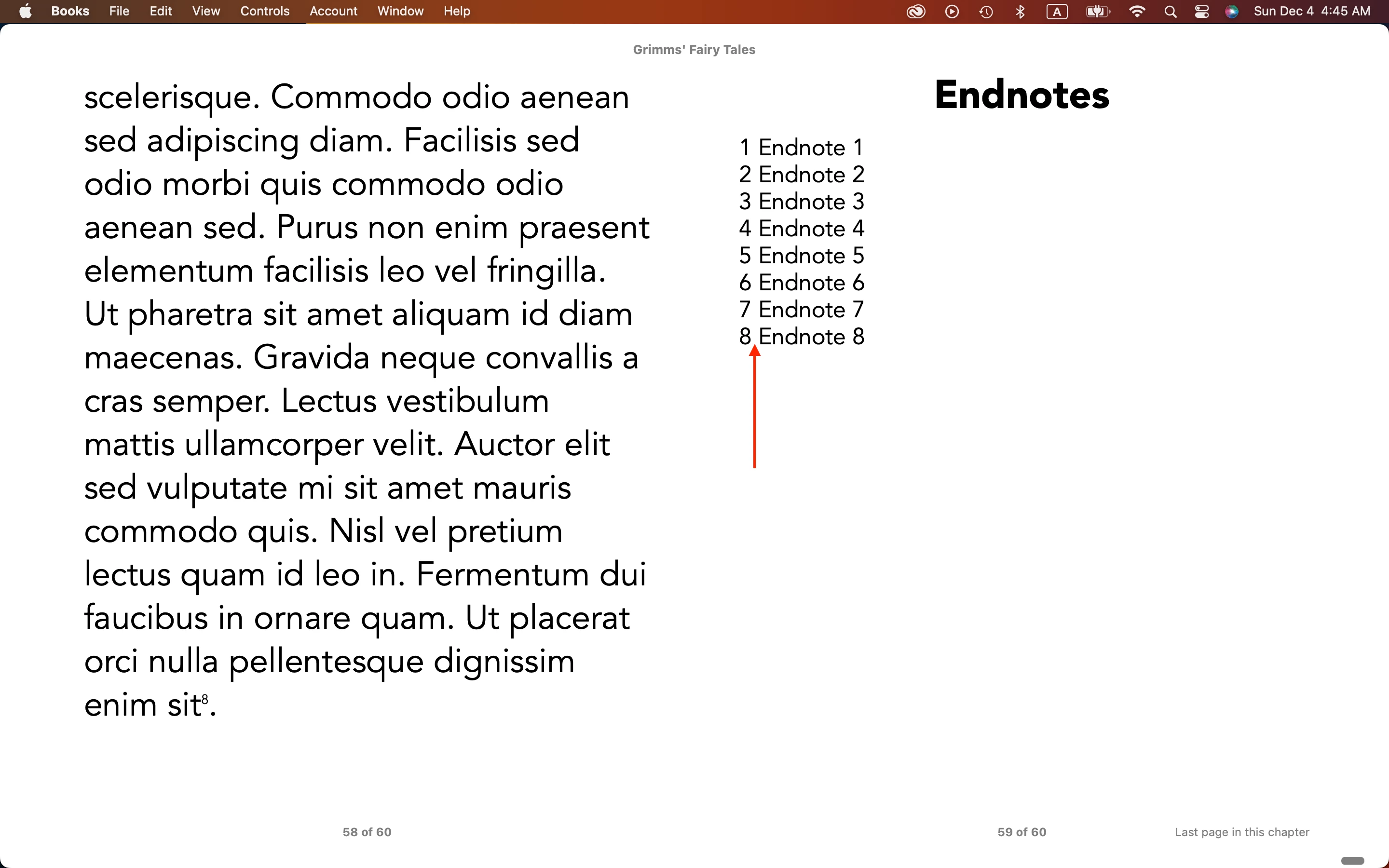
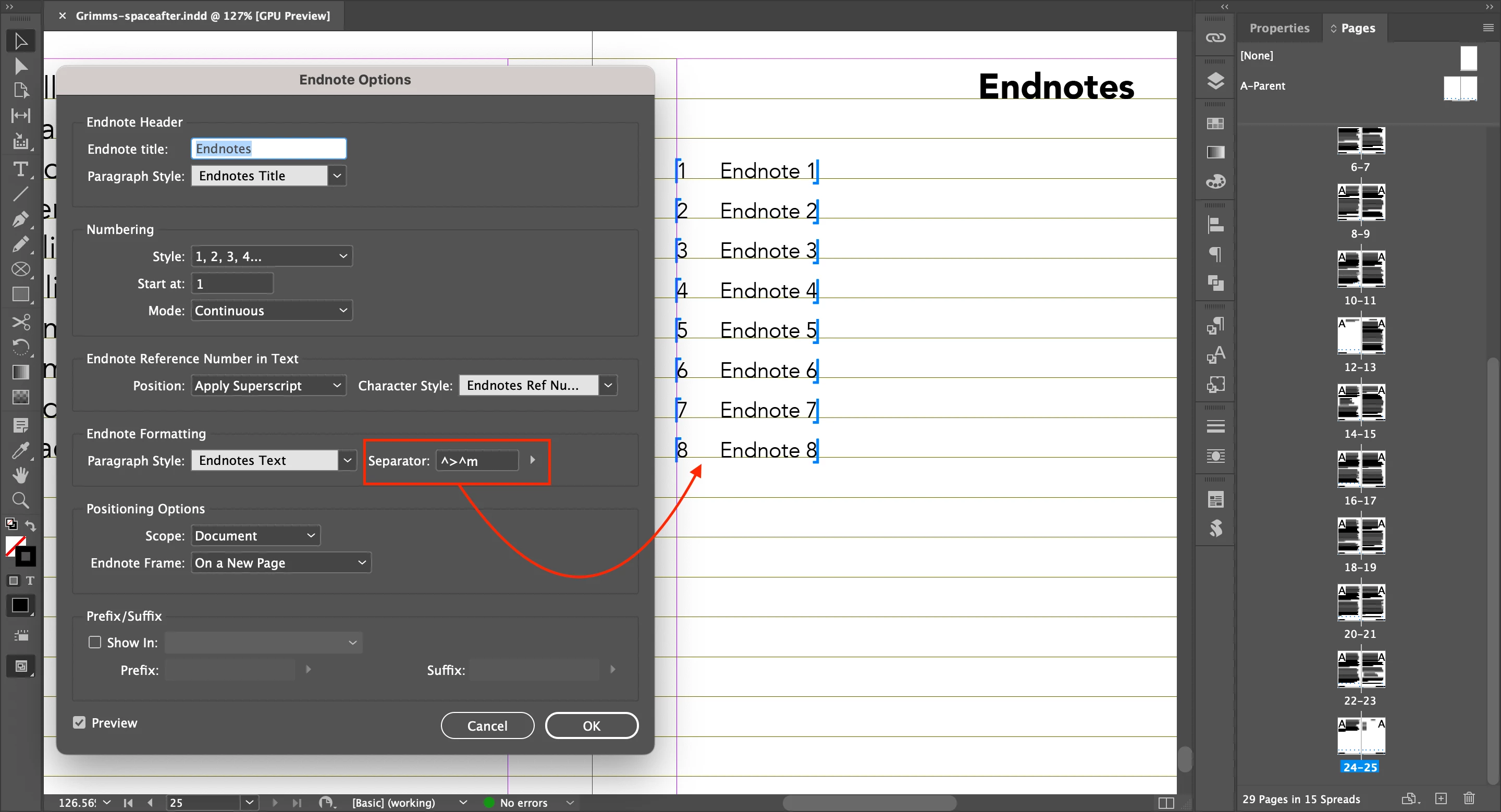
In Endnotes, I gave enough space to Separator on Id.

But it is not reflected on EPUB.


What's going on?


Hosun
 

This topic has been closed for replies.
Correct answer James Gifford—NitroPress

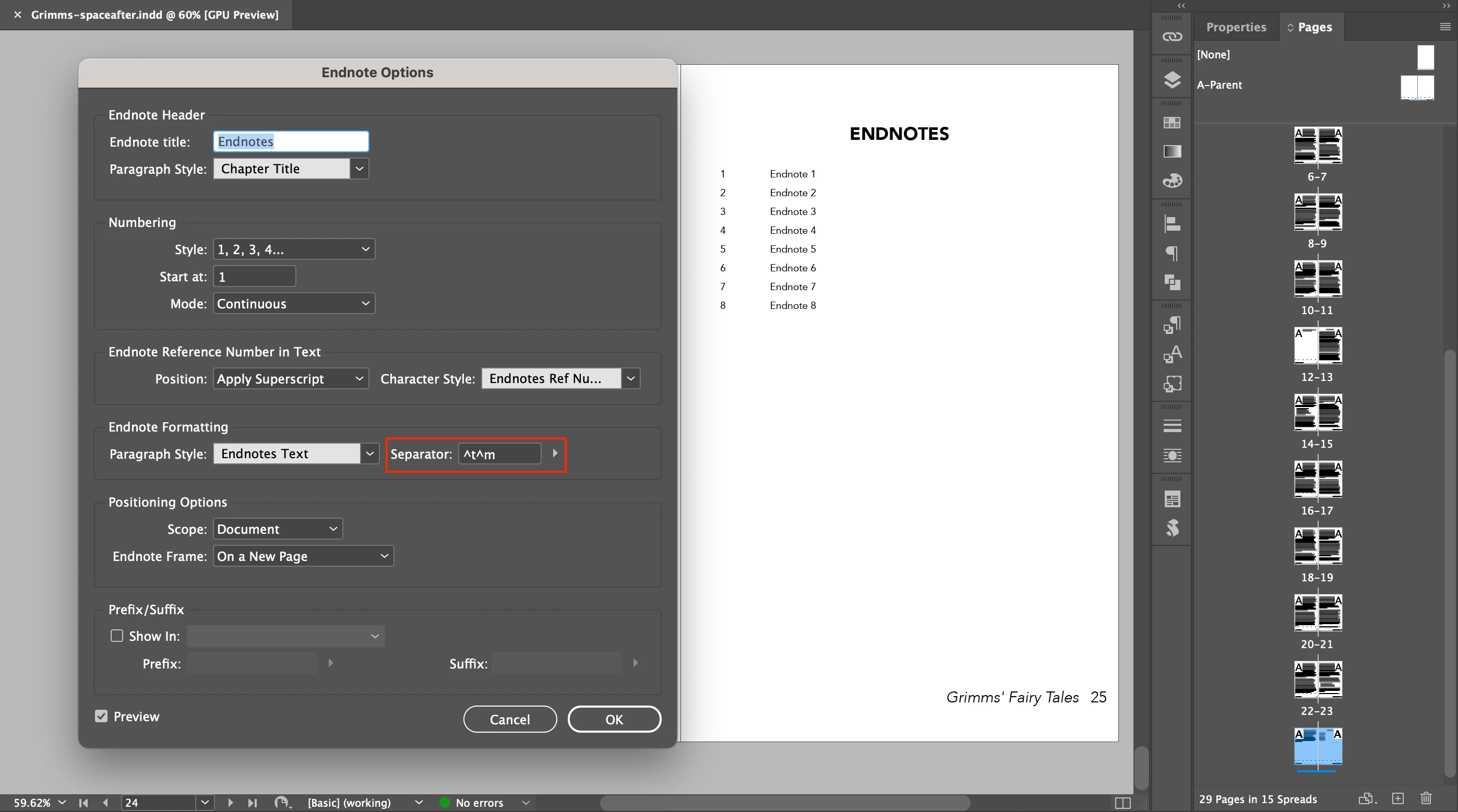
I tried again with Separator: ^t^m.

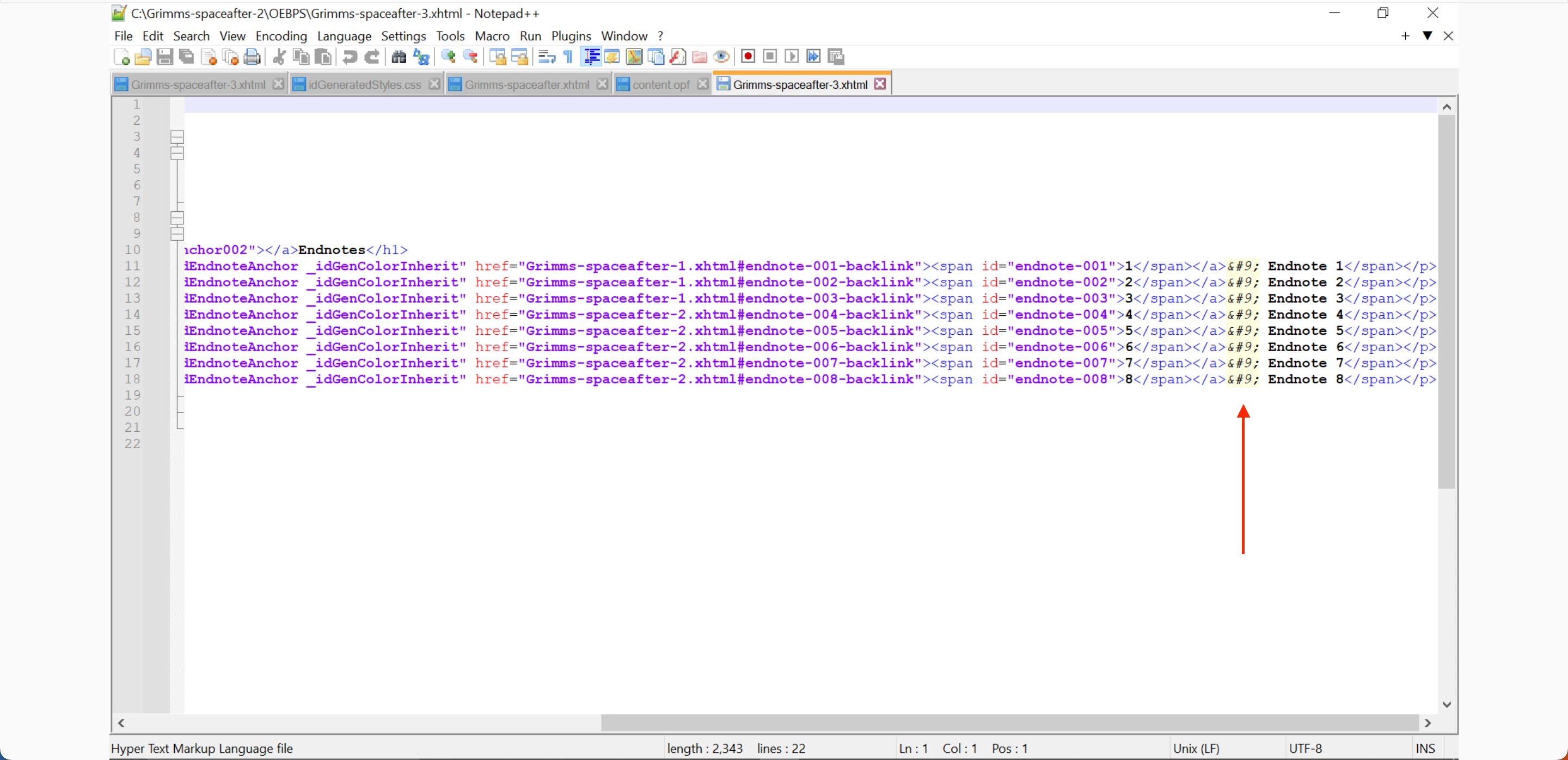
And I found out 	.


EPUB

https://drive.google.com/file/d/1Bd7_yrKoWUrKIrwTDxQirhLjJoBSH1kI/view?usp=share_link


Hosun

HTML and ASCII 9 is a tab. Tabs are not recognized in EPUB, just as they aren't in web pages. That '^t' is either ignored or converted to a single space.


I think your Tab-Em Space combination is being replaced by that effectively null HTML code and a regular space, resulting in one or perhaps two display spaces. I understand the tab issue, but not why the em space is being converted.


Use a different separator, such as space-emdash-space. Never use tabs in EPUB. And (more generally) it's poor practice in ID to use multiple white space characters in a row, such as tab-space. One whitespace to a space; use whichever works correctly.


1 reply

James Gifford—NitroPress
Legend
December 3, 2022

You would have to look at the actual EPUB code (the XHTML content file) to see what's being exported to that spot.


If it's not an em-space, the ID export process is substituting something else. However, I suspect you'll find it is an em-space character (  or  ), but the reader is choosing to interpret it as a regular (width) space. As always, proof EPUB in at least one standard reader (Thorium or Calibre) even if you're developing the book for a specific market (Kindle, iBook, etc.)


Try substituting another character, such as an em-dash, to see how it exports and reads.


Inspiring
December 3, 2022

Where can I see the actual EPUB code (the XHTML content file)?


Should I install Thorium of Calibre?


Hosun

James Gifford—NitroPress
Legend
December 3, 2022

First, the big secret: an EPUB is just all the files for a web page, packaged into a ZIP archive file.


If you can open archive files directly, you should be able to tell your file tool to open the EPUB as a ZIP. You might have to change the extension from .epub to .zip. Even easier, install a good archive manager like 7-Zip, which will open the EPUB directly.


Once inside, navigate down the one or two folders until you find one or more XHTML files, usually, something like content.xhtml. You should be able to open this with any text tool (like Notepad on Windows; not sure what the Mac equivalent is). This is a good place to install Notepad++, a very capable text editor that is one of the best tools to write and edit CSS, HTML, XHTML etc. in.


Once you have the XHTML file open, search towards the end for the end notes. (You can also put a unique keyword in one of the notes and search for that.) And there you will find what InDesign did with the separator character.


I again strongly recommend installing Thorium Reader and using it as your usual proof/checking tool, and then checking in iBooks only as a second step. This will be a more reliable process than using iBooks alone, with its proprietary features and display choices.


You can also do all of the above with any of several e-book/EPUB tools like Calibre, but I dislike this category of app so much I can't recommend it without reservation. The Calibre reader is a good backup to Thorium (which has one display bug at present), but the whole Calibre package, which includes converters, code viewers, editors etc. is sort of messy, a collection of separate apps with a crowded and clumsy integrating interface. (I am strongly against this "build a book" approach to EPUB; it's obsolete. But you might find the Calibre file viewer easier than the multiple steps above.)