



Sequential Autofill dates from original date entry
I need a script that does exactly what the post linked here describes, but I need to it work for INDD rather than Acrobat. Here is a copy of the question and solution from that original post:
I have 75 weeks of boxes that I need to auto-fill with sequential dates a week
a part based on whatever is entered in the very first date box. From the example I show here I am filling in the first box for Week1 (box name: Week01) with 12/01/2015. I want all the boxes running to the right of that to automatically fill in dates in one week increments based off the date in that first box. The form field are named, Week02, Week03, Week04, etc....
I am no JavaScript wizard but after making several basic and more intuitive attempts, I realize this is beyond me. I was hoping one of you JavaScript gurus out there could help me out with a simple script to add to each calculation field to make this work.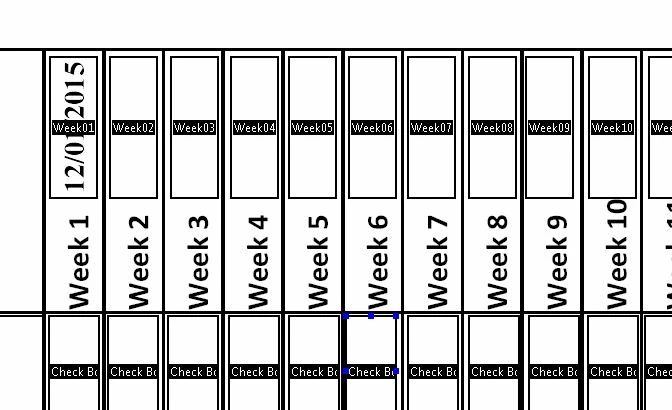

I'll give you an example for the first field. You can use it to figure out the rest.
You should use this code as the custom calculation script of Week02.
 AdChoices