
Participant
February 3, 2017
Answered

Set the distance between text frames

  • February 3, 2017
  • 1 reply
  • 5368 views

If I use distribute spacing to set a distance between two text frames, or a text frame and a figure, it sets the distance using the text bounding box. However, I want to set the distance using the text characters. I achieve this by outlining the text, but everywhere I read people are advising not to use outlining at all. Is there another way to do this?
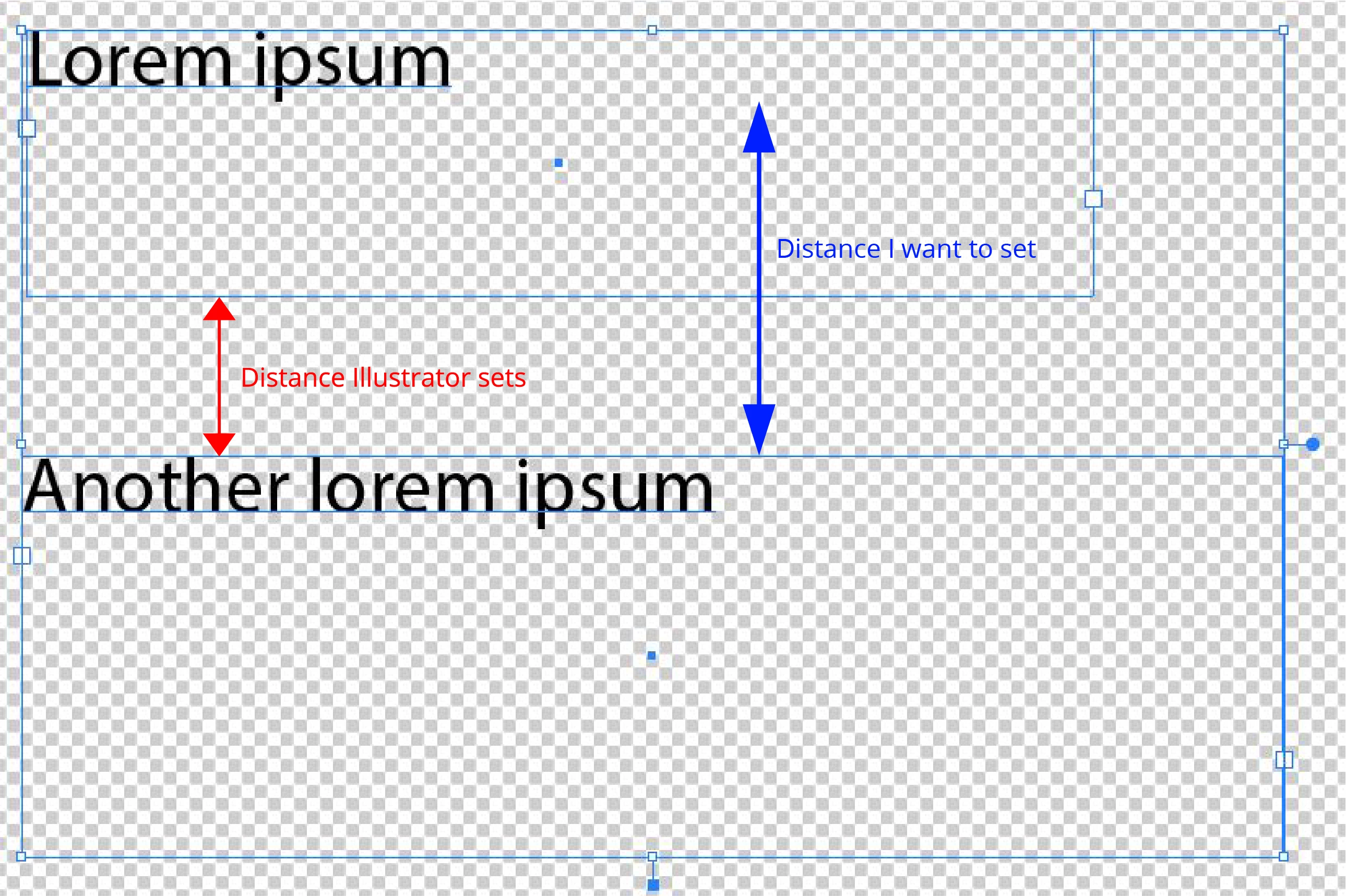
P.S.: Same goes for Illustrator

This topic has been closed for replies.
Correct answer winterm

Winterm, how do I fit the text to the grid lines? Is it something I have to do manually and by estimation?


Baseline Grid is set via Document Preferences (Edit > Preferences > Grids). So it will be Document-wide setting. You should consider your own value here for Baseline Grid increment. It's 100 pt in my sample.

After that you should turn on Align to Grid option for your text. It's a preferable approach to set it as a Paragraph Style option (Paragraph Style Options > Indents and Spacing > Align to Grid: [I guess you should set here First Line Only]).

Assuming you already have set a special Para style for the text you want to align...

1 reply

Haeme Ulrich
Inspiring
February 3, 2017

afaik this isn't possible. You have to change the height of the text frame to the height of the text. In InDesign you could do this with a double click to the anchor point:

Participant
February 3, 2017

Hi Haeme! I know about that one, but it doesn't fully fit the text.

winterm
Legend
February 3, 2017

You could use Baseline Grid. Here I set Increment Every: 100 pt in Preferences: