
Dabatross
Known Participant
December 11, 2017
Question

Setting spacing to be the same between multiple elements

  • December 11, 2017
  • 1 reply
  • 843 views

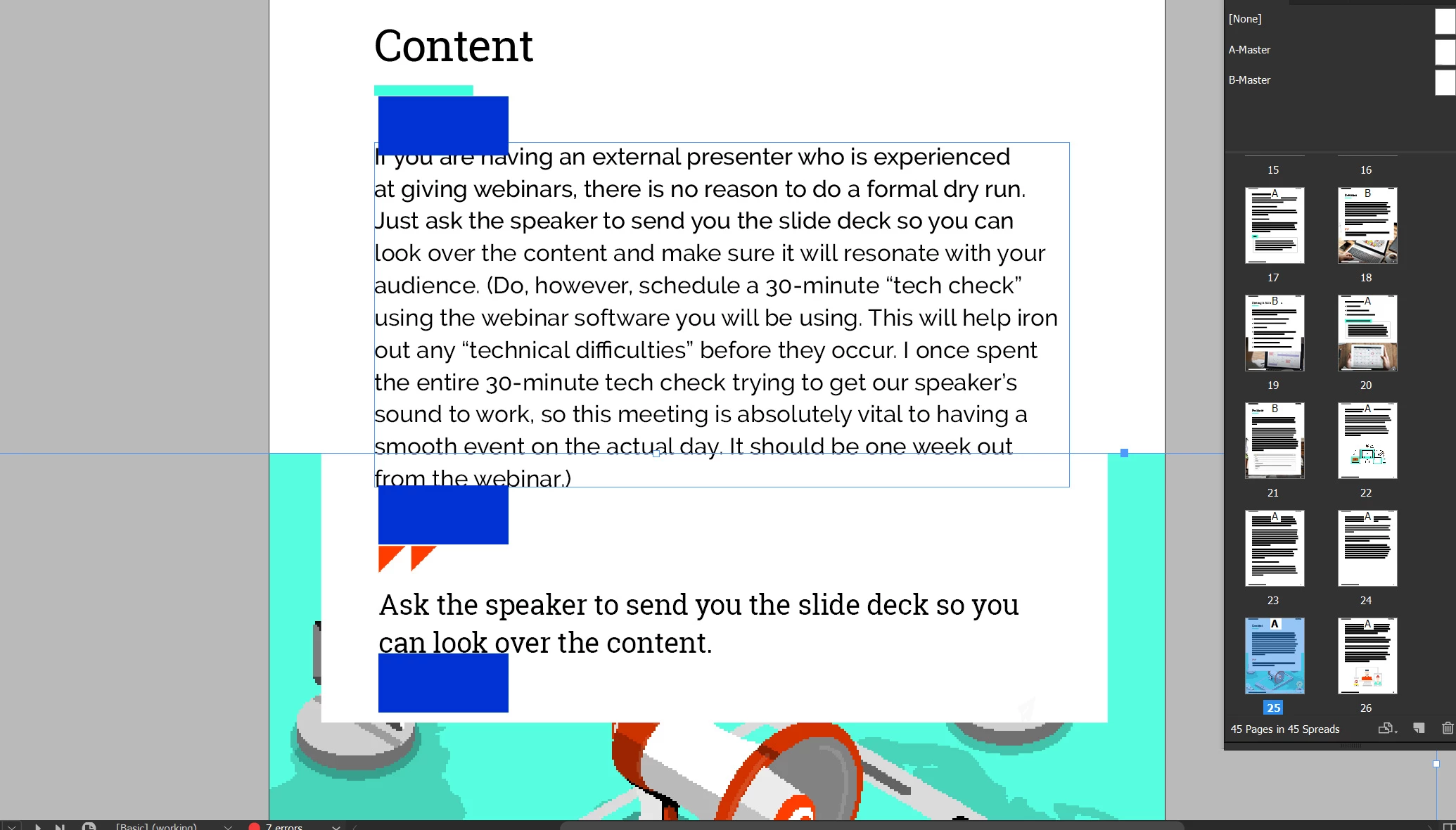
Is there a way in indesign to set spacing between individual elements to be the same across the board so it's all consistent? I attached an image of frames on a page where I want the vertical spacing between the frames to all be the same. The spacing I marked as blue bars. As you can see right now it's not all consistent, its there a fast way to do this so I don't have to do it manually every time with a measure tool?
    This topic has been closed for replies.

    1 reply

    Legend
    December 11, 2017

    The most efficient way to achieve this is to have all of your text in one text box, and use paragraph controls to adjust the spacing. (space before or space after)

    Dabatross
    DabatrossAuthor
    Known Participant
    December 11, 2017

    That works but how would I insert those additional elements like the red quotes or the aqua underline and have them space correctly as well?

    Dabatross
    DabatrossAuthor
    Known Participant
    December 11, 2017

    I can't group the quote together and the header together so they space evenly with those additional graphic elements