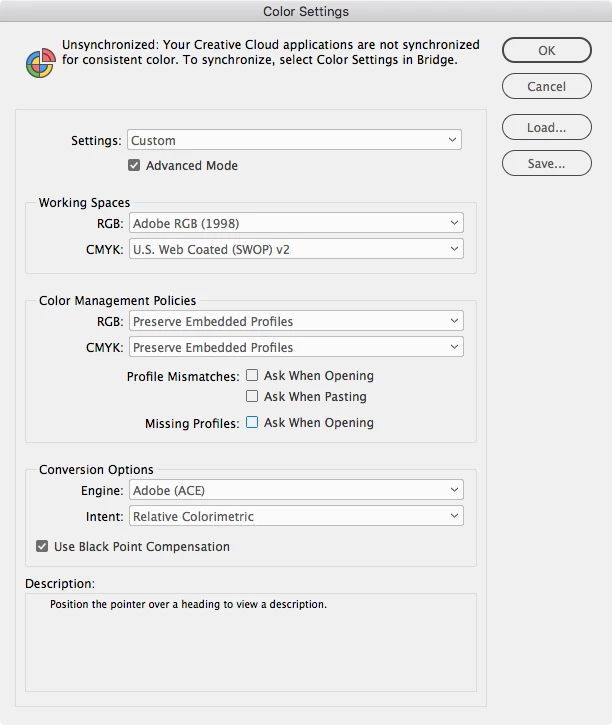
I have an Icc profile of one printer I use I found now in Indesign under color settings - color conversion to working space. Would that solve the problem if I set the color profile of the printer im going to use? |
No, the color management concept for composite printing is you choose a single RGB working space for editing your images and colors and then the conversion to the printer's profile happens when you print—you would choose the output profile in the print dialog and not in the document's color setup. Composite printers almost always use RGB drivers—if you work with CMYK colors they don't print the provided values. In general for composite printing your images and colors should be RGB to avoid extra color conversions.
The RGB Working Space you choose in Color Settings should be a display profile that isn't your monitor profile. The common RGB editing spaces are sRGB, AdobeRGB, AppleRGB, and ProPhotoRGB. Derek recommended sRGB, but it is a smaller space and doesn't include a significant part of the blue and yellow spectrum that inkjet printers are capable of printing, so I would think you would be better off with the default AdobeRGB.


 AdChoices