Answered
Shadowed letters
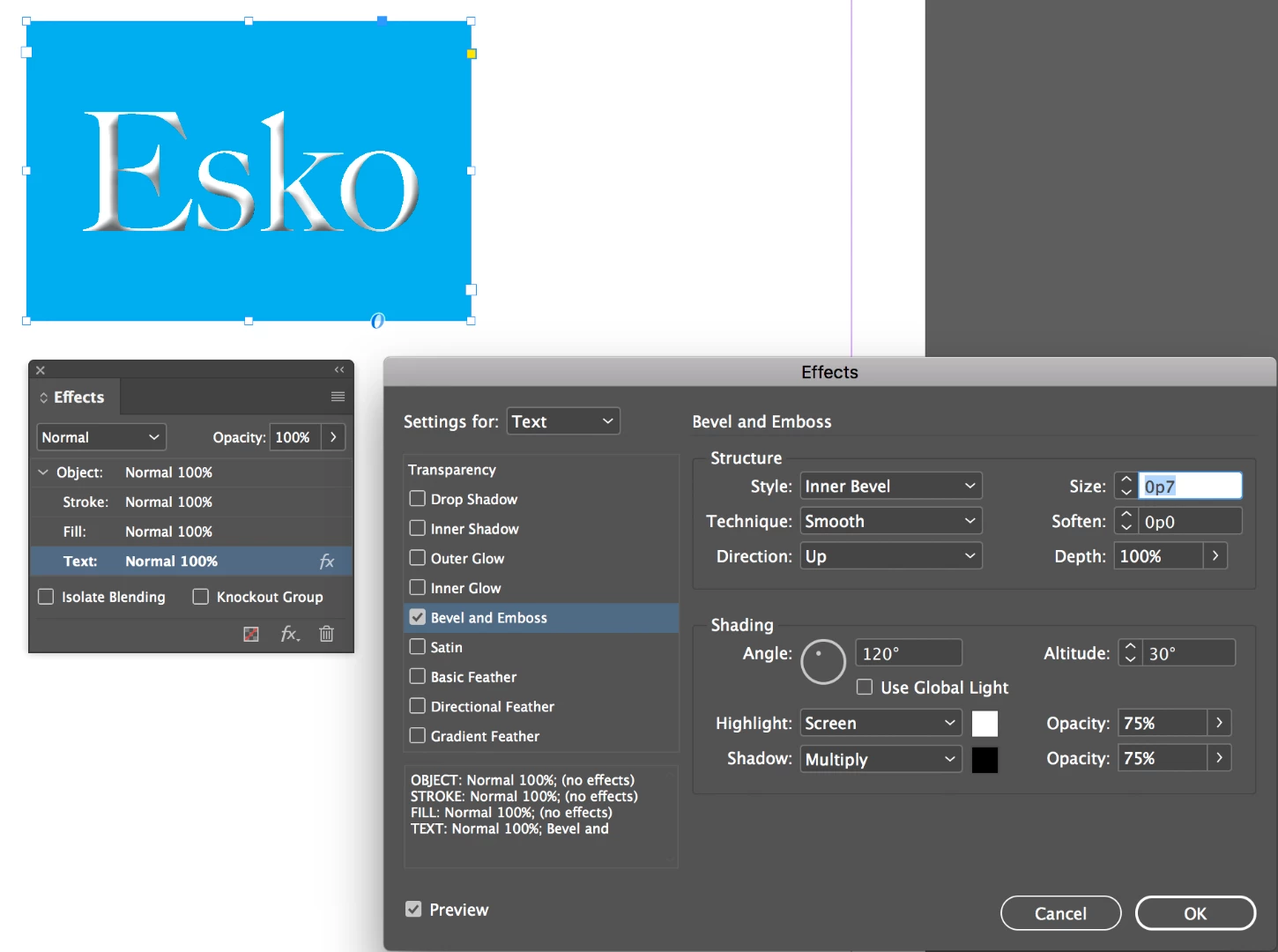
In a publication made using InDesign I saw text with letters that had shadows inside, kind of 3 D letters with light coming from northwest. How this is done? Tried to read guides, but did not find any help.

In a publication made using InDesign I saw text with letters that had shadows inside, kind of 3 D letters with light coming from northwest. How this is done? Tried to read guides, but did not find any help.
Hi Barb,
I use InDesign in a public library that has a CC subscription. When I´ll go there tomorrow again I´ll check what is available in Typekit.
I append a picture to show exactly what kind of a font I mean.

Esko
Hi Esko:
Pictures are worth a thousand words! That's an effect you can add to any typeface you like.
~Barb
Already have an account? Login
Enter your E-mail address. We'll send you an e-mail with instructions to reset your password.
 AdChoices