


December 11, 2025
Answered

Share for text editing - "You don't have access to this document"

  • December 11, 2025
  • 1 reply
  • 286 views

I am testing the share for text editing feature for my team and having issues. I saved the document like it asked and added a couple of non designer colleagues.


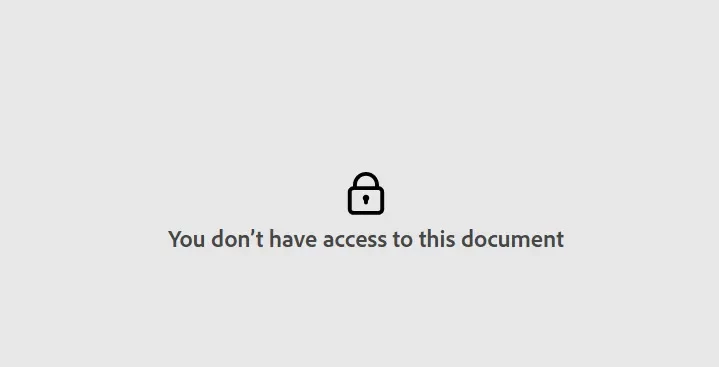
One of them tested the feature, was asked to login, so they made an adobe account but was faced with the following error. 
error.jpg

Now on my side they are still appearing as pending on the share document window.

Is there something I or they need to do to make this document accessible to them?



Correct answer Abhishek Rao

Hi @raven_0336,


Thanks for checking back, and I'm glad we were able to identify the email mismatch earlier.

To answer your follow-up question, collaborators using Share for text editing aren't able to export or download the document locally from their end. At the moment, the web editing experience is limited to making text edits within the shared document, and all ownership and export actions remain with the original document owner in InDesign.

Thanks for raising this point. I'll be sure to pass the feedback along to the team. In the meantime, I'd also encourage you to submit this as a feature request on UserVoice here: https://adobe.ly/3MVioev. Adding your input there helps with prioritization and ensures you're notified of any updates. Make sure to drop the link here in the thread as well so others can upvote it too. 


Feel free to reach out if you have more questions or notice anything else while testing this feature. I'm happy to help.

Abhishek

1 reply

Abhishek Rao
Community Manager
Community Manager
December 11, 2025

Hello @raven_0336,


I appreciate you providing the information. When an invited collaborator encounters the "You don't have access to this document" message and it still appears as pending on your end, it typically indicates that the invitation was not fully accepted. This situation can arise if the email address you used to share the document differs from the one they used to log in. Please ask them to log in with the exact email address you sent the invitation to and attempt to open the link again. If the invitation still appears as pending after they do this, consider removing them from the share window and then re-adding them to refresh the invitation. Additionally, please check the articles and let me know if they are helpful: Share your documents for review and manage feedback in InDesign., Invite collaborators to edit cloud documents


Keep me updated on how it goes once they try again.

Abhishek

December 16, 2025

Thank you @Abhishek Rao! Turned out the email address they used to login differed slightly from the one I emailed the document to. One more question, when they edit the text is it possible for them to export the document locally on their end?


Abhishek Rao
Community Manager
Abhishek RaoCommunity ManagerCorrect answer
Community Manager
December 23, 2025

Hi @raven_0336,


Thanks for checking back, and I'm glad we were able to identify the email mismatch earlier.

To answer your follow-up question, collaborators using Share for text editing aren't able to export or download the document locally from their end. At the moment, the web editing experience is limited to making text edits within the shared document, and all ownership and export actions remain with the original document owner in InDesign.

Thanks for raising this point. I'll be sure to pass the feedback along to the team. In the meantime, I'd also encourage you to submit this as a feature request on UserVoice here: https://adobe.ly/3MVioev. Adding your input there helps with prioritization and ensures you're notified of any updates. Make sure to drop the link here in the thread as well so others can upvote it too. 


Feel free to reach out if you have more questions or notice anything else while testing this feature. I'm happy to help.

Abhishek