Participating Frequently
March 30, 2023
Answered

Sharing Word to Indesign style map

  • March 30, 2023
  • 1 reply
  • 490 views

Is it possible to share a custom Word to Indesign style map with other users?  I have created a style map within a template, saved it as a present, and have set it as my defualt.  I want to share this map with teammates so that we do not have to go through and set up the same map over and over on each machine.  I'd rather just drop a file in a folder and have it be available on the next machine.  I can not find where InDesign stores this mapping information file.  I have looked all throughout the Presets folder and connot find anything for Style Mapping.  Is this information stored in one of the Workspace xmls files?
This topic has been closed for replies.
Correct answer Steve Werner

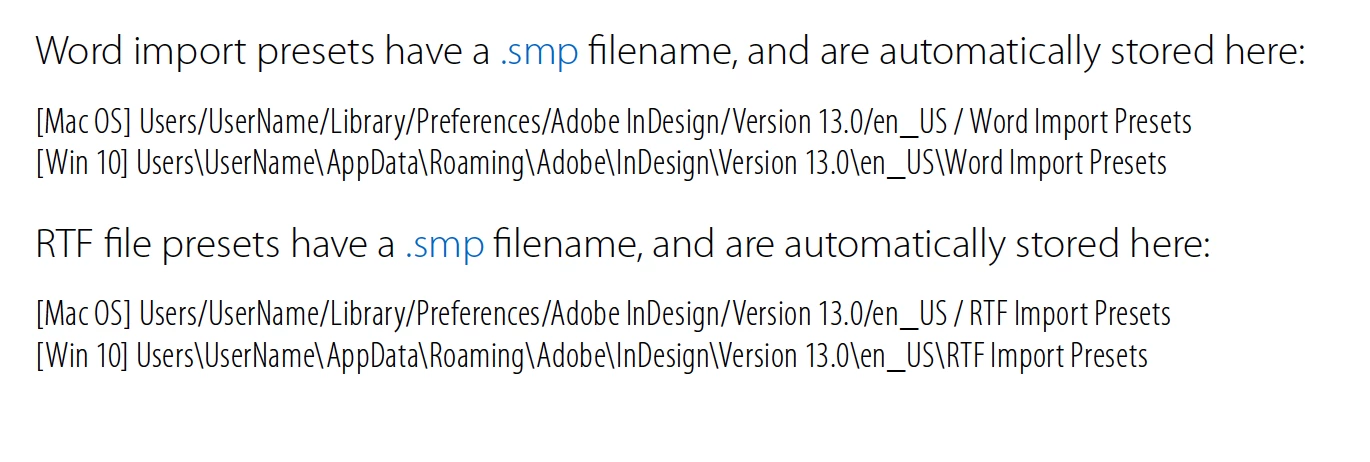
See if the presets are stored here (you'll have to change the InDesign Version):


[Sorry for repeat]

See if the presets are stored here (you'll have to change the Version number):


1 reply

Steve Werner
Community Expert
Community Expert
March 30, 2023

I haven't tested this but on the Microsoft Word Import Options dialog box, have you tried saving a preset (Save Preset button at the top right)?


Participating Frequently
March 30, 2023

I do have it saved as a Preset and have it that preset saved as my default.  I was hoping this preset would follow the template but when other users open the template file ona differnt machine, my preset is not available to them.  

Steve Werner
Community Expert
Community Expert
March 30, 2023

See if the presets are stored here (you'll have to change the InDesign Version):