
Known Participant
July 10, 2020
Beantwortet

Shortcut location for "Next Page" ?

  • July 10, 2020
  • 1 Antwort
  • 849 Ansichten

I use custom shortcuts in CC, including ID. Never has "fn + Shift + Up/Down" worked for me, although I can't recall ever changing it. The closest thing in Shortcuts I could find was Keyboard Shortcuts > Views, Navigation > Scroll Up/Down One Screen. However, this does not center the pages during scrolling and is useless. Any help? Am I missing the location of the "Next Page / Previous Page" command?
Dieses Thema wurde für Antworten geschlossen.
Beste Antwort von Steve Werner

On a Mac (which has no extended keyboard), the shortcut is "fn + Shift + Up/Down" to choose Next Page/Previous Page. But I usually use "fn + Option + Up/Down" to choose Next Spread/Previous Spread. 


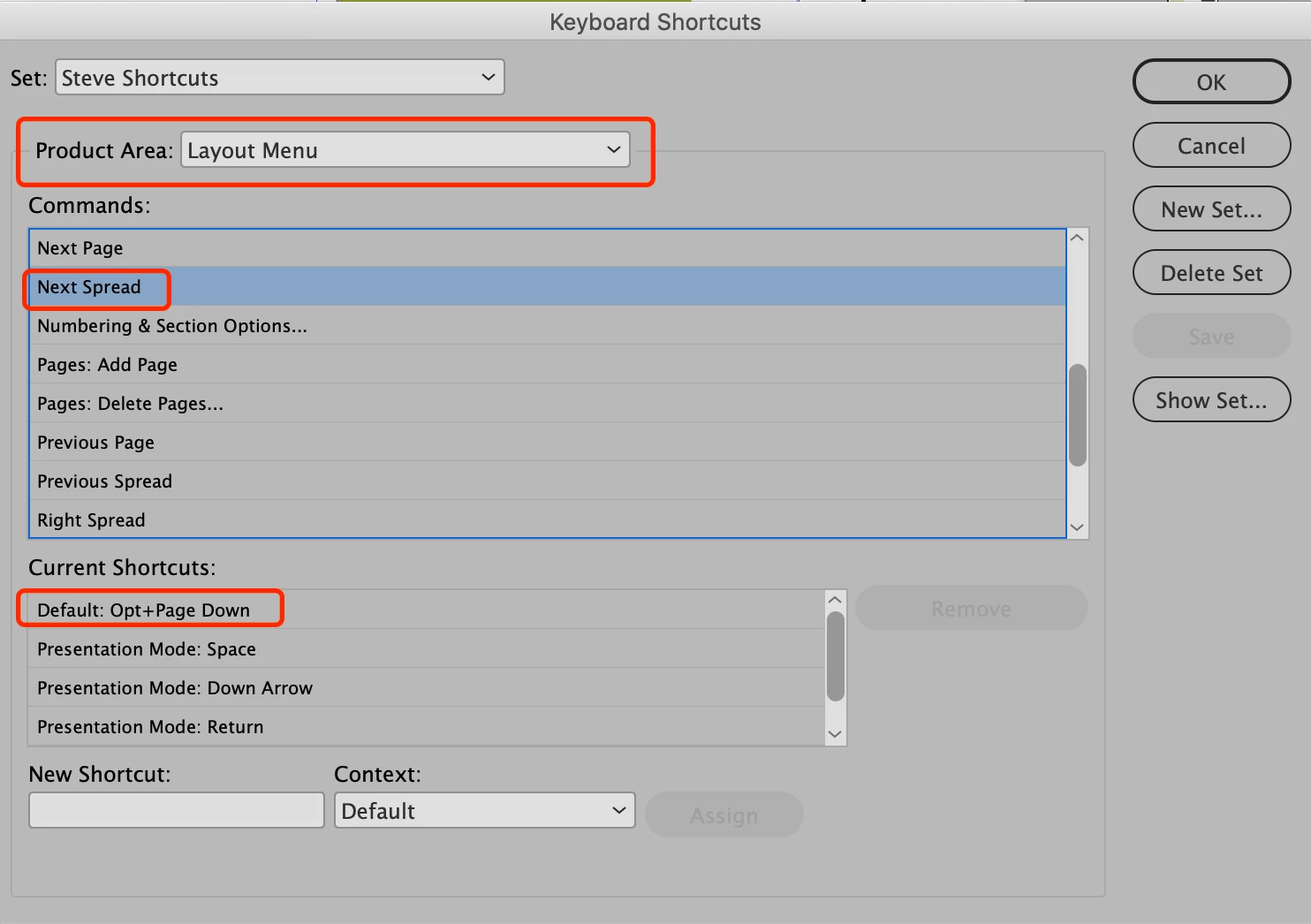
In Edit > Keyboard Shortcuts > Product Area: Layout Menu. With an extended keyboard, it would be Page Up/Page Down without the "fn"


1 Antwort

Steve Werner
Community Expert
Community Expert
July 11, 2020

On a Mac (which has no extended keyboard), the shortcut is "fn + Shift + Up/Down" to choose Next Page/Previous Page. But I usually use "fn + Option + Up/Down" to choose Next Spread/Previous Spread. 


In Edit > Keyboard Shortcuts > Product Area: Layout Menu. With an extended keyboard, it would be Page Up/Page Down without the "fn"


Known Participant
July 11, 2020

HERO