Participant
October 21, 2018
Answered

shortcut word spaces cmd+alt+< doesn't work. Please help!

  • October 21, 2018
  • 1 reply
  • 261 views

Hey there,

under increasing word spaces two shortcuts are preinstalled (using indesign CC, magic keyboard)

cmd+alt+<   

cmd+alt+shift+<

both are without function.

I can't delete any of those, because they are standard.

Has anybody an idea?

Greatings Sonja
    This topic has been closed for replies.
    Correct answer Barb Binder

    Hi Sonja:

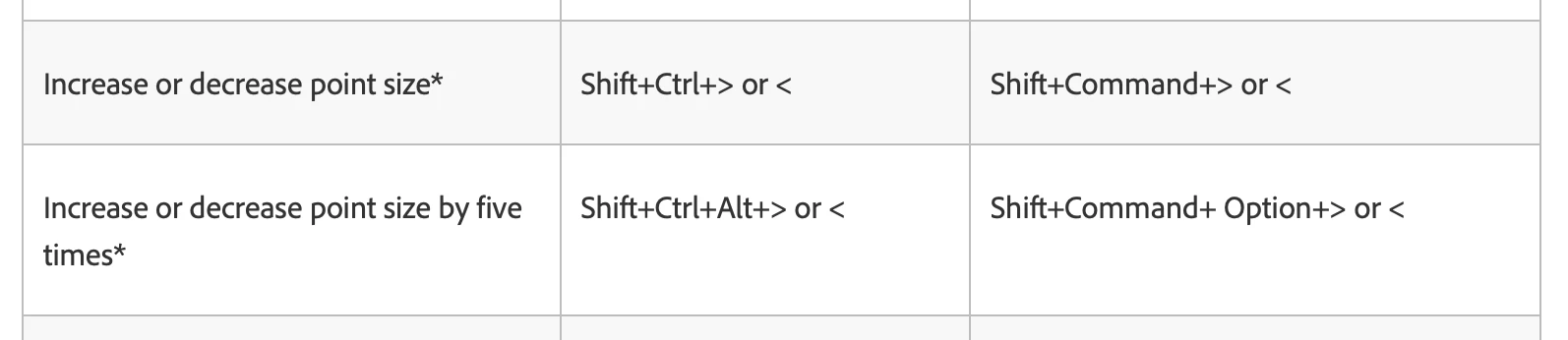
    I'm not clear what you are asking for. Those are the normal shortcuts for adjusting the size of the type:

    Learn the default keyboard shortcuts in InDesign

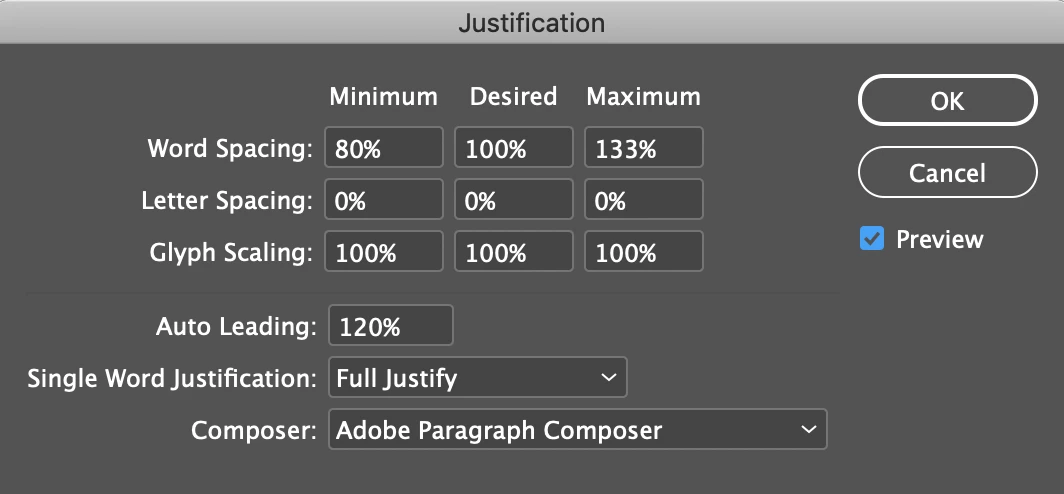
    Word spacing is handled via the Justification dialog box:

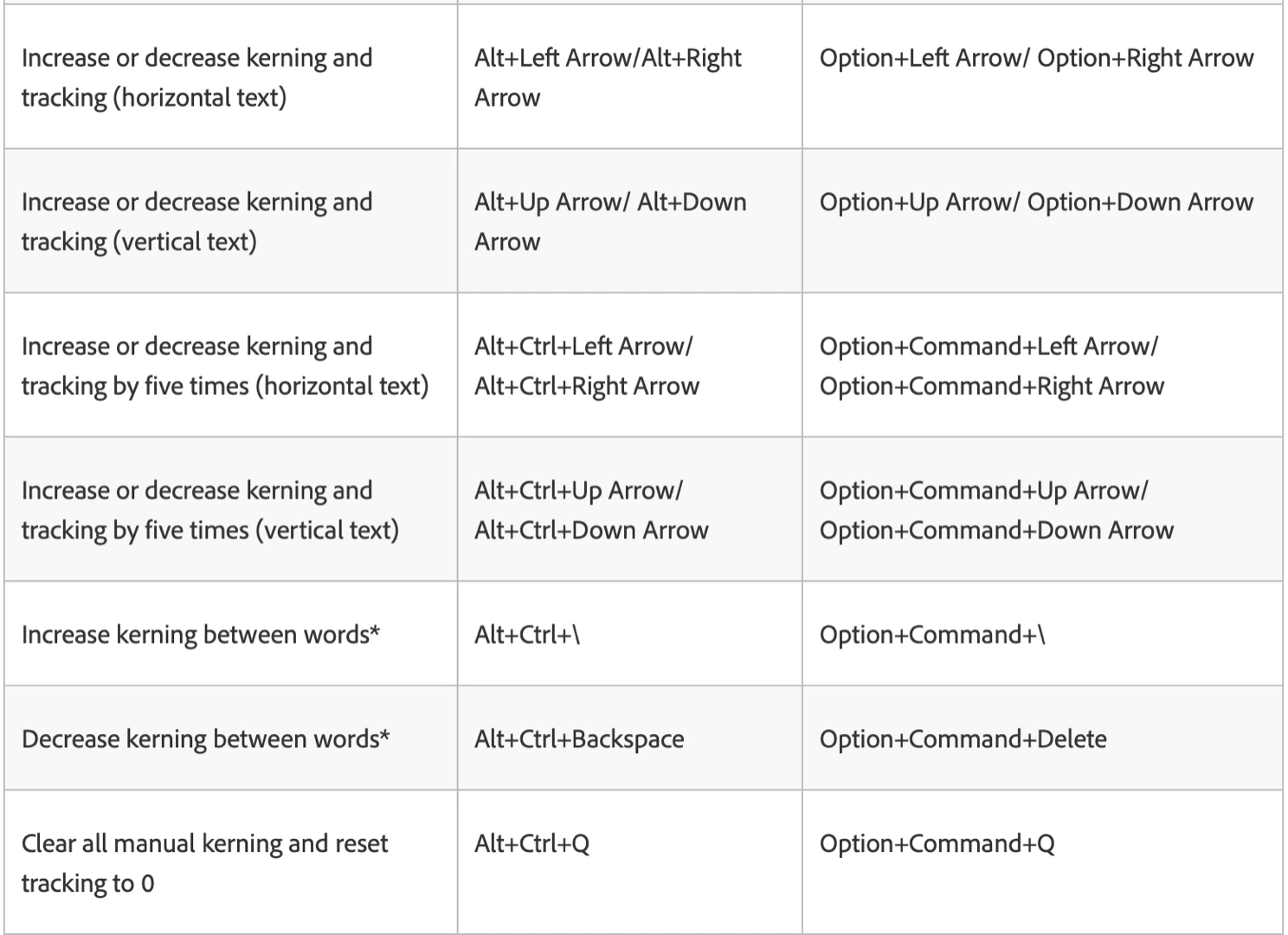
    I'm wondering you perhaps you meaning tracking or kerning? If so, here are the shortcuts:

    Any of these shortcuts can be changed via Edit > Keyboard Shortcuts.

    ~Barb

    1 reply

    Barb Binder
    Community Expert
    Barb BinderCommunity ExpertCorrect answer
    Community Expert
    October 21, 2018

    Hi Sonja:

    I'm not clear what you are asking for. Those are the normal shortcuts for adjusting the size of the type:

    Learn the default keyboard shortcuts in InDesign

    Word spacing is handled via the Justification dialog box:

    I'm wondering you perhaps you meaning tracking or kerning? If so, here are the shortcuts:

    Any of these shortcuts can be changed via Edit > Keyboard Shortcuts.

    ~Barb

    ~Barb at Rocky Mountain Training