dublove
Legend
June 10, 2025
Answered

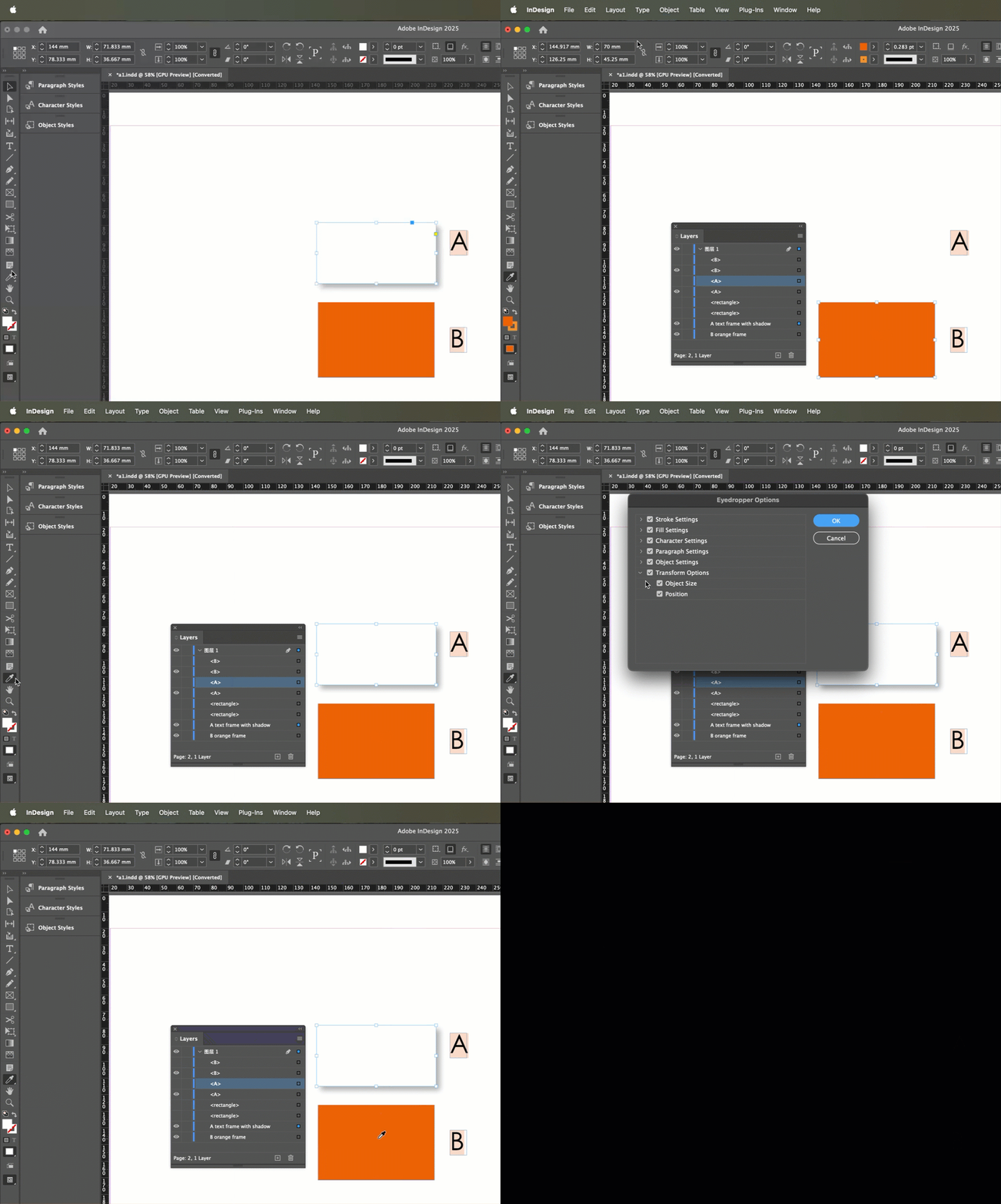
Since when is it so hard for a B object to pick up A's projection style?

  • June 10, 2025
  • 2 replies
  • 242 views

I've tried pipetting so many parts of A without sucking up the style effect.
Suddenly!
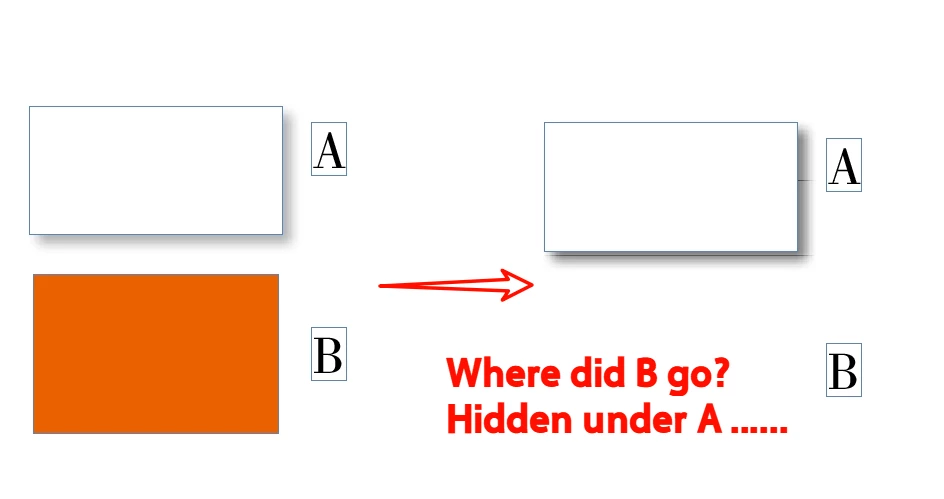
B will still be inexplicably swallowed by A and become A's background?
gbbl up
Where did B go? Hidden under A ......

Do I have to set the suck item for the straw? Leave only the siphon object style?

ID 2024 19.5
Correct answer Barb Binder

Hi @dublove:


You can control what the Eyedropper tool picks up by double clicking it before use, and enabling/disabling properties. If you don't want to apply the object position, disable before use. 


~Barb


2 replies

Barb Binder
Community Expert
Community Expert
June 10, 2025

Hi @dublove:


So what is the actual goal here: do you want all four frames to be white with a drop shadow and no movement?


  • The beginner technique is to use the Eyedropper tool (and the position checkbox accounts for the frame movement). 
  • The advanced technique is an Object style (and don't include position information in the style definition).


Both can standardize the look of the four frames without moving them but you don't need to use both. Just pick one, and with your level of knowledge at this point, I'd choose an object style and not the eyedropper.


And it maybe I'm still not understanding the question—so if that's true—come back and clarify and we'll wait for someone else to address it. I'll pop back in if I think I can help, otherwise, I'll just keep an eye on it.


~Barb

~Barb at Rocky Mountain Training
dublove
dubloveAuthor
Legend
June 11, 2025

It turns out that this won't happen.
It may be hard to draw on the style of A sometimes, but it's still possible to do it a few more times.

Now, not only does B fail to absorb A's style, but B also disappears and runs behind A.


I tried it. ID 2025 is fine.

There should be something wrong with my software.

Barb Binder
Community Expert
Barb BinderCommunity ExpertCorrect answer
Community Expert
June 10, 2025

Hi @dublove:


You can control what the Eyedropper tool picks up by double clicking it before use, and enabling/disabling properties. If you don't want to apply the object position, disable before use. 


~Barb


~Barb at Rocky Mountain Training
dublove
dubloveAuthor
Legend
June 10, 2025

Hi Barb Binder

I know about the double click straw option. But I want to keep all options checked.
What I'm asking now is:
I used to be able to suck on the projection easily, how come it's become impossible now and instead B gets swallowed by A?

Not A sucking up B style.
It's B trying to suck up A's projection.