
Participant
November 1, 2016
Question

Single text box, multiple columns

  • November 1, 2016
  • 2 replies
  • 7499 views

Hey all,

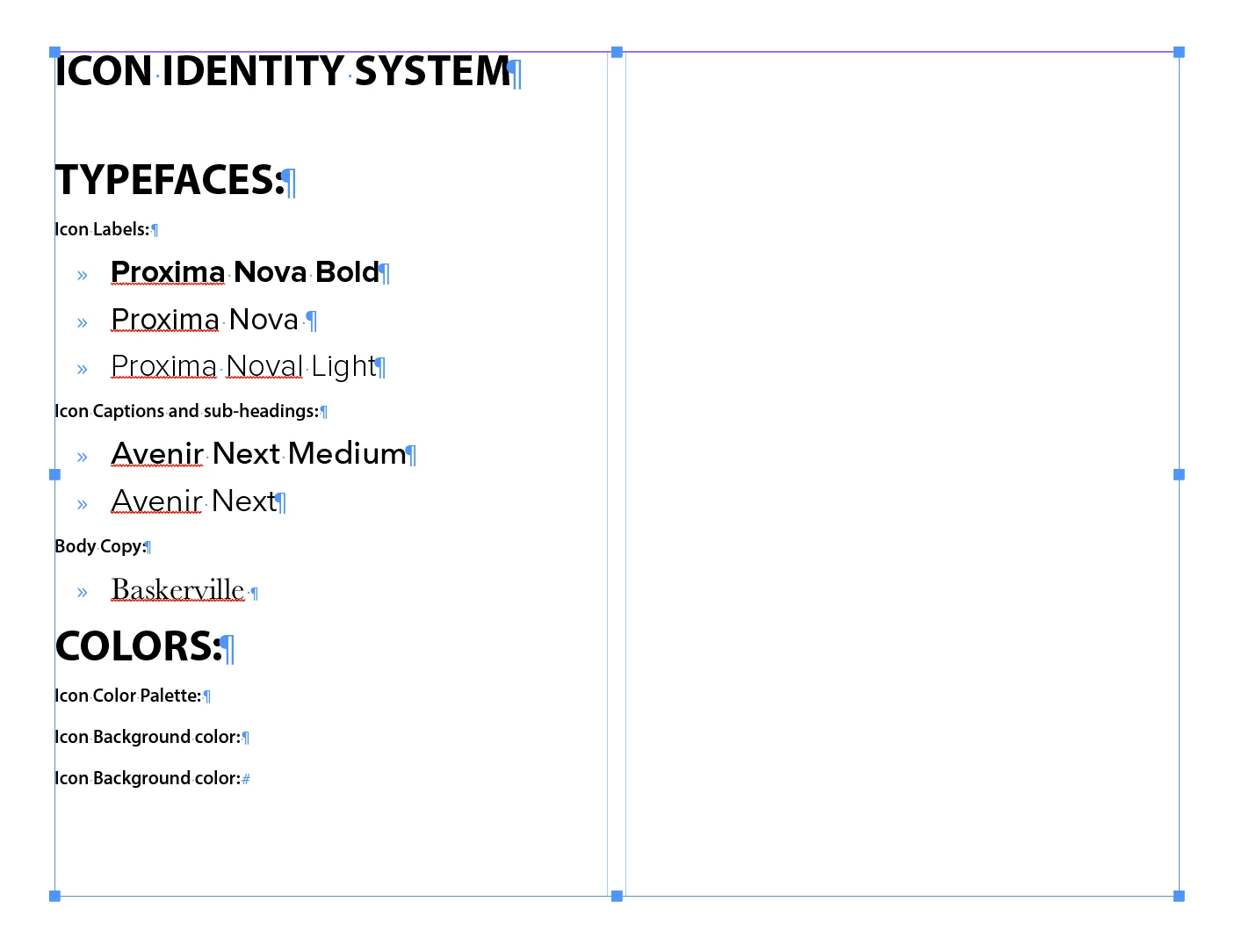
I am totally blanking on this, but I have this document with a single text frame (the whole page excluding margins) and I'd like to separate the body copy into columns / paragraphs.

Basically I want the section for "COLORS" to be in the 2nd column but on the same line as "TYPEFACES"

Also, the "ICON IDENTITY SYSTEM" is spanning two columns.

Thanks!!
    This topic has been closed for replies.

    2 replies

    Scott Falkner
    Community Expert
    Community Expert
    November 2, 2016

    Ahead of “Colors” enter a column break, which is Enter on the numeric keypad. On a Mac without a numeric keypad use Fn+Return. For Icon Identity system, select the line and go to Span Columns in the paragraph panel. Select Span Columns then select the number of columns you want o span. In the case either 2 or All.

    Steve Werner
    Community Expert
    Community Expert
    November 2, 2016

    The answer is Span and Split Columns described here in a posting I wrote when the feature came out in InDesign CS5:

    http://indesignsecrets.com/timesaver-span-and-split-columns-in-cs5.php