
Answered
Size footnote number
Hi!
How do I change the size of the footnote number in the footnote (not the superscript in text)?

Size it is now (same as text)

Size I would like, smaller than text.
Warm regards,
Jenna

Hi!
How do I change the size of the footnote number in the footnote (not the superscript in text)?
Size it is now (same as text)
Size I would like, smaller than text.
Warm regards,
Jenna
Hi Jenna:
You accomplish this task by added a nested character style (that controls the look of the number) to a paragraph style.
The footnotes that appear at the bottom of the column can be assigned a paragraph style via Type > Footnote Options. I usually use the name Footnote.
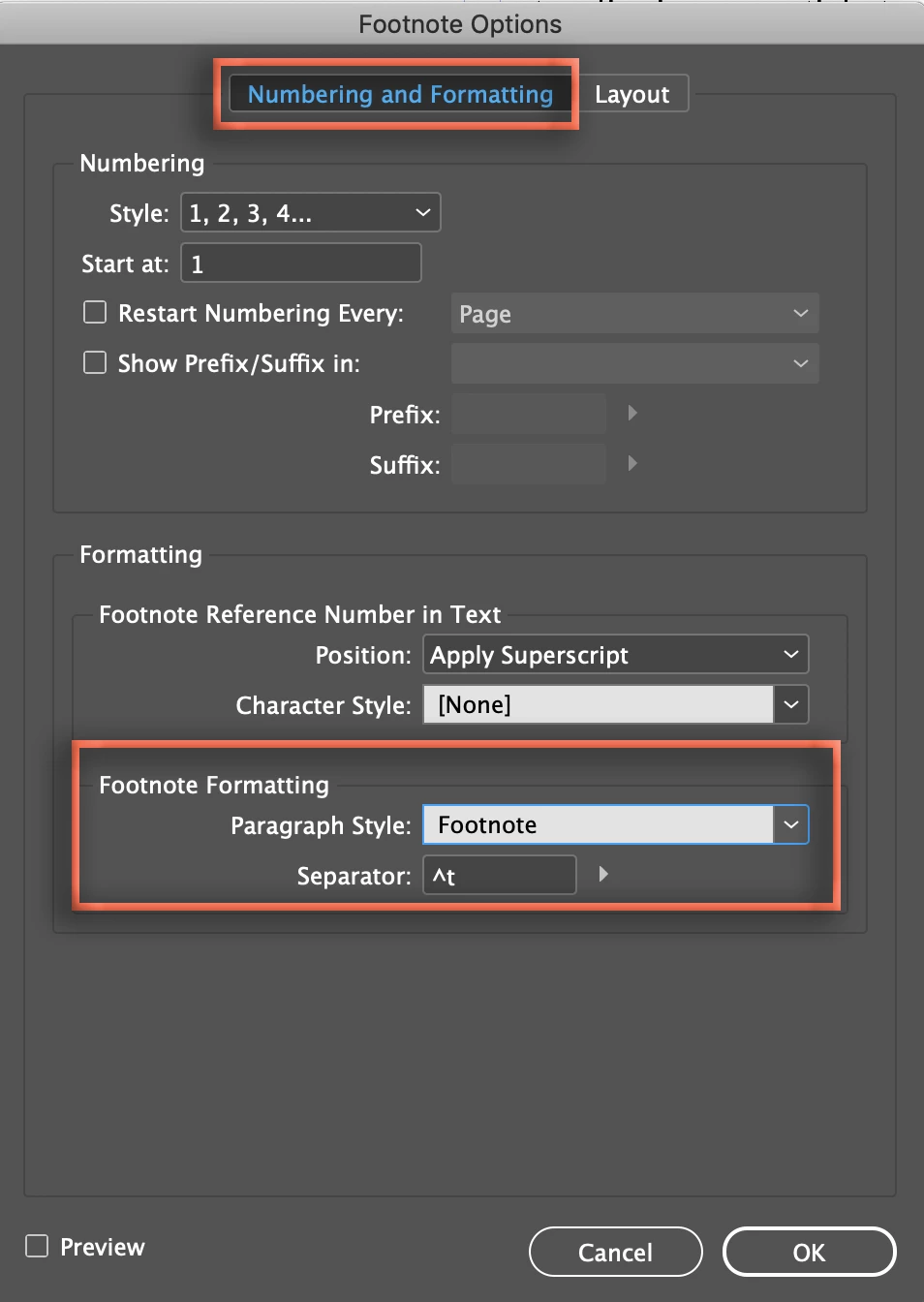
Once assigned, edit the footnote paragraph style and add a nested character style to control the footnote number and apply it to up to 1 Tab characters.
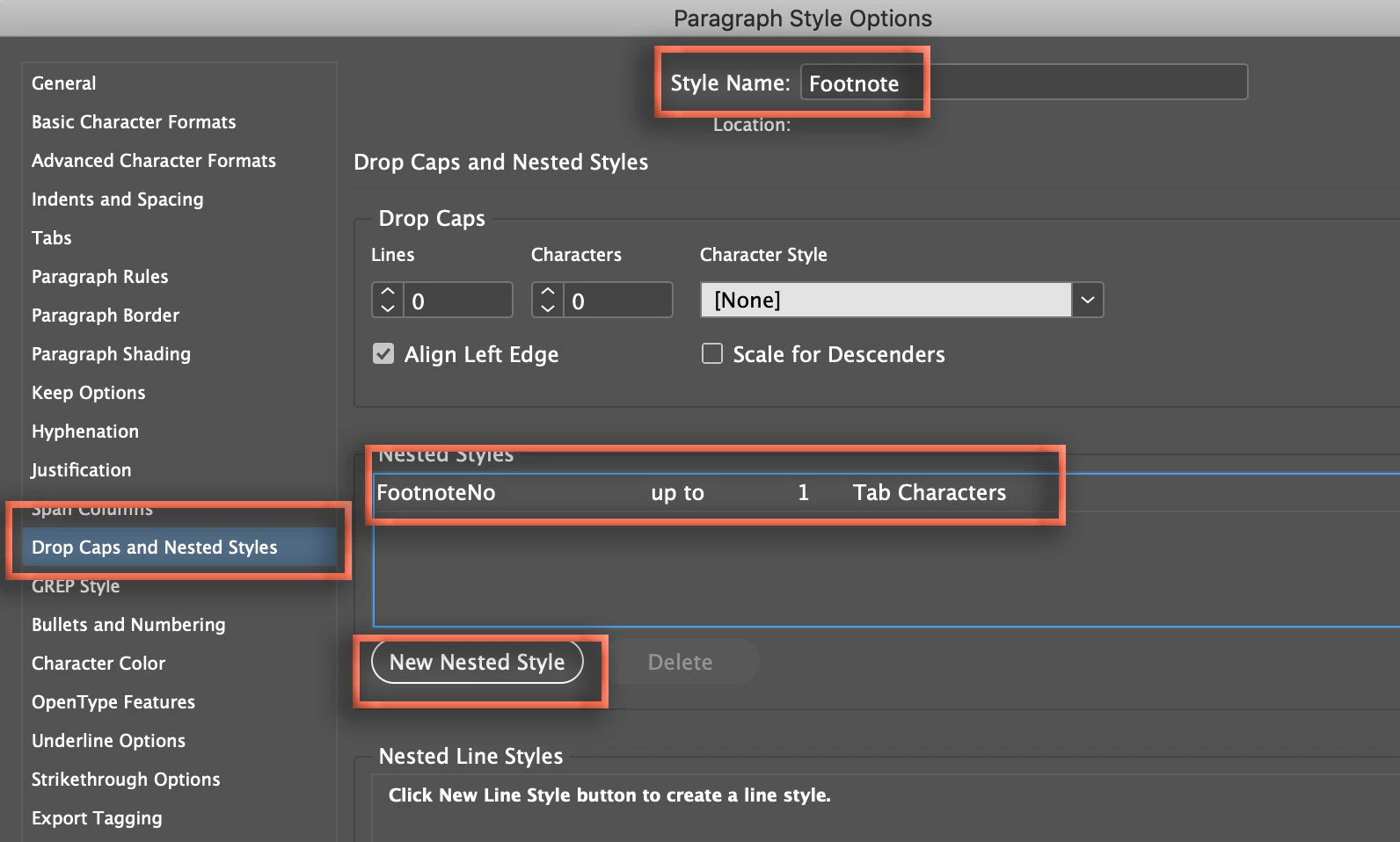
~Barb
Already have an account? Login
Enter your E-mail address. We'll send you an e-mail with instructions to reset your password.
 AdChoices