There are a number of ways to address this; please let me offer two of the easiest:
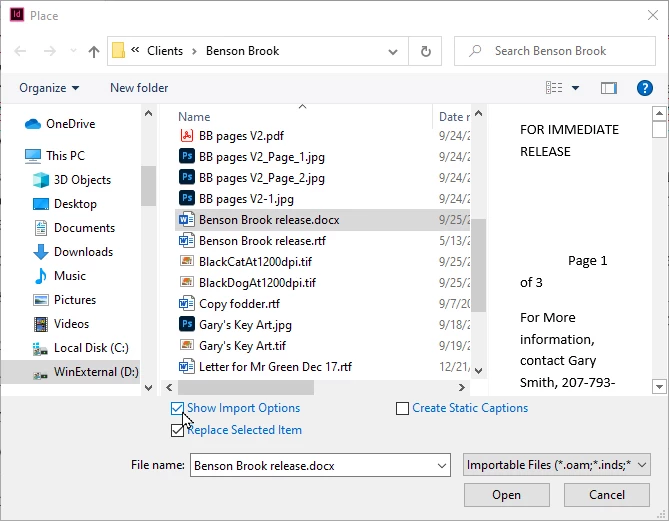
With experimentation: InDesign lets you set import options for how you bring Microsoft Word documents into your documents. At the bottom of the Place dialog box, you have the option to Show Import Options, as shown in the illustration below. Here you can experiment with options to change your soft returns to no returns, and when you get to the right set of options, save a preset so you don't have to experiment time and time again.
Without experimentation (and in my mind, the easier option): Open the file using the Windows WordPad accessory, then use the File>Save As... menu command to save it as a Rich Text Format (RTF) file. Then you can place the RTF text into InDesign without most of the formatting, but with bold, italic, underline and/or strikethrough attributes. This is my personal preference for placing MSWord text into InDesign.
Hope this helps,
Randy
 AdChoices