Known Participant
July 2, 2022
Answered

SortParagraphs (not working)

  • July 2, 2022
  • 2 replies
  • 452 views

Hello;

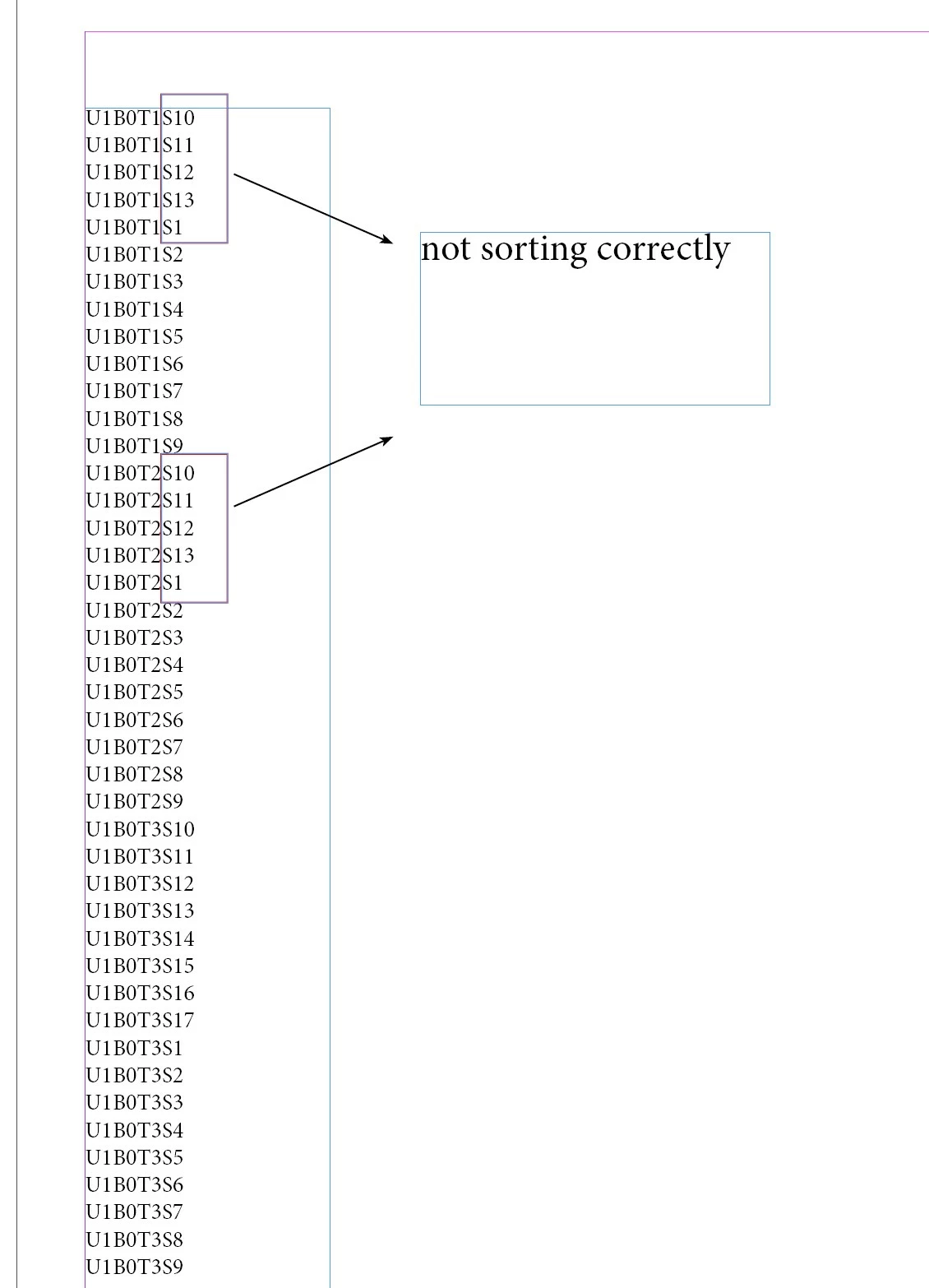
I can't make a correct order. The methods I used ("sortparagraph.jsx and smartSort" ) don't work! thank you


This topic has been closed for replies.
Correct answer m1b

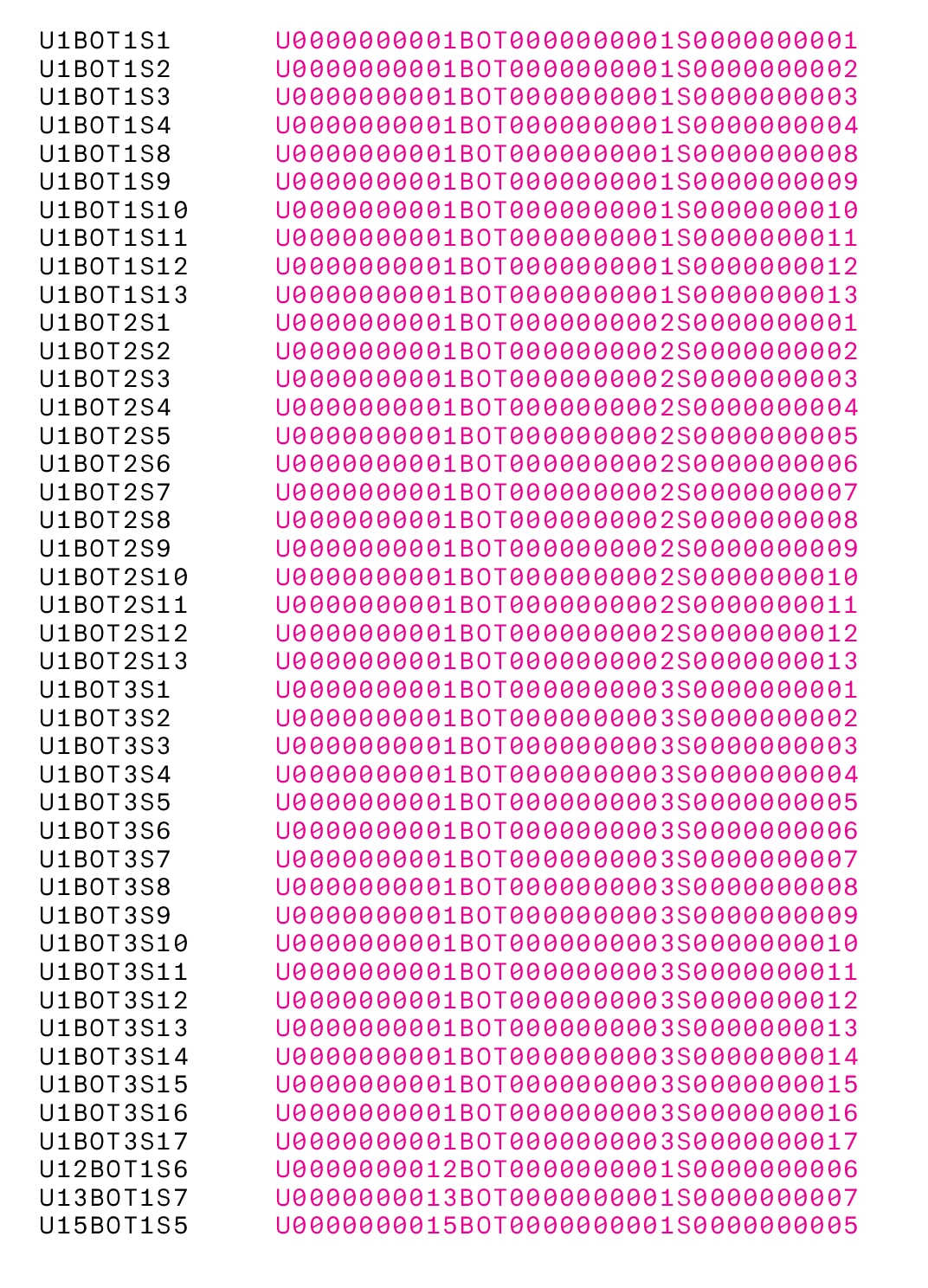
Hi @uniq1, here is a little script I wrote to handle your example. It works by padding out the numbers with zeros and sorting that. Select the text or text frame and run script. Let me know how it works for you.

- Mark


function main() {

    sortParagraphsByPaddingNumbers(app.activeDocument.selection[0]);


    /**
     * Sort paragraphs by padding numbers.
     * @author m1b
     * @discussion https://community.adobe.com/t5/indesign-discussions/sortparagraphs-not-working/m-p/13045173
     * @param {TextFrame|Text} items - any Indesign object with 'paragraphs' property
     */
    function sortParagraphsByPaddingNumbers(items) {

        if (!items.hasOwnProperty('paragraphs')) {
            alert('Please select some text or a text frame and try again.')
            return;
        }

        // add a carriage return if necessary
        if (items.paragraphs.item(-1).characters.item(-1).contents != '\u000D')
            items.paragraphs.item(-1).insertionPoints.item(-1).contents = '\u000D';

        var paragraphs = items.paragraphs.everyItem().getElements(),
            sorter = [],
            afterPoint = items.paragraphs[paragraphs.length - 1].insertionPoints[-1];

        // make a sortable version of each paragraph
        for (var i = 0; i < paragraphs.length; i++) {

            var parts = paragraphs[i].contents

                // remove carriage returns, linefeeds
                .replace(/[\u000D\u000A]/g, '')

                // separate numbers
                .split(/(\d+)/g);

            // make a sortable string out of the parts
            // by padding the numbers with zeros
            for (var j = 0; j < parts.length; j++)
                if (!isNaN(Number(parts[j])))
                    parts[j] = ('0000000000' + parts[j]).slice(-10);

            // combine into a handy object
            sorter[i] = {
                paragraph: paragraphs[i],
                sortable: parts.join('')
            };

        }

        // sort using the sortable string
        sorter.sort(function (a, b) {
            if (a.sortable > b.sortable) return 1;
            else if (a.sortable < b.sortable) return -1;
            else return 0
        });

        // duplicate paragraphs in sorted order
        for (var i = 0; i < sorter.length; i++)
            resolve(sorter[i].paragraph.toSpecifier()).duplicate(LocationOptions.AFTER, afterPoint);

        // remove the unsorted paragraphs
        for (var i = paragraphs.length - 1; i >= 0; i--)
            resolve(paragraphs[i].toSpecifier()).remove();

        function isNaN(n) {
            return n !== n;
        }
    }


}

app.doScript(
    main,
    ScriptLanguage.JAVASCRIPT,
    undefined,
    UndoModes.ENTIRE_SCRIPT,
    "Sort Paragraphs"
);


Just for interest: this shows example of the padded numbers paragraphs that script uses to sort:
2 replies

m1b
Community Expert
m1bCommunity ExpertCorrect answer
Community Expert
July 2, 2022

Hi @uniq1, here is a little script I wrote to handle your example. It works by padding out the numbers with zeros and sorting that. Select the text or text frame and run script. Let me know how it works for you.

- Mark


function main() {

    sortParagraphsByPaddingNumbers(app.activeDocument.selection[0]);


    /**
     * Sort paragraphs by padding numbers.
     * @author m1b
     * @discussion https://community.adobe.com/t5/indesign-discussions/sortparagraphs-not-working/m-p/13045173
     * @param {TextFrame|Text} items - any Indesign object with 'paragraphs' property
     */
    function sortParagraphsByPaddingNumbers(items) {

        if (!items.hasOwnProperty('paragraphs')) {
            alert('Please select some text or a text frame and try again.')
            return;
        }

        // add a carriage return if necessary
        if (items.paragraphs.item(-1).characters.item(-1).contents != '\u000D')
            items.paragraphs.item(-1).insertionPoints.item(-1).contents = '\u000D';

        var paragraphs = items.paragraphs.everyItem().getElements(),
            sorter = [],
            afterPoint = items.paragraphs[paragraphs.length - 1].insertionPoints[-1];

        // make a sortable version of each paragraph
        for (var i = 0; i < paragraphs.length; i++) {

            var parts = paragraphs[i].contents

                // remove carriage returns, linefeeds
                .replace(/[\u000D\u000A]/g, '')

                // separate numbers
                .split(/(\d+)/g);

            // make a sortable string out of the parts
            // by padding the numbers with zeros
            for (var j = 0; j < parts.length; j++)
                if (!isNaN(Number(parts[j])))
                    parts[j] = ('0000000000' + parts[j]).slice(-10);

            // combine into a handy object
            sorter[i] = {
                paragraph: paragraphs[i],
                sortable: parts.join('')
            };

        }

        // sort using the sortable string
        sorter.sort(function (a, b) {
            if (a.sortable > b.sortable) return 1;
            else if (a.sortable < b.sortable) return -1;
            else return 0
        });

        // duplicate paragraphs in sorted order
        for (var i = 0; i < sorter.length; i++)
            resolve(sorter[i].paragraph.toSpecifier()).duplicate(LocationOptions.AFTER, afterPoint);

        // remove the unsorted paragraphs
        for (var i = paragraphs.length - 1; i >= 0; i--)
            resolve(paragraphs[i].toSpecifier()).remove();

        function isNaN(n) {
            return n !== n;
        }
    }


}

app.doScript(
    main,
    ScriptLanguage.JAVASCRIPT,
    undefined,
    UndoModes.ENTIRE_SCRIPT,
    "Sort Paragraphs"
);


Just for interest: this shows example of the padded numbers paragraphs that script uses to sort:

rob day
Community Expert
Community Expert
July 2, 2022

It works by padding out the numbers with zeros


Hi Mark, I also thought about adding zeros, but did a search for alphanumeric sort functions and found one at stack overflow—it’s not mine


EDIT: It might need some work, currently is doing this, so the leading 0 is still needed:


m1b
Community Expert
Community Expert
July 2, 2022

Maybe it is sorting just the first number of paragraph? What if you try it with:

UTBOT10S1
UTBOT11S10
UTBOT11S1
UTBOT12S1
UTBOT1S1
UTBOT3S1
UTBOT2S1

- Mark

rob day
Community Expert
Community Expert
July 2, 2022

Hi @uniq1 , the sortparagraph.jsx script that is included in the samples folder, uses the array sort method, which has a function parameter to handle the sorting. The script’s sort function sorts alphabetically—not alphanumerically. The script could be edited to include an alphanumeric function.


See the mySort function on line 210. This might work:


//alphanumeric sorting function from
//https://stackoverflow.com/questions/4340227/sort-mixed-alpha-numeric-array
//var arr = ["A10", "A1", "A11", "A2", "A22", "A3", "A04", "B10", "B2", "F1", "F12", "F03"]
//$.writeln(arr.sort(sortAlphaNum))
//returns A1,A2,A3,A04,A10,A11,A22,B2,B10,F1,F03,F12

function mySort(a, b) {
    var reA = /[^a-zA-Z]/g;
    var reN = /[^0-9]/g;
    var aA = a.replace(reA, "");
    var bA = b.replace(reA, "");
    if (aA === bA) {
        var aN = parseInt(a.replace(reN, ""), 10);
        var bN = parseInt(b.replace(reN, ""), 10);
        return aN === bN ? 0 : aN > bN ? 1 : -1;
    } else {
        return aA > bA ? 1 : -1;
    }
}
m1b
Community Expert
Community Expert
July 2, 2022

Hi @rob day, we posted together! That function looks like a very succinct approach! My script actually builds a sortable string, but this function you posted does a comparison on the fly I think. I'll take a close look at it when I have time. Thanks. - Mark